I am soooo lost - it still will not run after selecting the input
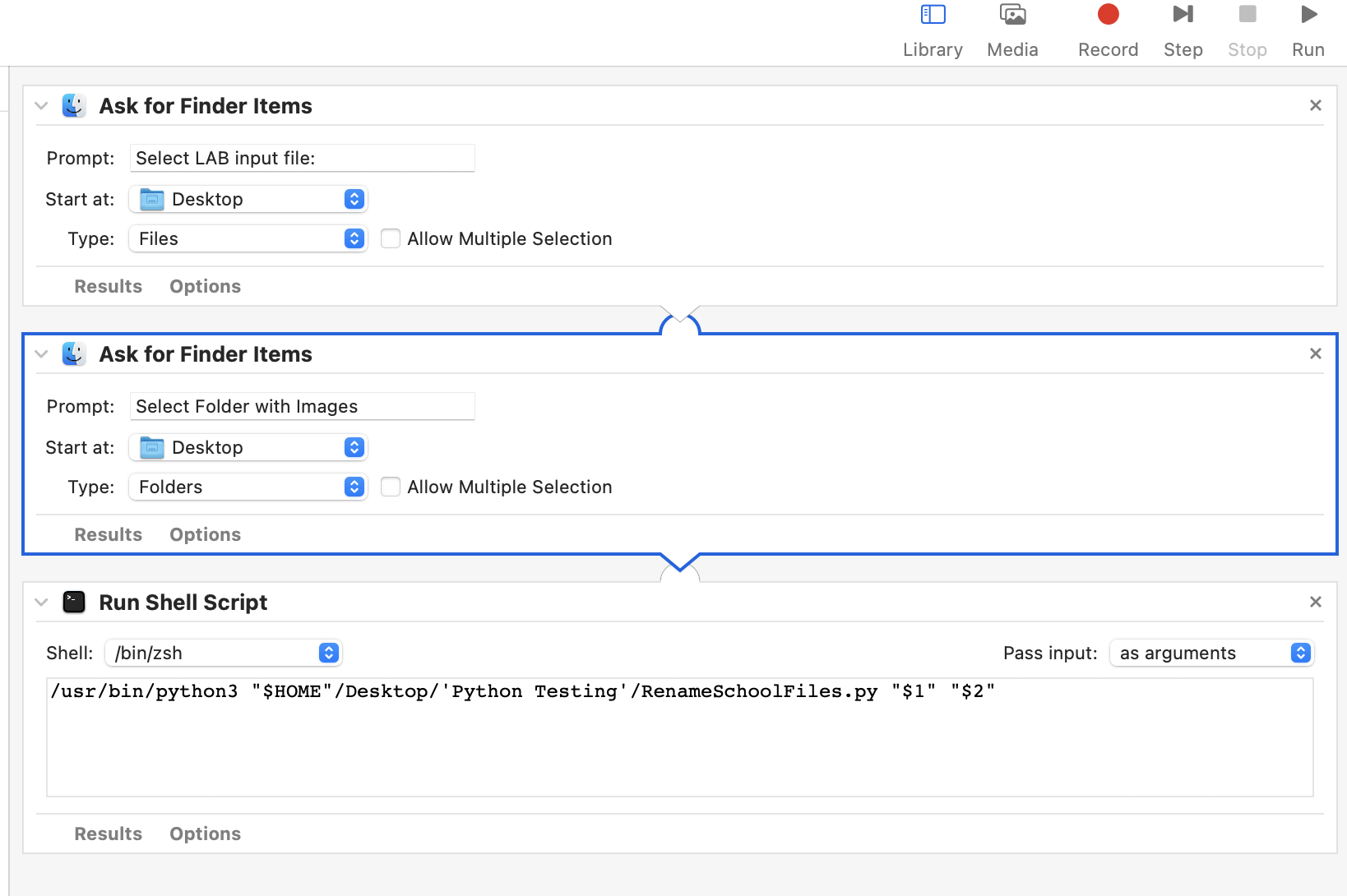
Here's a screen shot of the Automator and the code thru part of the first school (5000 char limit)
#!/usr/bin/env python3

import subprocess
import sys
import os
import shutil

try:
    from subprocess import DEVNULL   # python3
except ImportError:
    DEVNULL = open(os.devnull, 'wb') # python2

ascript = '''
use scripting additions

set userCanceled to false
set school_software to {"PowerSchool", "Infinite Campus", "ReName Only"}
set this_prompt to "Select one choice for School software"

try
    set choice to (choose from list school_software¬
    with title "School Software Selection"¬
    with prompt this_prompt¬
    default items (item 1 of school_software)¬
    OK button name "Select")
on error number -128
    set userCanceled to true
end try
if not userCanceled then
    return (choice as text)
else
    return "Cancel"
end if
'''

def main():
        try:
                proc = subprocess.check_output(['osascript', '-e', ascript],
                                                                                shell=False, stderr=DEVNULL)
                print(proc.decode('utf-8').strip())
        except subprocess.CalledProcessError as e:
                print('Python error: [%d]\n%s\n'.format(e.returncode, e.output))
                sys.exit(e.output)
if __name__ == '__main__':
    sys.exit(main())


# check the length of the arguments being passed from the first two steps in Automator I'm not sure what it is doing but it works
if ((len(sys.argv) != 3)):
	exit("usage: " + os.path.basename(sys.argv[0]) + " file_containing_list" + " copy_from_folder" )

file_containing_list = sys.argv[1]           #puts the first argument passed from Automator into a variable
copy_from_folder = sys.argv[2]               #puts the second argument passed from Automator into a variable


inputPassed = "PowerSchool"  # For testing this is hardcoded -- I need to set this variable to the choice from the above operator input


#           **************************************** School Type POWER SCHOOL   ************************************************
if inputPassed == 'PowerSchool':
        # CREATE OUTPUT FOLDERS
        ErrorDir = copy_from_folder + "_errors"  # set name for new ERROR images folder  example Branford_errors
        if not os.path.exists(ErrorDir):         # check to see if a folder already exists
                os.mkdir(ErrorDir)                  # and if not then create the ERRORS folder

        ProcessedDir =  copy_from_folder + "_processed" # and now the PROCESSED images folder
        if not os.path.exists(ProcessedDir):
                os.mkdir(ProcessedDir)


        # Create name and path of the two text output files
        errors_txt = os.path.dirname(copy_from_folder) + "/" + os.path.basename(copy_from_folder) + "_errors.txt"
        processed_txt = os.path.dirname(copy_from_folder) + "/" + os.path.basename(copy_from_folder) + "_processed.txt"

        # open files
        with open(file_containing_list) as csvfile:                 # open input file
                reader = csv.DictReader(csvfile, delimiter = '\t')  #   and read it into the variable reader
                f1 = open(errors_txt, 'w')                          # open output files
                f2 = open(processed_txt, 'w')
                f1writer = csv.writer(f1,delimiter = '\t')
                f2writer = csv.writer(f2,delimiter = '\t')


        #set and write headers
                header1 = ['FirstName', 'LastName', 'StudentID', 'Grade', 'OriginalFileName', 'NewFileName'] # ERRORS Header
                f1writer.writerow(header1)

        # process the rows
                for row in reader:
                        if not row['StudentID']: # check to see if the StudentID is empty
                                newFileName = row['Grade'] + '_' + row['LastName'] + '_' + row['FirstName']+ ".JPG"
                                oldFileNamePath = os.path.join(copy_from_folder, row['FileName'])
                                newFileNamePath = os.path.join(ErrorDir, newFileName)
                                if os.path.exists(oldFileNamePath):
                                        shutil.copy(oldFileNamePath, newFileNamePath)
        # list fields for ERRORS text file and write a row
                                        newrow = [row['FirstName'],row['LastName'],row['StudentID'],row['Grade'],row['FileName'],newFileName]
                                        f1writer.writerow(newrow)


