How do I fix AirPods Pro noise cancellation fresh out of the box?
How do you fix the issue fresh from the box? Mine isn’t working that’s for sure.
How do you fix the issue fresh from the box? Mine isn’t working that’s for sure.
Hi abriel81,
It looks like you've had an opportunity to review: If Active Noise Cancellation isn't working as expected on your AirPods Pro, which is great.
If the issue persists after trying those steps, pair your AirPods with another device. This will help isolate the issue and tell you if the issue is stemming from the AirPods or possibly the device they're currently paired with.
If you need more help, reply with the answers to these questions:
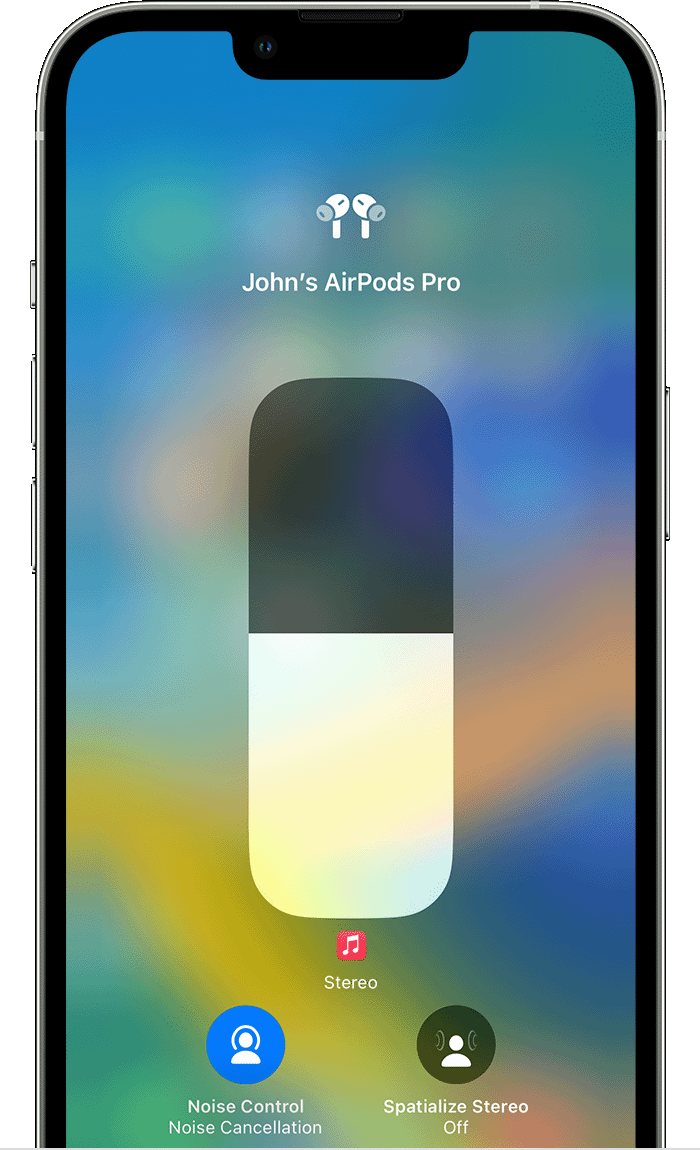
Switch between noise-control modes on your iPhone or iPad
1. Open Control Center on your iOS or iPadOS device.
2. While wearing your AirPods Max or both AirPods, touch and hold the volume slider until you see the additional controls.
3. Tap the Noise Control iconin the lower-left corner.
4. Tap Noise Cancellation, Transparency, or Off.
Regards.
How do I fix AirPods Pro noise cancellation fresh out of the box?