Hi Phonebomb,
For help with security concerns view the information below found in the article here: How Safety Check on iPhone works to keep you safe
"If you need to review or stop sharing information with specific people or apps, see How do I use Manage Sharing & Access in Safety Check?
When using Safety Check, keep in mind that people may notice if you stop sharing your information with them. When you end sharing relationships, you may lose access to data such as shared photos and notes.
Safety Check is available only on iPhone and only if you have a personal Apple ID (not a Managed Apple ID) that uses two-factor authentication. You must also be signed in to Settings > [Your Name] on your iPhone. After you’re signed in, you can go to Settings > Privacy & Security > Safety Check.
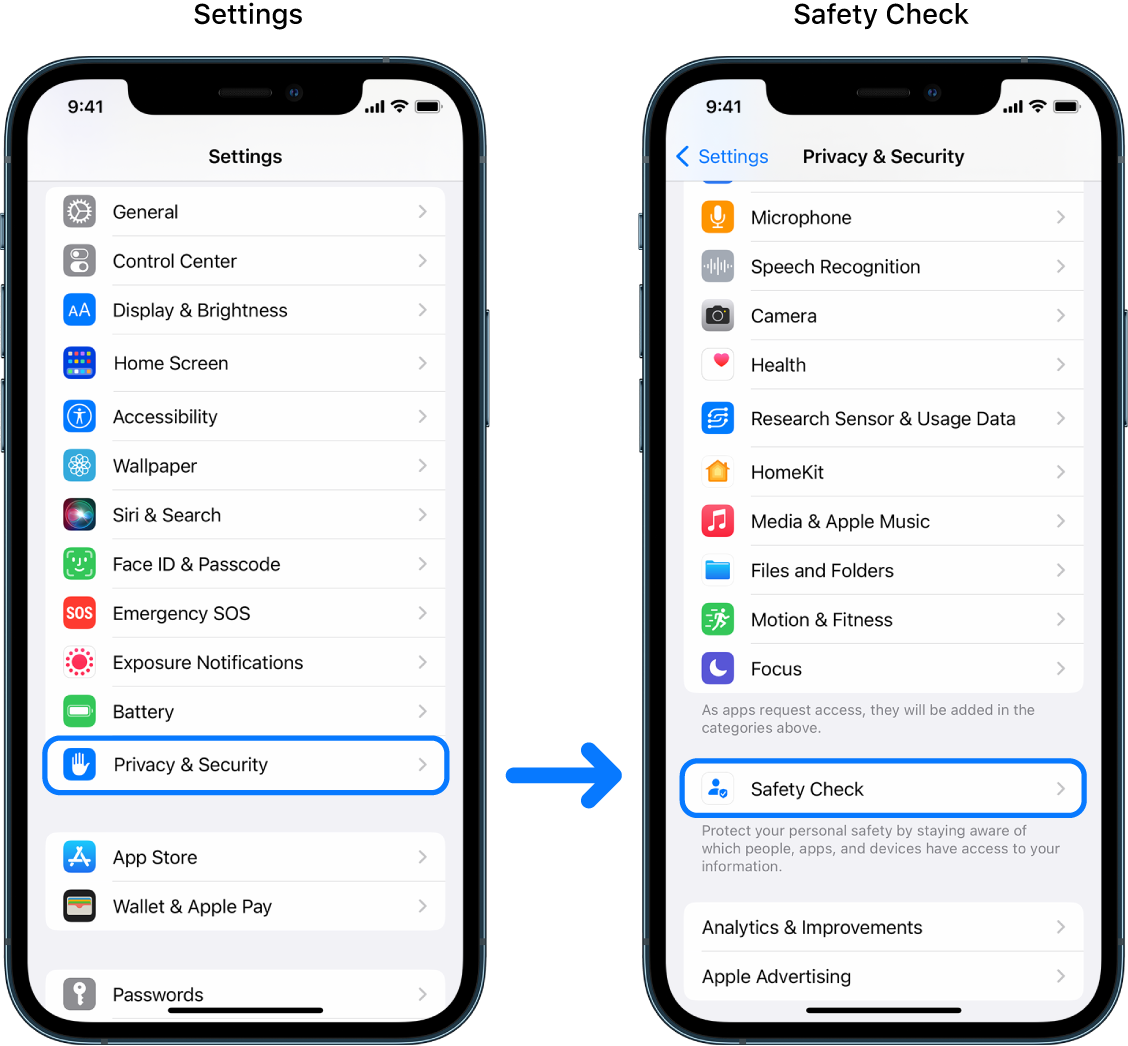
Note: If you don’t have access to Safety Check or you’re having trouble using the feature, you can manually adjust your sharing settings and access to your device and accounts."
You can also find helpful information in the article below.
Use the built-in security and privacy protections of iPhone
Unauthorized modification of iOS can cause security vulnerabilities, instability, shortened battery life, and other issues
If you have additional concerns or need further assistance, reach out to Apple Support directly.
Contact - Official Apple Support
Contact Apple for support and service - Apple Support
Best.



