
unable to play
I have always been able to play downloaded audio books on my ipod touch 7 gen, up until about a week ago when Its now asking for an internet connection in order to listen to them is this something new?
iPod Touch
I have always been able to play downloaded audio books on my ipod touch 7 gen, up until about a week ago when Its now asking for an internet connection in order to listen to them is this something new?
iPod Touch
Hey there and welcome to Apple Support Communities scatsmith,
We can certainly understand your concern and can help provide some insight.
We recommend checking out these steps for more information on how to listen to audio books on your device and see if it matches up with your procedures.
" Listen to audiobooks in Books on iPhone
Use the Books app  to listen to audiobooks on your iPhone.
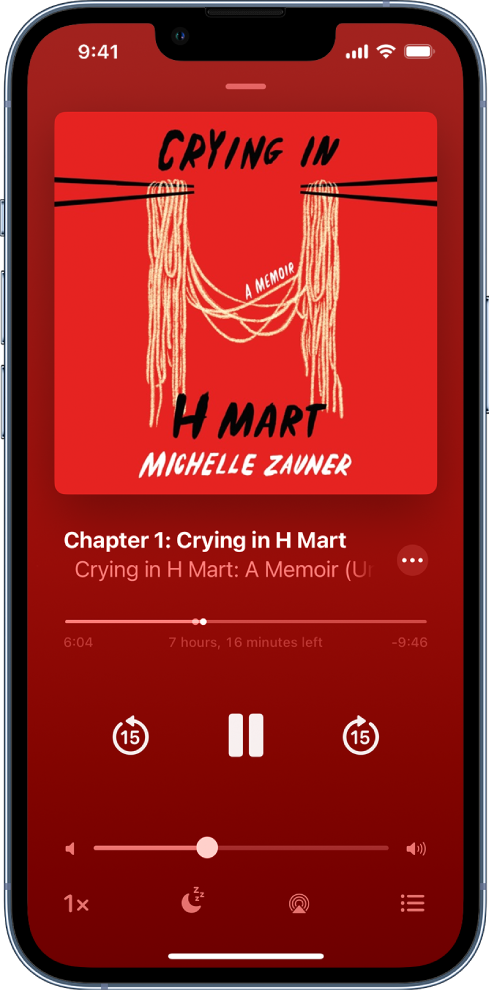
Play an audiobook
Tap Reading Now or Library, then tap an audiobook cover to play it.
While the audiobook is playing, do any of the following:
 > Books, scroll down to Audiobooks, then tap Skip Forward or Skip Back.
 , then choose a duration.
 , then choose an available device such as HomePod, Apple TV, or Bluetooth speakers.
 , then tap a chapter.
 or swipe down anywhere on the screen; tap the mini-player at the bottom of the screen to go back to full screen., touch and hold the mini-player, then tap Close Audio Player.
If a Wi-Fi connection to the internet isn’t available, audiobooks play over your carrier’s cellular network, which may result in additional fees. To manage cellular data usage, see View or change cellular data settings on iPhone."
For additional information, check out this link: Listen to audiobooks in Books on iPhone - Apple Support
If you still receive the same error, check out these steps which can help resolve abnormal behavior with internet connections: If your iPhone or iPad won't connect to a Wi-Fi network - Apple Support
These steps will help ensure your device is working with ease and can fix common issues like the ones you’re experiencing.
Kindest regards!
unable to play

