Turning off do not disturb
iphone 12 with iOS 16.3
someone turned on ‘do not disturb’ on my phone. Now I cannot turn it off. There is no “off” switch. How dumb is that?
iPhone 12
iphone 12 with iOS 16.3
someone turned on ‘do not disturb’ on my phone. Now I cannot turn it off. There is no “off” switch. How dumb is that?
iPhone 12
Hey there Jeffy B,
We understand you're having trouble turning off Do Not Disturb on your iPhone. We'd be happy to provide information to help you turn it off.
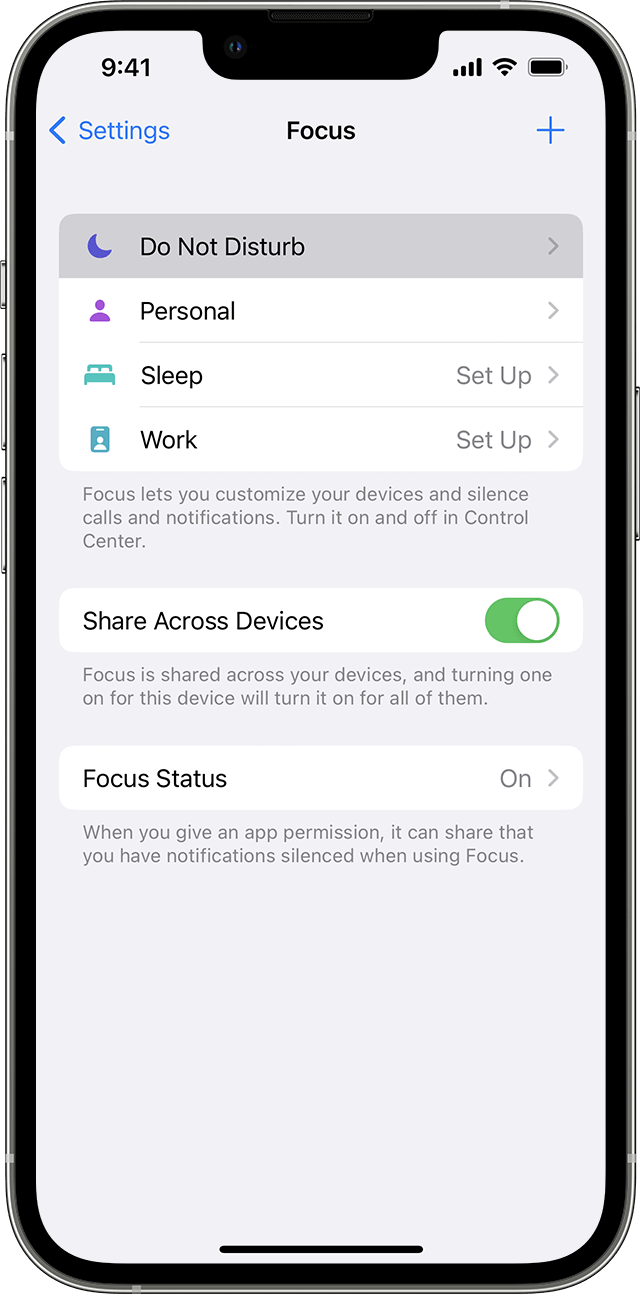
It's possible you're not finding an option to turn off Do Not Disturb due to it being named "Focus". Use the steps here to turn it off: Use Do Not Disturb with Focus on your iPhone or iPad
Turn on Do Not Disturb
1. Go to Settings > Focus.
2. Tap Do Not Disturb.
3. Under Turn on Automatically, set Do Not Disturb to turn on automatically at a certain time, location, or while using a certain app.
To turn on Do Not Disturb from Control Center:
1. Open Control Center on your iPhone or iPod touch, or on your iPad.
2. Touch and hold Focus, then tap Do Not Disturb.
Regards.
Turning off do not disturb