Hello NisaNihilist,
To help us get a better understanding of the issue, we’d like to ask a few questions.
1. Is this happening only when trying to download that specific playlist, or are you experiencing issues downloading all playlists?
2. Have you received any error messages when attempting to download that playlist?
3. Does the issue continue when connected to another network?
The above details will help us plan how to proceed.
Please also check out this link, to ensure the correct process is being used to download music, so we can make sure there's no issue there: Add and download music from Apple Music
Download music from Apple Music
After you add music to your library, you can download it to your device to listen to offline. Just follow the steps below for your device.
How to download music from Apple Music on your iPhone, iPad, or Android
1. Open the Apple Music app.
2. Add a song, album, or playlist to your library.
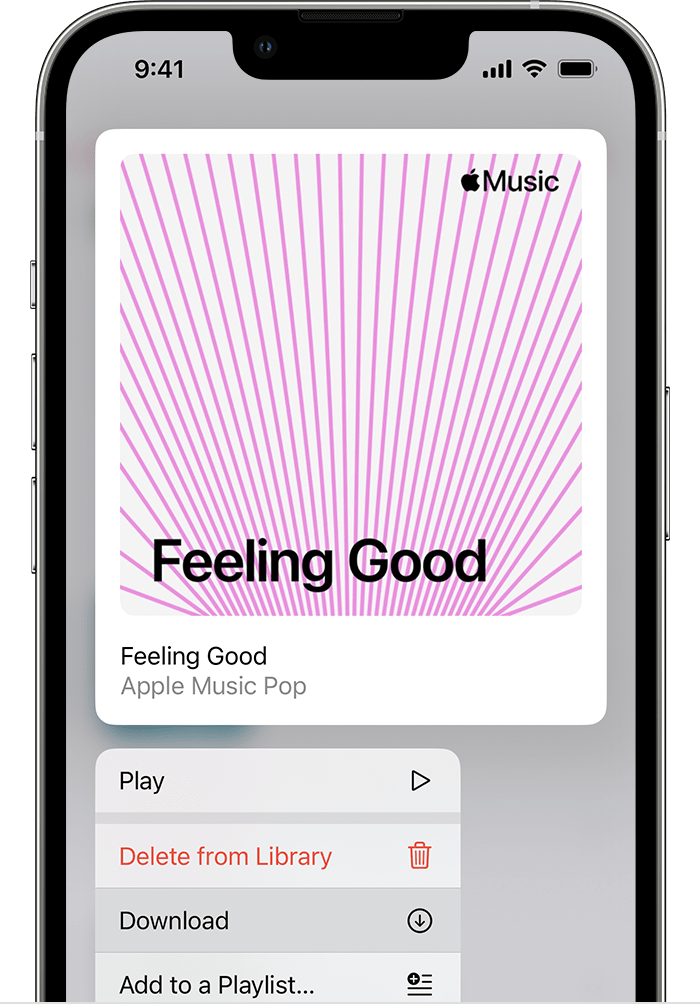
3. Touch and hold the song, album, or playlist that you added from Apple Music.
4. Tap Download.
Thanks!


