What happened to "admin" user after ventura 13.2.1 "upgrade"?

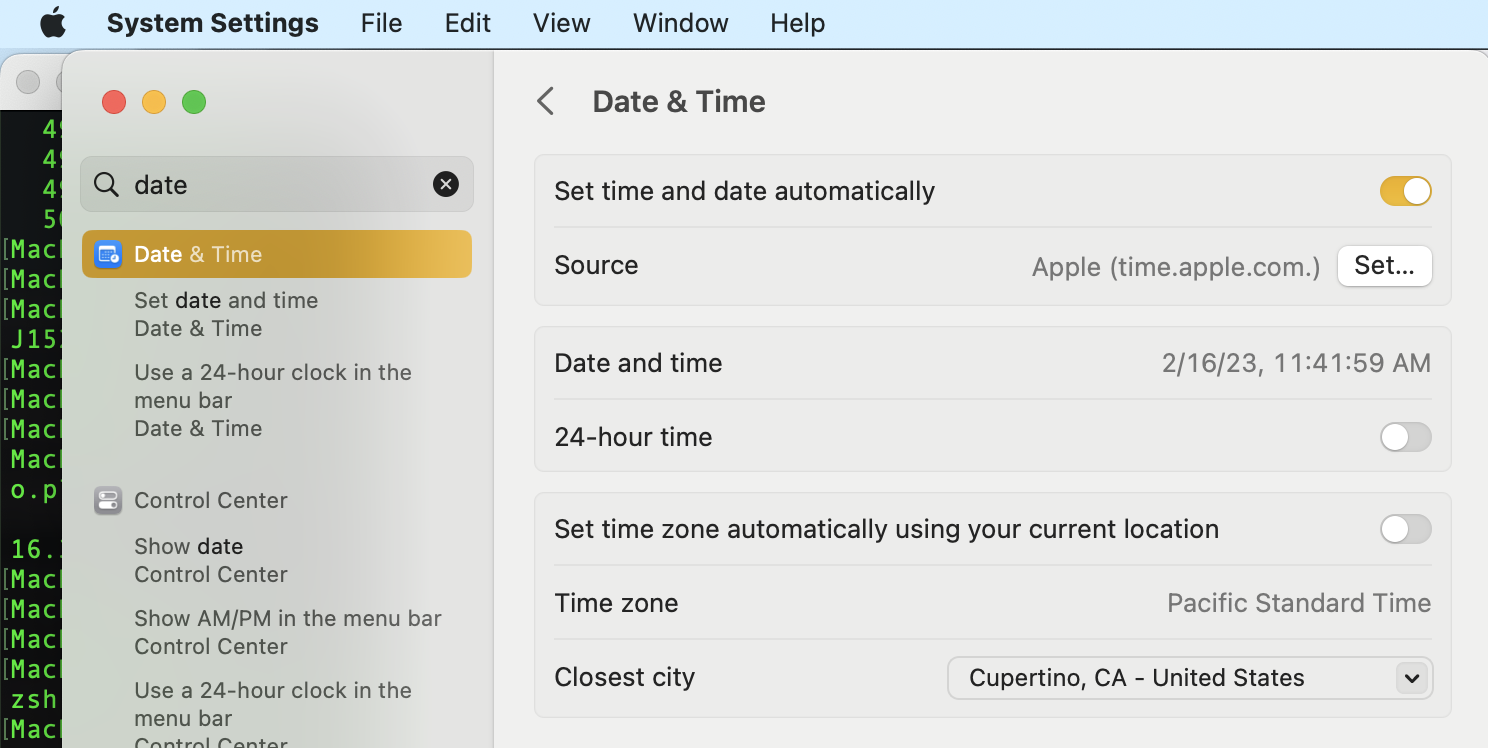
I just "upgraded" to ventura 13.2.1 on my 2020 iMac, and noticed the clock was set for West coast, not mountain (Apple Cupertino time). I tried to change it, only to find out my account is now standard, along with all the other family members, and not admin! There is no admin listed! What do I do?


iMac

Posted on Feb 16, 2023 11:26 AM

Reply

Similar questions

9 replies

Feb 16, 2023 11:45 AM in response to yazun

yazun wrote:

I just "upgraded" to ventura 13.2.1 on my 2020 iMac, and noticed the clock was set for West coast, not mountain (Apple Cupertino time). I tried to change it, only to find out my account is now standard, along with all the other family members, and not admin! There is no admin listed! What do I do?


west coast is Cupertino time from Terminal this reads America/ Los_Angeles (?)


this command line requires a admin psswd:

sudo systemsetup -gettimezone 


ref:


If no admin is listed:

dscl . -read /Groups/admin GroupMembership


You can restart the setup assistant to create a new admin user. From the new user you can give your original user Admin capability again....


ref: Dec 14, 2021


Restarting Setup Assistant to create Admi… - Apple Community

Restarting Setup Assistant to create Admi… - Apple Community


Mar 26, 2023 7:06 AM in response to Barney-15E

Update:


I tried but even with showing all from Disk Utility and using terminal to cd around looking I could never find the proper file. The hard drive was called Update and was empty. So I tried to cd up to the top and while I could see another hard drive, somehow renamed from my original Catalina HD to Macintosh HD -Data - Data volume when cd ing down that one I was unable to find the file .AppleSetupDone. Tried to boot of an external ** drive but no luck. Went down the rabbit hole of trying to verify I had the security set to allow boot from external drives and couldn't get past since no admin account. Tried to verify drive from recover, no errors, tried to reinstall Ventura from recovery, still no admin account but after that I was able to get booted from my Catalina ** and restored the system. So now I'm back to square 1. Next step is boot off external Catalina drive (which has the Ventura Installer in downloads, I'd moved it there on the first try) and then try to install on a fresh system and move data over.

Mar 9, 2023 2:03 AM in response to MikiVP026

1 - If a contributor with the experience of the above makes a suggestion - I personally would listen closely and at least attempt the suggestion


2 - A missing piece from the linked article " I have tested this on Catalina, Big Sur, and Monterey." Am fairly certain it would work in Ventura, though have not had the Need to try it.

Mar 25, 2023 6:47 PM in response to MikiVP026

Those tutorials you find on other places may or may not work. If your data volume isn’t encrypted, then the basic method may work. If your data volume is encrypted, then the only way you will get it to run is by following my user tip. You don’t have to try it (and it may not work), but the only other way I know of is to erase your drive and reinstall macOS.

This thread has been closed by the system or the community team. You may vote for any posts you find helpful, or search the Community for additional answers.

What happened to "admin" user after ventura 13.2.1 "upgrade"?

Welcome to Apple Support Community
A forum where Apple customers help each other with their products. Get started with your Apple Account.



