How do I restart the IOS?
How do I restart the IOS
How do I restart the IOS
Hello Daken3891,
If you are wanting to restart your iPhone, you can do so using the applicable set of steps below:
How to restart your iPhone X, 11, 12, 13, or later
1. Press and hold either volume button and the side button until the power-off slider appears.
2. Drag the slider, then wait 30 seconds for your device to turn off. If your device is frozen or unresponsive, force restart your device.
3. To turn your device back on, press and hold the side button (on the right side of your iPhone) until you see the Apple logo.
How to restart your iPhone 6, 7, 8, or SE (2nd or 3rd generation)
1. Press and hold the side button until the power-off slider appears.
2. Drag the slider, then wait 30 seconds for your device to turn off. If your device is frozen or unresponsive, force restart your device.
3. To turn your device back on, press and hold the side button until you see the Apple logo.
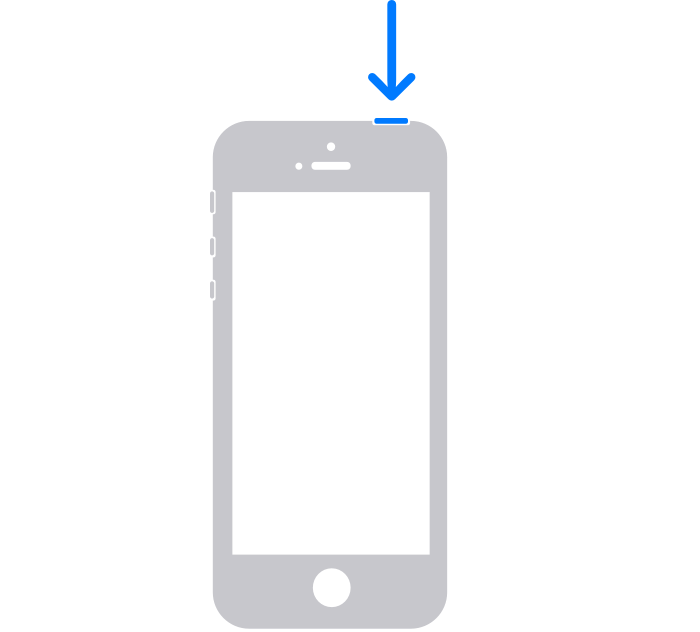
How to restart your iPhone SE (1st generation), 5, or earlier
1. Press and hold the top button until the power-off slider appears.
2. Drag the slider, then wait 30 seconds for your device to turn off. If your device is frozen or unresponsive, force restart your device.
3. To turn your device back on, press and hold the top button until you see the Apple logo.
You can also find those steps in this resource: Restart your iPhone - Apple Support
If you are instead wanting to erase your iPhone and return it factory settings, you'll want to take the steps below: How to factory reset your iPhone, iPad, or iPod touch - Apple Support
1. Tap Settings > General > Transfer or Reset [Device]
Then tap Erase All Content and Settings.
2. If asked, enter your passcode or Apple ID password
Then confirm that you want to erase your device. Forgot your passcode or Apple ID password?
3. Wait for your device to erase
Depending on your device, it can take a few minutes to completely erase your data.
Hopefully those resources put you on the path to addressing your situation.
Take care.
Hello Daken3891,
If you are wanting to restart your iPhone, you can do so using the applicable set of steps below:
How to restart your iPhone X, 11, 12, 13, or later
1. Press and hold either volume button and the side button until the power-off slider appears.
2. Drag the slider, then wait 30 seconds for your device to turn off. If your device is frozen or unresponsive, force restart your device.
3. To turn your device back on, press and hold the side button (on the right side of your iPhone) until you see the Apple logo.
How to restart your iPhone 6, 7, 8, or SE (2nd or 3rd generation)
1. Press and hold the side button until the power-off slider appears.
2. Drag the slider, then wait 30 seconds for your device to turn off. If your device is frozen or unresponsive, force restart your device.
3. To turn your device back on, press and hold the side button until you see the Apple logo.
How to restart your iPhone SE (1st generation), 5, or earlier
1. Press and hold the top button until the power-off slider appears.
2. Drag the slider, then wait 30 seconds for your device to turn off. If your device is frozen or unresponsive, force restart your device.
3. To turn your device back on, press and hold the top button until you see the Apple logo.
You can also find those steps in this resource: Restart your iPhone - Apple Support
If you are instead wanting to erase your iPhone and return it factory settings, you'll want to take the steps below: How to factory reset your iPhone, iPad, or iPod touch - Apple Support
1. Tap Settings > General > Transfer or Reset [Device]
Then tap Erase All Content and Settings.
2. If asked, enter your passcode or Apple ID password
Then confirm that you want to erase your device. Forgot your passcode or Apple ID password?
3. Wait for your device to erase
Depending on your device, it can take a few minutes to completely erase your data.
Hopefully those resources put you on the path to addressing your situation.
Take care.
How do I restart the IOS?