Beats Solo3 lights wont stop flashing
solo 3 lights wont stop flashing
[Re-Titled by Moderator]
solo 3 lights wont stop flashing
[Re-Titled by Moderator]
Hello tombola4130,
You came from this related resource: Reset your Beats on-ear or over-ear headphones - Apple Support
Did you successfully follow these steps to reset the Beats Solo 3 Wireless Headphones?
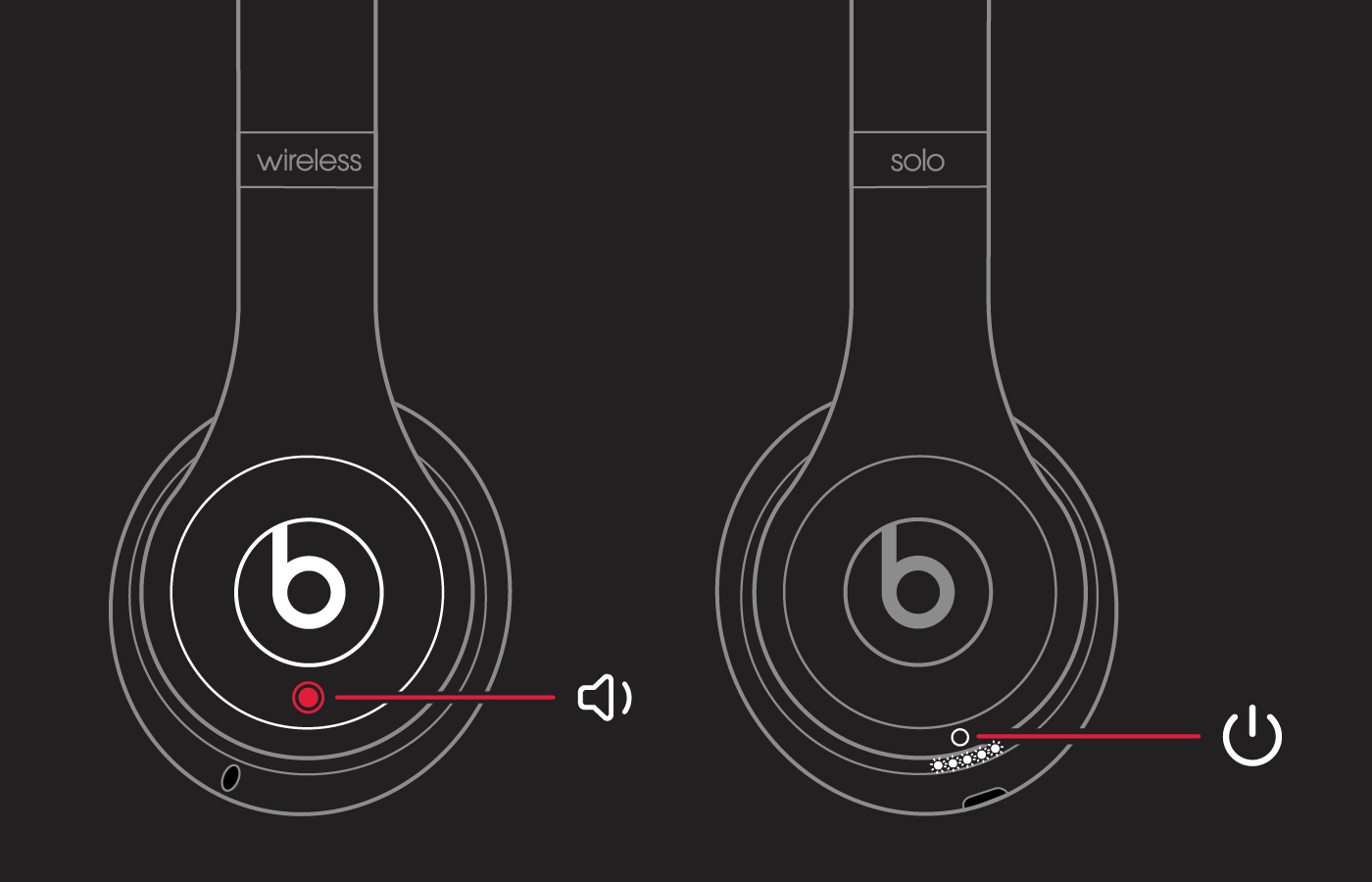
Reset Solo3 Wireless
1. Hold down the volume down button and the power button for 10 seconds.
2. When the Fuel Gauge flashes, release the buttons.
Your headphones are now reset and ready to be set up with your devices again.
These should result in the Fuel Gauge flashing, but this should stop when you release the buttons. Does it continue to flash after these steps? Have you had a chance to try to charge them? If not, we'd recommend doing so now with their original charging cable to test this out further.
Hoping to hear how it goes.
Take care!
Hello tombola4130,
You came from this related resource: Reset your Beats on-ear or over-ear headphones - Apple Support
Did you successfully follow these steps to reset the Beats Solo 3 Wireless Headphones?
Reset Solo3 Wireless
1. Hold down the volume down button and the power button for 10 seconds.
2. When the Fuel Gauge flashes, release the buttons.
Your headphones are now reset and ready to be set up with your devices again.
These should result in the Fuel Gauge flashing, but this should stop when you release the buttons. Does it continue to flash after these steps? Have you had a chance to try to charge them? If not, we'd recommend doing so now with their original charging cable to test this out further.
Hoping to hear how it goes.
Take care!
Beats Solo3 lights wont stop flashing