dexcom G6 on watch
Any ideas how to see Dexcom G6 app on series 8 watch using OS9 would be appreciated. I had to install Sugarmate which works through the calendar but is more difficult to see on watch face. Thanks!
Apple Watch Series 8
Any ideas how to see Dexcom G6 app on series 8 watch using OS9 would be appreciated. I had to install Sugarmate which works through the calendar but is more difficult to see on watch face. Thanks!
Apple Watch Series 8
I tried restarting and it reappeared as an option for the smaller displays. Like on modular bottom, but is still missing for modular middle. It used to be an option but disappeared.
Hi Ctgolfer1,
Thanks for contacting Apple Support Communities!
We understand that you'd like to use the Dexcom G6 app on your Apple Watch.
You can download the app via the App Store on your Apple Watch or your companion iPhone as outlined here: Download apps on your Apple Watch - Apple Support
"Get apps from the App Store on your Apple Watch
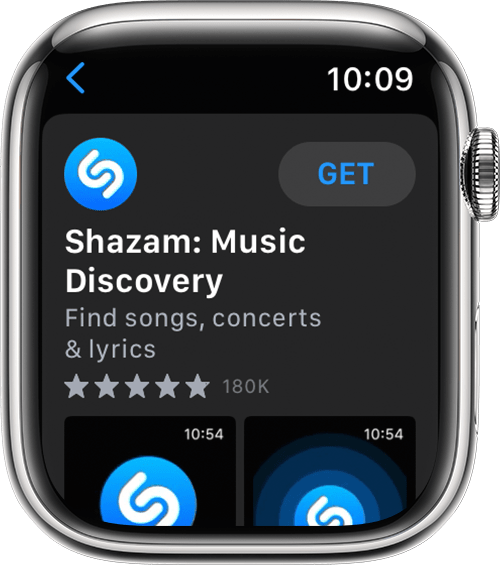
5. When prompted, double-click the side button under the Digital Crown to download and install the app.
In the App Store, if an app has a Get button instead of a price, the app is free. You won't be charged for downloading a free app. Some free apps offer in-app purchases and subscriptions that you can buy. Subscriptions and in-app purchases give you access to more features, content, and more. Learn more about in-app purchases and subscriptions."
Take care!
I have The Dexcom app available on my Series 8 with OS9 on Infograph, modular, meridian, California so lots of face options. I restarted my watch and phone as well.
Thanks. I already had the Dexcom app on my watch but updating to iOS 9 took away the functionality. It came back after 48 hours.
The app may have updated during that time. Dexcon's responsibility.
I’m having an issue where I have the Dexcom app loaded on my phone and watch but it isn’t showing up as an option for my watch face anymore. Any recommendations? Everything at newest update
dexcom G6 on watch