No "Desktop & Documents Folder" checkbox in ICloud on El Capitan, 10.11.6

Using El Capitan 10.11.6 on 2009 27" imac, I do not even have a Desktop & Documents Folder checkbox in ICloud Options. (I have already made sure the D&D boxes are checked in Finder Preferences.) Is there any way to make that available, or is this perhaps because it is on a "too old" OS? I was hoping to be able to access my Docs from this older 2009 imac so that I can view them on my new 24" 2021 imac (via ICloud). Thanks.

iMac, OS X 10.11

Posted on Feb 23, 2023 3:43 PM

Reply
Question marked as Top-ranking reply

Posted on Feb 26, 2023 7:45 AM

Hey imac_user_23,


It was mentioned earlier that iCloud Drive was introduced in macOS 10.10, which is true. However, the ability to store Desktop and Documents within iCloud was not added until macOS Sierra or macOS 10.12, so your earlier assumption was correct if you're currently running 10.11.6, then you won't see that function. Depending on which iMac you have from 2009, you may be able to get macOS Sierra as it is compatible with iMac (Late 2009 or newer) models. macOS Sierra Technical Specifications can be found here. To see which specific iMac model you have, go to the Apple menu and choose About This Mac and it should be listed under the Overview tab.


If your Mac is indeed compatible with macOS Sierra, you can download it from the How to download macOS page.


Be well.


6 replies
Question marked as Top-ranking reply

Feb 26, 2023 7:45 AM in response to imac_user_23

Hey imac_user_23,


It was mentioned earlier that iCloud Drive was introduced in macOS 10.10, which is true. However, the ability to store Desktop and Documents within iCloud was not added until macOS Sierra or macOS 10.12, so your earlier assumption was correct if you're currently running 10.11.6, then you won't see that function. Depending on which iMac you have from 2009, you may be able to get macOS Sierra as it is compatible with iMac (Late 2009 or newer) models. macOS Sierra Technical Specifications can be found here. To see which specific iMac model you have, go to the Apple menu and choose About This Mac and it should be listed under the Overview tab.


If your Mac is indeed compatible with macOS Sierra, you can download it from the How to download macOS page.


Be well.


Feb 25, 2023 1:48 PM in response to imac_user_23

Hello imac_user_23,


Welcome to Apple Support Communities!


iCloud Drive is available for any Mac that is running macOS 10.10 or later. In this case your Mac is eligible for iCloud Drive. Let's follow the steps below to ensure there was no steps missed for setting up Desktop & Documents on your Mac.


"Turn on Desktop and Documents

Turn on Desktop and Documents on every Mac that you want to use with iCloud Drive.

  1. From your Mac, choose Apple menu  > System Settings. In macOS Monterey or earlier, choose Apple menu  > System Preferences.
  2.  Click Apple ID, then click iCloud.
  3. Make sure that iCloud Drive is turned on.
  4. Next to iCloud Drive, click Options.
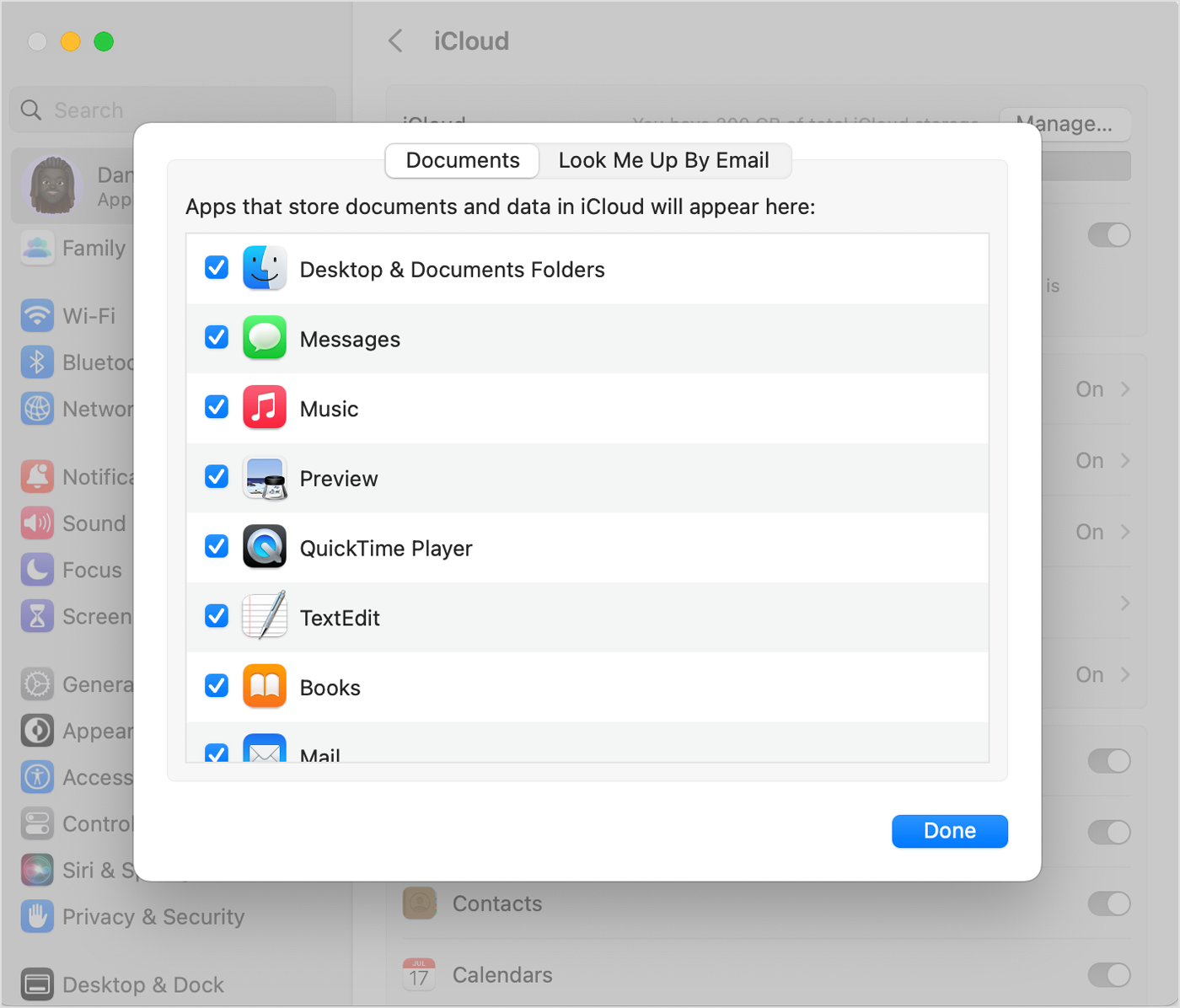
  5. Choose Desktop & Documents Folders.

Desktop & Documents Folders is the first item in the list.

6. Click Done.


If you want to store your files in iCloud Drive and another cloud storage service, you can keep copies of your files in both, but you can't keep folders from a third-party cloud service in iCloud Drive. You can keep your other cloud service folders in a different place on your Mac, like the home folder.

If you already use a feature from another cloud provider that syncs or manages your Desktop and Documents folders, you need to turn it off to use Desktop and Documents. 


Find your Desktop and Documents files on all of your devices

When you add your Desktop and Documents to iCloud Drive, all of your files move to iCloud and any new files you create are automatically stored in iCloud too. Then you can find your files on all of your devices."


More information about Desktop & Documents can be found in this article: Add your Desktop and Documents files to iCloud Drive - Apple Support


Let us know if you have any questions.

Thank you for using Apple Support Communities.

Take care!


Feb 25, 2023 4:29 PM in response to imac_user_23

Thanks so much for clarify that for us imac_user_23,


We recommend seeing if you can access iCloud Drive options while booted to safe mode. Among other things, safe mode will prevent certain software and processes from running that may be causing a conflict. To learn more about how safe mode can help, how to boot to it, and what to do with your findings, please review the Apple Support article How to use safe mode on your Mac - Apple Support.


If you still cannot access iCloud Drive and the Desktop and Documents options on your Mac, please get in touch with Apple Support directly. They will have access to additional tools and resources to further assist. You can do that here: Get Support.


Enjoy the rest of your weekend.


This thread has been closed by the system or the community team. You may vote for any posts you find helpful, or search the Community for additional answers.

No "Desktop & Documents Folder" checkbox in ICloud on El Capitan, 10.11.6

Welcome to Apple Support Community
A forum where Apple customers help each other with their products. Get started with your Apple Account.