MEITU APPS WAS AUTO SUBSCRIBE AND CHARGES TO MY HANDPHONE LINE BILLING

Refer as per mention, may kindly advise due I never click or approve MeiTu apps for subscribe their VIP and its was already auto charges of amount RM154.70 into my DiGi bill.

May kindly advise. tQ

Posted on Feb 24, 2023 2:50 AM

Reply
5 replies

Feb 25, 2023 5:37 PM in response to SELINALIM

Hello SELINALIM,


Thank you for reaching out in Apple Support Communities. For an unexpected subscription under your Apple ID account, we recommend to cancel the subscription under your Apple ID account and to request a refund. Here's how to perform each step:


  1. Cancel a subscription: If you want to cancel a subscription from Apple - Apple Support


2. Then, follow these steps to request a refund:

Request a refund for apps or content that you bought from Apple - Apple Support

"How to request a refund

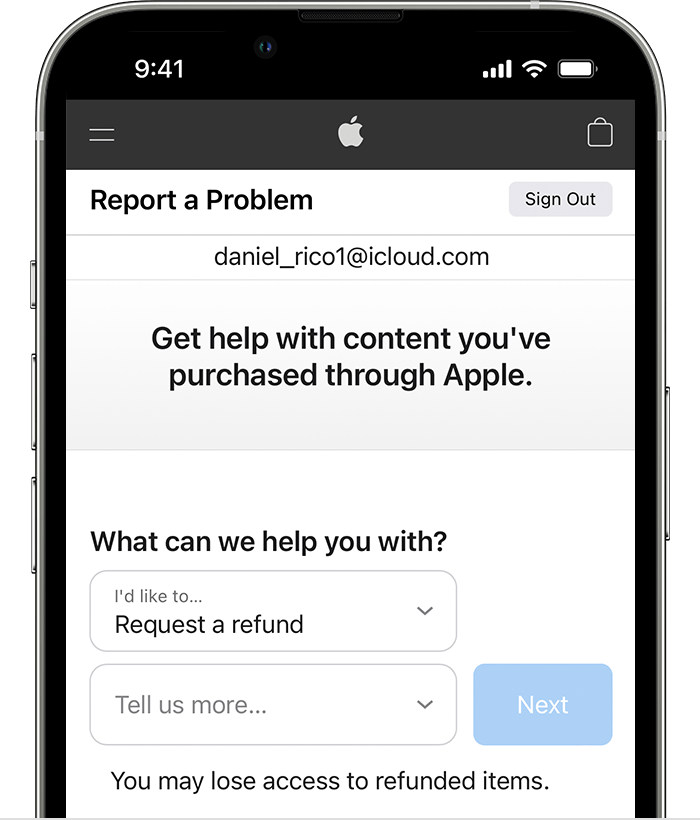
  1. Sign in to reportaproblem.apple.com.
  2. Tap or click "I'd like to," then choose "Request a refund." 

iPhone showing the Report a Problem website where you can request a refund. After you choose Request a refund, choose the reason why you're asking for the refund.


3. Choose the reason why you want a refund, then choose Next.

4. Choose the app, subscription, or other item, then choose Submit. If you were charged for a subscription that you no longer want, you can also cancel the subscription."


Following these steps will help.


Kind regards.


Feb 26, 2023 9:00 AM in response to SELINALIM

Hey SELINALIM,


If we understand correctly, you do not see the subscription you want to cancel. We would recommend you use this article to help troubleshoot the issue.


"Can’t find the subscription that you want to cancel?

You can cancel iCloud+ in your iCloud storage settings.

If you aren't trying to cancel iCloud+, find your receipt:

  1. Search your email for the words "receipt from Apple."
  2. On the receipt for the subscription, check which Apple ID was used.
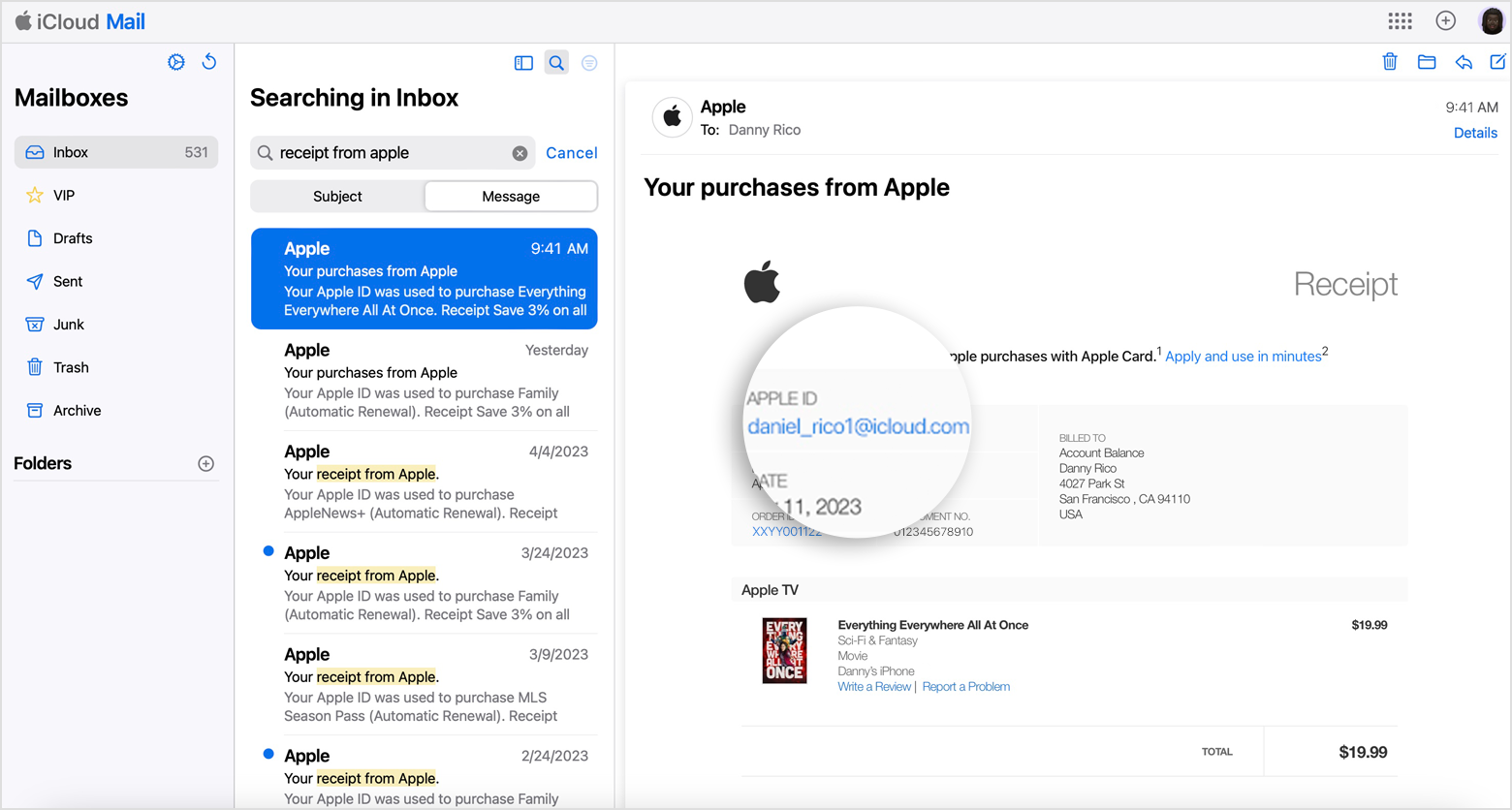
Email receipt that shows the Apple ID that was used for a purchase from Apple.

  • If a family member's Apple ID appears on the receipt, ask that family member to use the steps in this article to cancel the subscription. You can’t cancel a family member's subscription.
  • If another Apple ID that you use appears on the receipt, sign in with that Apple ID and use the steps in this article to cancel the subscription.
  • If you can't find a receipt from Apple for the subscription, you might have bought the subscription from another company. To find out which company bills you, check your bank or credit card statement. To cancel the subscription, you must contact the company that bills you for the subscription."


If you want to cancel a subscription from Apple - Apple Support


Please don't hesitate to let us know if you need additional assistance.


Thank you for using Apple Support Communities. Have a good one.

This thread has been closed by the system or the community team. You may vote for any posts you find helpful, or search the Community for additional answers.

MEITU APPS WAS AUTO SUBSCRIBE AND CHARGES TO MY HANDPHONE LINE BILLING

Welcome to Apple Support Community
A forum where Apple customers help each other with their products. Get started with your Apple Account.