Hi Mimi2d1d2d3,
Thanks for reaching out to Apple Support Communities.
It sounds like you're having an issue with your Apple Watch accurately tracking your steps.
We're happy to assist.
We recommend checking out the steps in the sections titled "Improve your Workout and Activity accuracy" and "Calibrate your Apple Watch" from the article here: Calibrate your Apple Watch for improved Workout and Activity accuracy - Apple Support
1) While wearing your Apple Watch, go to a flat, open outdoor area that offers good GPS reception and clear skies.
2) If you have Apple Watch Series 2 or later, you just need your Apple Watch.* If you have Apple Watch Series 1 or earlier, bring your iPhone for GPS. Hold your iPhone in your hand, or wear it on an armband or waistband.
3) Open the Workout app, then tap Outdoor Walk or Outdoor Run. To set a goal before starting, tap  .
.
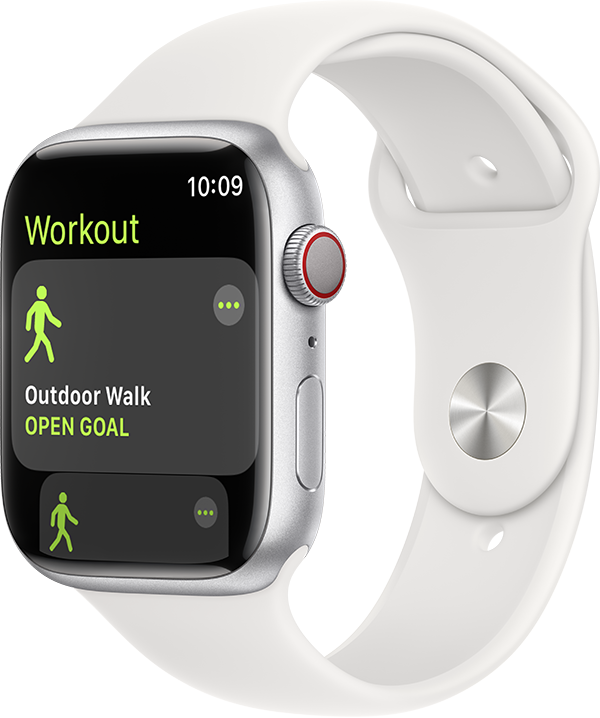
4) Walk or run at your normal pace for about 20 minutes.
If you don't have time to finish the workout, you can complete 20 minutes over multiple outdoor Workout sessions. If you work out at different speeds, you should also calibrate for 20 minutes at each of the speeds that you walk or run.
Whenever you walk or run outside using the above steps, your Apple Watch continues to calibrate the accelerometer by learning your stride length at different speeds. Calibration can also improve the accuracy of your calorie calculations in the Workout app, and the calorie, distance, Move, and Exercise calculations in the Activity app.
Improve your Workout and Activity accuracy
Your personal information, such as your height, weight, gender, and age, is one of the things your Apple Watch uses to calculate how many calories you burn and more. Learn how to update your personal information.
We’re recommending the steps above because they directly address the issue you initially posted about: your Apple Watch isn't accurately tracking your steps.
Please let us know the outcome after giving the above steps a try.
Cheers!


