How can i get rid of message “an update is required…” when i figured out it was because i was on low battery mode and i fixed it so i got back the ability to call, text etc

How do i delete message under settings/cellular that i must update my phone using a computer. I found the problem was i was on low energy setting

Posted on Mar 2, 2023 11:48 AM

Reply
2 replies

Mar 4, 2023 4:08 PM in response to KitaRita1234

Hello KitaRita1234,


Just to clarify, it seems like your device has been updated to the latest version, but you're still receiving a message to update the device, is that correct? If so, has your device been restarted since updating? If so, does restarting clear the message temporarily?


The above details will help us plan how to proceed.


You can restart your device using the process in the following link, as restarting can help correct some issues.: Restart your iPhone


How to restart your iPhone X, 11, 12, 13, or later

1. Press and hold either volume button and the side button until the power-off slider appears.
The volume button is located on the left side of the device, and the side button is located on the right

2. Drag the slider, then wait 30 seconds for your device to turn off. If your device is frozen or unresponsive, force restart your device.
3. To turn your device back on, press and hold the side button (on the right side of your iPhone) until you see the Apple logo.

How to restart your iPhone 6, 7, 8, or SE (2nd or 3rd generation)

1. Press and hold the side button until the power-off slider appears.
""

2. Drag the slider, then wait 30 seconds for your device to turn off. If your device is frozen or unresponsive, force restart your device.
3. To turn your device back on, press and hold the side button until you see the Apple logo.

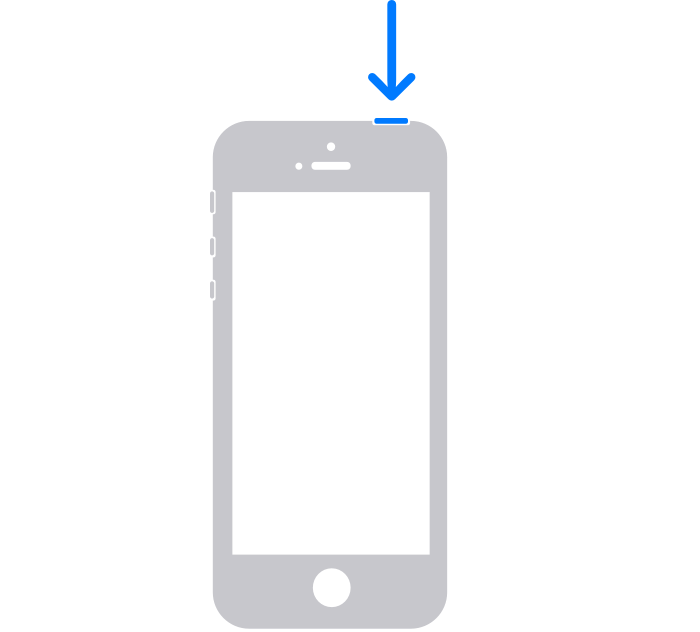
How to restart your iPhone SE (1st generation), 5, or earlier

1. Press and hold the top button until the power-off slider appears.
The power button is located on the top of the device

2. Drag the slider, then wait 30 seconds for your device to turn off. If your device is frozen or unresponsive, force restart your device.
3. To turn your device back on, press and hold the top button until you see the Apple logo.


If you're currently receiving a message saying something like "Cellular Issue Detected," please be sure to review all of the information in the link you came from, which may help with that error: If you see a Cellular, Ultra Wideband, or Apple Pay Issue message after an iOS update or restart


Thanks!

Mar 4, 2023 6:05 PM in response to KitaRita1234

I have a smart phone, a flip phone, an apple phone, an old tablet, and a windows computer. We live in the country with wide band But my 2 tvs have to be physically plugged into the wifi box to stream. Cell phone reception is bad in some areas of the house.

My newest phone, the apple, is series7. 2 days ago, The phone was in low battery mode all night and not plugged in. In the morning, i was not able to call..wifi looked fine.. When i turned low battery off, charged the phone, turned it off, turned it on, the phone worked. 15 min later it would not work/call/text. The low battery was not on..i turned the phone off, then on and now it works.

The message i told you about is now gone! Nancy

This thread has been closed by the system or the community team. You may vote for any posts you find helpful, or search the Community for additional answers.

How can i get rid of message “an update is required…” when i figured out it was because i was on low battery mode and i fixed it so i got back the ability to call, text etc

Welcome to Apple Support Community
A forum where Apple customers help each other with their products. Get started with your Apple Account.