
new facebook account and game center

how can i switch facebook accounts with game center?


iPad Air 2, iPadOS 13

Posted on Mar 3, 2023 10:38 AM

Reply

Similar questions

1 reply

Mar 5, 2023 3:10 PM in response to davidfromuster

Hello ,


Thank you for reaching out to Apple Support Communities.


If you go to Settings > Game Center > Sign Out, you can sign out of your current account. You can then sign in using these steps:


"On your iPhone or iPad
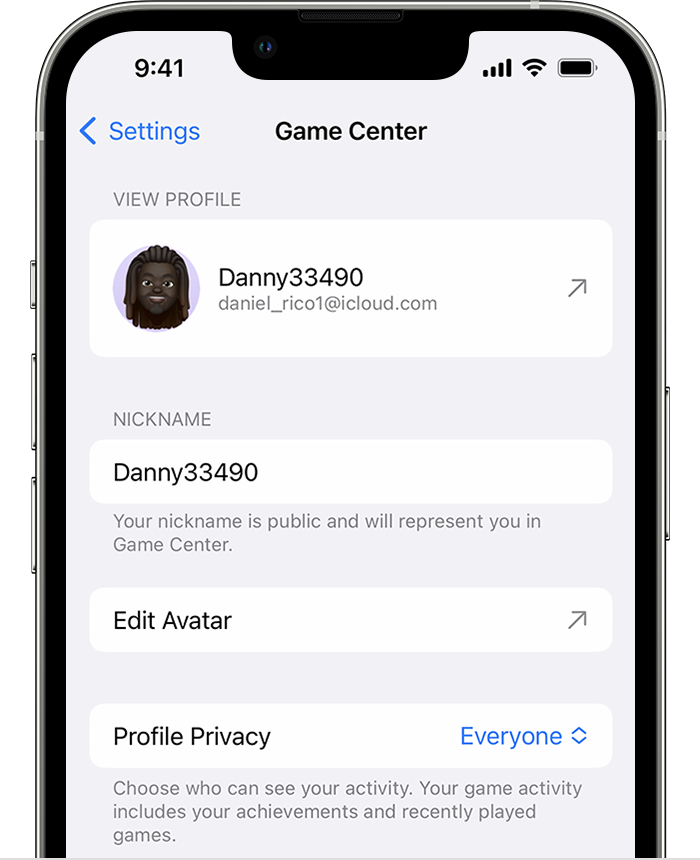
  1. Open Settings. Scroll to Game Center, then tap it.
  2. If Game Center isn’t on, turn it on, then sign in with your Apple ID.*Game Center in iPhone Settings
  3. Tap the Nickname field to enter a name that your friends will see when you play games together. If you can’t think of a name, you can choose one of the randomly generated suggestions.
  4. To personalize the picture that shows with your nickname, tap Edit in the circle at the top of the page. From here, you can create a Memoji, use an existing one, or customize how your nickname's initials appear."


More details can be found here: Use Game Center to play with friends


You can leave feedback regarding FaceBook with Game Center by going to iCloud


Cheers!

This thread has been closed by the system or the community team. You may vote for any posts you find helpful, or search the Community for additional answers.

new facebook account and game center

Welcome to Apple Support Community
A forum where Apple customers help each other with their products. Get started with your Apple Account.