Could not find headphone in announce notification
I try to use announce notification in iPhone 6s iOS 15.7.3 with AirPods Pro 2. But no device list in announce notification when headphone connected.
BTW, CarPlay is working.
I try to use announce notification in iPhone 6s iOS 15.7.3 with AirPods Pro 2. But no device list in announce notification when headphone connected.
BTW, CarPlay is working.
Hello ShawnHuang,
You could try to reset the AirPods Pro and reconnect them again to test this out further. That may tell us if there was an issue with the software. Here's how you could do that: How to reset your AirPods and AirPods Pro - Apple Support
How to reset your AirPods and AirPods Pro
You might need to reset your AirPods if they won't charge, or to fix a different issue.
1. Put your AirPods in their charging case, and close the lid.
2. Wait 30 seconds.
3. Open the lid of your charging case, and put your AirPods in your ears.
4. Go to Settings > Bluetooth. Or go to Settings > [your AirPods].
* If your AirPods appear there as connected, tap the More Info buttonnext to your AirPods, tap Forget This Device, then tap again to confirm.
* If your AirPods don't appear there, continue to the next step.
5. Put your AirPods in their charging case, and keep the lid open.
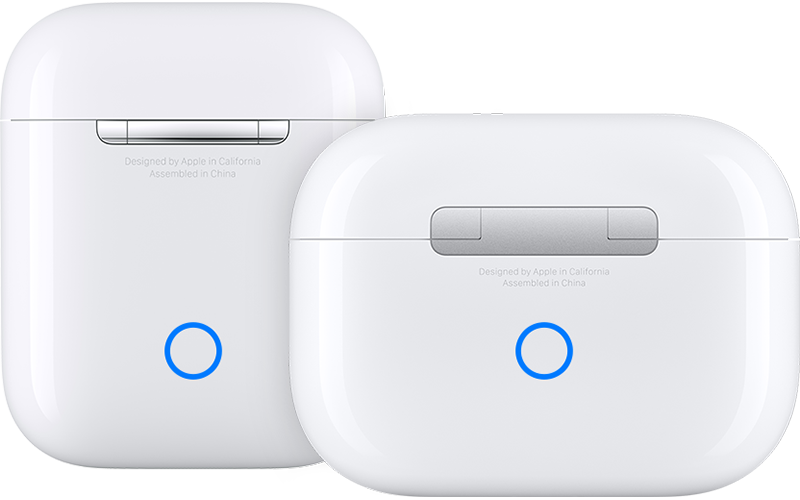
6. Press and hold the setup button on the back of the case for about 15 seconds, until the status light on the front of the case flashes amber, then white.*
7. Reconnect your AirPods: With your AirPods in their charging case and the lid open, place your AirPods close to your iPhone or iPad. Follow the steps on your device's screen.
AirPods can be associated with one Apple ID. If you want to use AirPods (3rd generation) or AirPods Pro (1st or 2nd generation) that someone else has used, they first need to remove the AirPods from their Apple ID.
* When you reset your AirPods, the settings for your AirPods also reset. You can change your settings again.
Should the issue persist, we'll need to learn more about the issue. Are you able to select other headphone types? You could test another pair of headphones to be sure. That may help us isolate this further.
Hoping to hear how it goes.
Take care.
Hello ShawnHuang,
You could try to reset the AirPods Pro and reconnect them again to test this out further. That may tell us if there was an issue with the software. Here's how you could do that: How to reset your AirPods and AirPods Pro - Apple Support
How to reset your AirPods and AirPods Pro
You might need to reset your AirPods if they won't charge, or to fix a different issue.
1. Put your AirPods in their charging case, and close the lid.
2. Wait 30 seconds.
3. Open the lid of your charging case, and put your AirPods in your ears.
4. Go to Settings > Bluetooth. Or go to Settings > [your AirPods].
* If your AirPods appear there as connected, tap the More Info button
* If your AirPods don't appear there, continue to the next step.
5. Put your AirPods in their charging case, and keep the lid open.
6. Press and hold the setup button on the back of the case for about 15 seconds, until the status light on the front of the case flashes amber, then white.*
7. Reconnect your AirPods: With your AirPods in their charging case and the lid open, place your AirPods close to your iPhone or iPad. Follow the steps on your device's screen.
AirPods can be associated with one Apple ID. If you want to use AirPods (3rd generation) or AirPods Pro (1st or 2nd generation) that someone else has used, they first need to remove the AirPods from their Apple ID.
* When you reset your AirPods, the settings for your AirPods also reset. You can change your settings again.
Should the issue persist, we'll need to learn more about the issue. Are you able to select other headphone types? You could test another pair of headphones to be sure. That may help us isolate this further.
Hoping to hear how it goes.
Take care.
Hi ShawnHuang,
Thanks for trying those steps.
Let's verify that all of the settings are correct, as shown on this page:
Announce notifications with Siri on AirPods or Beats - Apple Support
Additional steps are further down the page, so you'll want to also check these:
If you don’t hear Siri announcements
If you don’t hear Siri announce your notifications, try these steps:
1. Make sure that you're using a compatible device.
2. Make sure that your AirPods or your compatible Beats headphones are paired to your device in Settings > Bluetooth.
3. Go to Settings > Notifications > Announce Notifications and make sure that Announce Notifications is turned on.
4. Make sure that your iPhone or iPad is locked and its screen is dark. Siri doesn't announce messages if you're using your device.
Thanks!
Thanks for the help.
I record the operations as the YouTube link.
The last step is too hard to record. But, I am sure that it still doesn’t work
4. Make sure that your iPhone or iPad is locked and its screen is dark. Siri doesn't announce messages if you're using your device.
Thank you for your reply. But, it’s not working even I reset AirPods Pro.
Could not find headphone in announce notification