
Contacts and Messages are not synching across all my devices linked in my iCloud. Help.
How can I best synch these on all devices?
iPhone 6, iOS 12
How can I best synch these on all devices?
iPhone 6, iOS 12
Hello herbertliverdoc,
Let's verify that all devices are signed into iCloud:
"Sign in to iCloud on all your devices
To set up iCloud on your devices, sign in to each of them with the same Apple ID and password. You can choose which apps store information in iCloud and which iCloud features you’re using separately on each device. Learn more about how each app or feature uses iCloud.
Note: When you turn off iCloud for an app or feature on a device, information stored in iCloud for that app or feature is no longer available on that device. However, it’s still available on other devices where iCloud is turned on for the app or feature. See How iCloud keeps information up to date across all your devices.
Set up iCloud on your iPhone, iPad, or iPod touch
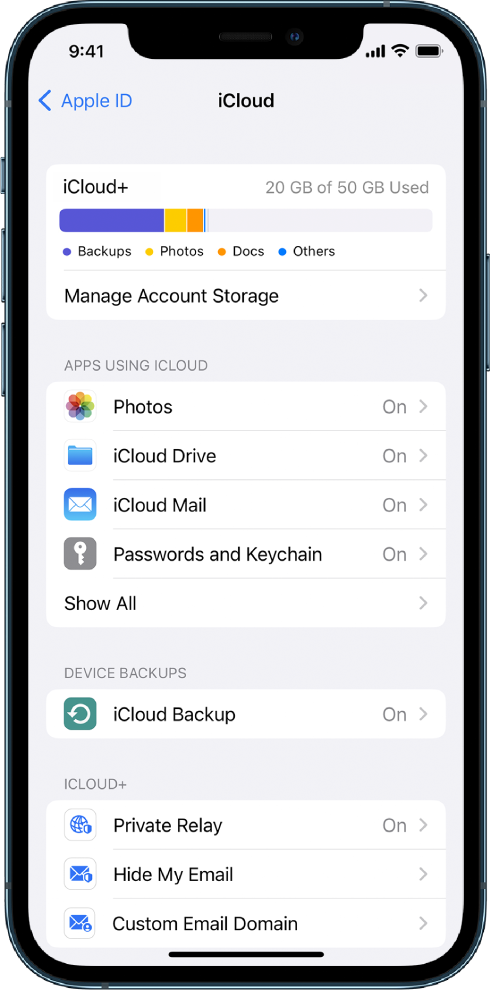
Set up iCloud on your Mac
 > System Settings, click [your name] at the top of the sidebar, then click iCloud on the right. > System Preferences, click Apple ID, then click iCloud.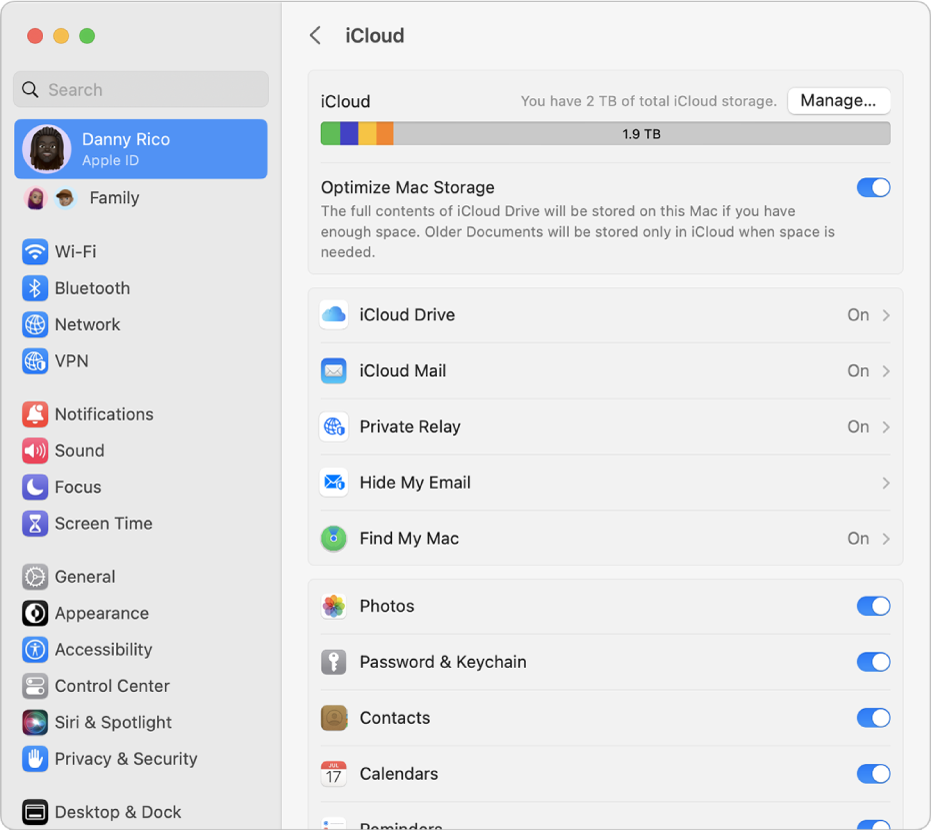
Set up iCloud on your Apple Watch
"
Sign in to iCloud on all your devices - Apple Support
Cheers.
Hello herbertliverdoc,
Let's verify that all devices are signed into iCloud:
"Sign in to iCloud on all your devices
To set up iCloud on your devices, sign in to each of them with the same Apple ID and password. You can choose which apps store information in iCloud and which iCloud features you’re using separately on each device. Learn more about how each app or feature uses iCloud.
Note: When you turn off iCloud for an app or feature on a device, information stored in iCloud for that app or feature is no longer available on that device. However, it’s still available on other devices where iCloud is turned on for the app or feature. See How iCloud keeps information up to date across all your devices.
Set up iCloud on your iPhone, iPad, or iPod touch
Set up iCloud on your Mac
> System Settings, click [your name] at the top of the sidebar, then click iCloud on the right. > System Preferences, click Apple ID, then click iCloud.Set up iCloud on your Apple Watch
"
Sign in to iCloud on all your devices - Apple Support
Cheers.
Contacts and Messages are not synching across all my devices linked in my iCloud. Help.

