iPod us unusable

my iPod sat uncharged for several months. Upon charging it is now saying it is unusable.

I've tried a couple online suggestions, but no joy.

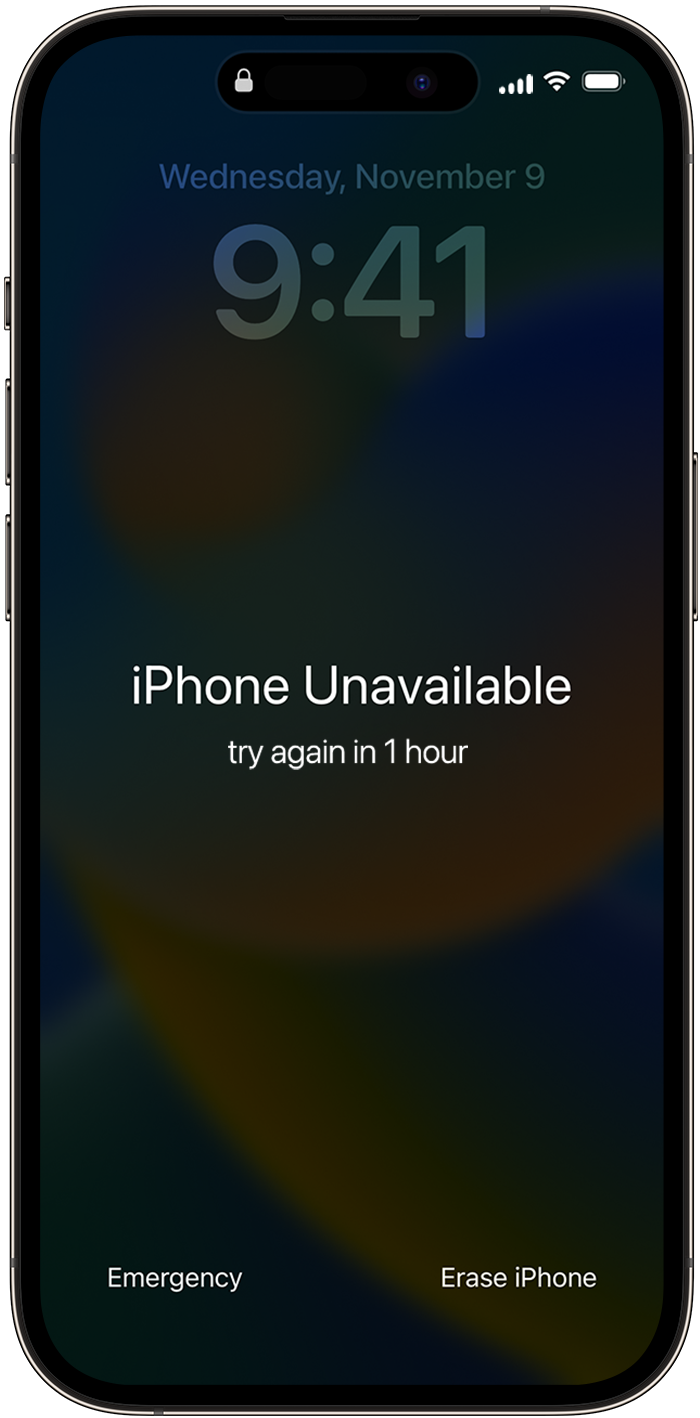
It continues saying "iPod Unavailable" Try again in 15 minutes.


Any ideas on how to fix this? I have iTunes on my PC and a cord connection for the iPod.

Thanks in advance for any help you might provide.

iPod touch

Posted on Mar 10, 2023 12:03 PM

Reply

Similar questions

1 reply

Mar 12, 2023 7:52 AM in response to burkesweb

Hi burkesweb,


Thanks for connecting with us here in Apple Support Communities. To get this resolved with your iPad, you'll need to reset your device. Just follow the steps shown in this article: If you see an iPhone or iPad unavailable message or Security Lockout screen - Apple Support


Before you reset your device
* You need to have a device that's using iOS 15.2 or iPadOS 15.2 or later.
* Your iPhone, iPad, or iPod touch needs to be connected to a cellular or Wi-Fi network.*
* You'll need your Apple ID and password that you used to set up your device.
* If you restart your device when you see "Security Lockout" on the Lock Screen, you won't be able to reconnect to a Wi-Fi network until your device is unlocked. Cellular devices will reconnect to a cellular network if you have active service.

How to reset your device

If you're using an eSIM, contact your carrier before trying these steps and ask for a QR code to set up your eSIM again.
1. From your device's Lock Screen, try to enter your passcode five times until the "[Device] Unavailable" screen appears and your device asks you to try again later.
2. When you're able to, continue to enter your passcode until the "Security Lockout" screen appears and you get the Erase [Device] option in the bottom corner of the screen.
The iPhone Unavailable screen on iPhone 14 Pro

3. Tap Erase [Device], then tap Erase [Device] again to confirm.
4. Enter your Apple ID password to sign out of your Apple ID on your device.
5. Tap Erase [Device] to permanently delete all of your data and settings.
6. When your device restarts, follow the onscreen instructions to set up your device again, restore your data and settings from a backup, and set a new passcode.

If you can't follow these steps, you can use a computer to reset your device.
You can only reach the "Security Lockout" screen if you have an active cellular or Wi-Fi connection and previously enabled Find My on your device. After you try to enter your password ten times, your device will either erase itself or show Security Lockout and the option to Erase [Device] without a timer, depending on how you previously set up your device. 

If you need to, please select the link to 'use a computer to reset your device'. It'll walk you through connecting to your PC.


Kind regards.

This thread has been closed by the system or the community team. You may vote for any posts you find helpful, or search the Community for additional answers.

iPod us unusable

Welcome to Apple Support Community
A forum where Apple customers help each other with their products. Get started with your Apple Account.