Hello gallegoapple,
If this is happening with a new iPhone and an older Mac operating system, then we'd recommend to contact Apple Support about this issue. Here's how you could do that: Contact Apple Support
If that doesn't match your issue, not knowing more information about the Mac, may make it hard to provide you with a solution. To start, let's get on the same page. Which macOS version are you using exactly? Is it up to date currently? If not, then back up anything important and get updated: Update macOS on Mac
Update macOS on Mac
Use Software Update to install updates and upgrades for macOS and its built-in apps, including Safari.
Use Software Update
Before following these steps, it's a good idea to back up your Mac.
1. From the Apple menu in the corner of your screen, choose System Settings or System Preferences.
* If you chose System Settings, click General on the left side of the window. Then click Software Update on the right.
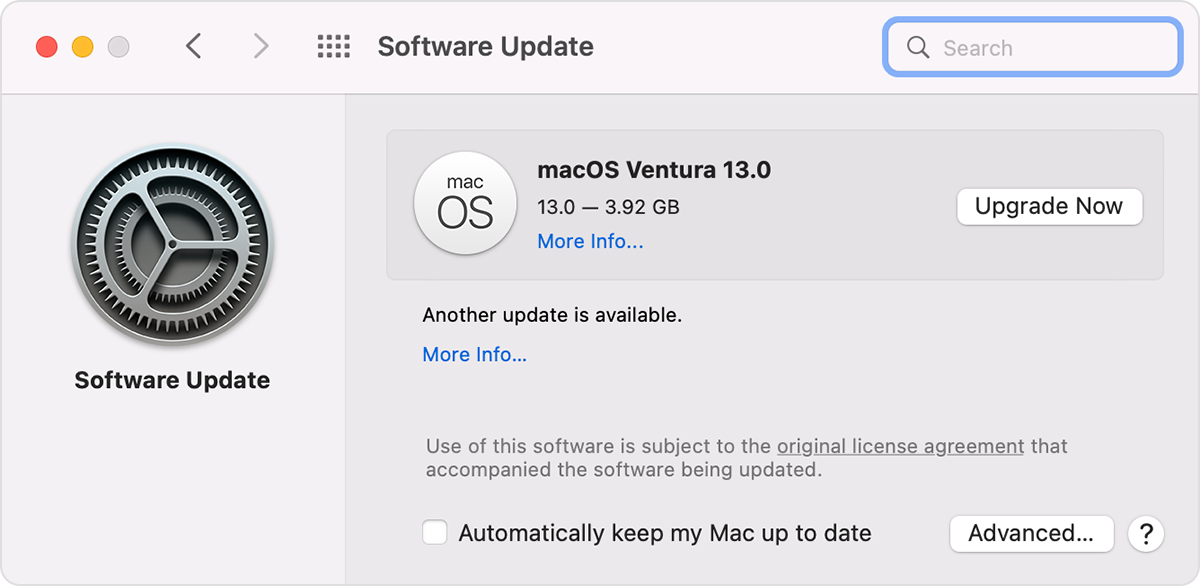
* If you chose System Preferences, click Software Update in the window.
4. Software Update then checks for new software.
* If Software Update finds new software, click the button to install it. The button might be named Update Now, Upgrade Now, Install Now, or Restart Now, for example. You might then be asked to enter your administrator password.
* If Software Update says that your Mac is up to date, then no new software is currently available for your Mac model. Software Update shows only software that is compatible with your Mac.
As it sounds like the issue only happens with the Mac, updating the Mac to the latest version should apply the latest fixes.
In case that doesn't apply, please reply back with more information. The more we can understand about the issue, the better we can assist.
Take care.


