
I need a millisecond please
I have a series 2 apple watch that shows milliseconds during a workout, but a new SE does not. Is there a way to change that so that milliseconds are counted?
Apple Watch SE, watchOS 9
I have a series 2 apple watch that shows milliseconds during a workout, but a new SE does not. Is there a way to change that so that milliseconds are counted?
Apple Watch SE, watchOS 9
Hello howaboutthisquestion,
Thank you for reaching out to Apple Support Communities, and we'll be happy to help in any way we can. You might want to check the guidance below to see if you can adjust your settings: Use the Workout app on your Apple Watch - Apple Support
"Change the metrics for each workout
 next to the workout that you want to do.
 next to the goal.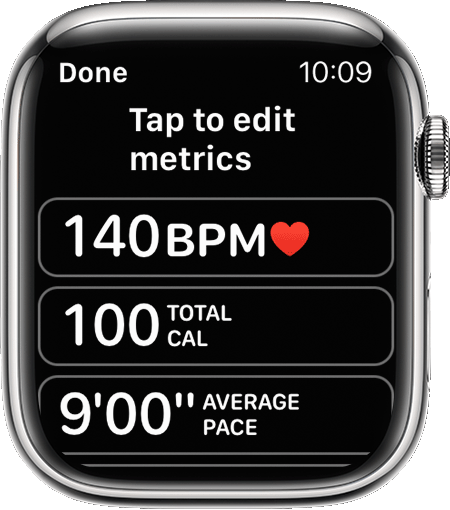
Depending on the type of workout, you can include metrics such as:
You can also tap Reorder, then touch and hold the Change Order button  to change the order."
We hope this helps. If you need further assistance, use this link to check for options to reach us directly: Apple Support
Cheers!
I need a millisecond please

