Hi Steven,
Thanks for contacting Apple Support Communities!
We understand that you're unable to sync music from your Mac to your iPhone.
Was all the music purchased via iTunes? Are any of your albums or songs hidden? This article will show you how to check: Hide and unhide music, movies, TV shows, audiobooks, and books - Apple Support
"How to unhide music, movies, and TV shows on your Mac
- Open the Apple Music app or the Apple TV app.
- In the menu bar at the top of your computer, choose Account > Account Settings.
- If prompted, sign in with your Apple ID.
- On the page that appears, scroll to the Downloads and Purchases section. Next to Hidden Purchases, click Manage.
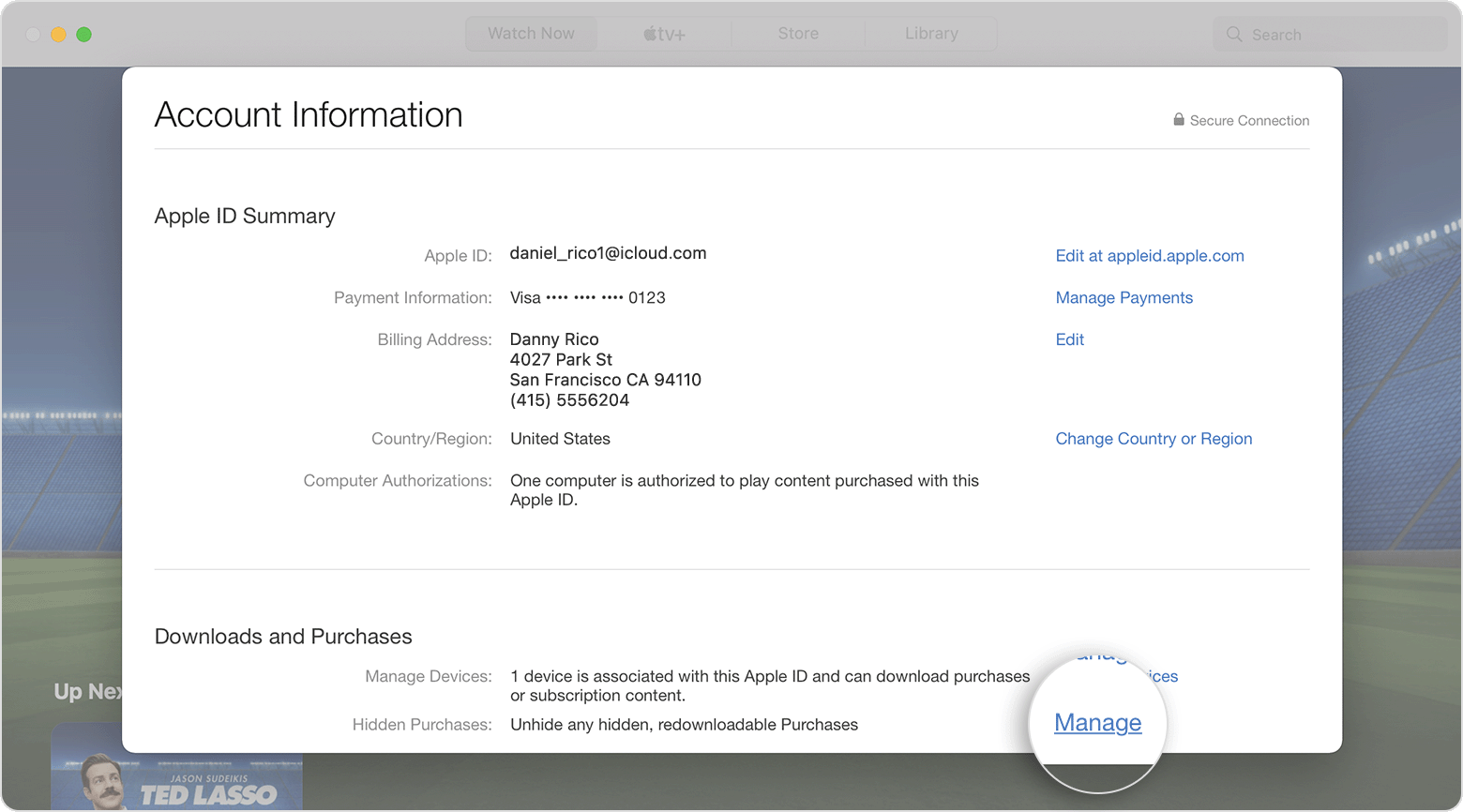
5. Under the item, click Unhide."
If the music was all purchased via iTunes and you're signed in with the same Apple ID on your iPhone and Mac, you can redownload the music to your iPhone via iTunes as well: Redownload music - Apple Support
"Redownload music in the iTunes Store app on your iPhone, iPad, or iPod touch
- Open the iTunes Store app.
- On your iPhone or iPod touch: At the bottom of your screen, tap More
 , then tap Purchased.
 - On your iPad: Tap Purchased.
2. Tap Music. If you use Family Sharing, tap a family member’s name to see music that they purchased.
3. Find the music that you want to redownload, then tap it.
4. Tap the download button  next to a song or album.
Don't see the music that you purchased?"
This is also a handy resource which outlines how to sync content between your devices if you need it: Sync content between your Mac and iPhone, iPad, or iPod touch - Apple Support
We look forward to your reply.
Cheers!



