Hi Dioua2omar,
Resetting your Beats could help if you're unable to charge them. Here's how: Reset your Beats on-ear or over-ear headphones.
Reset Studio3 Wireless
1. Hold down the power button and volume down button for 10 seconds.
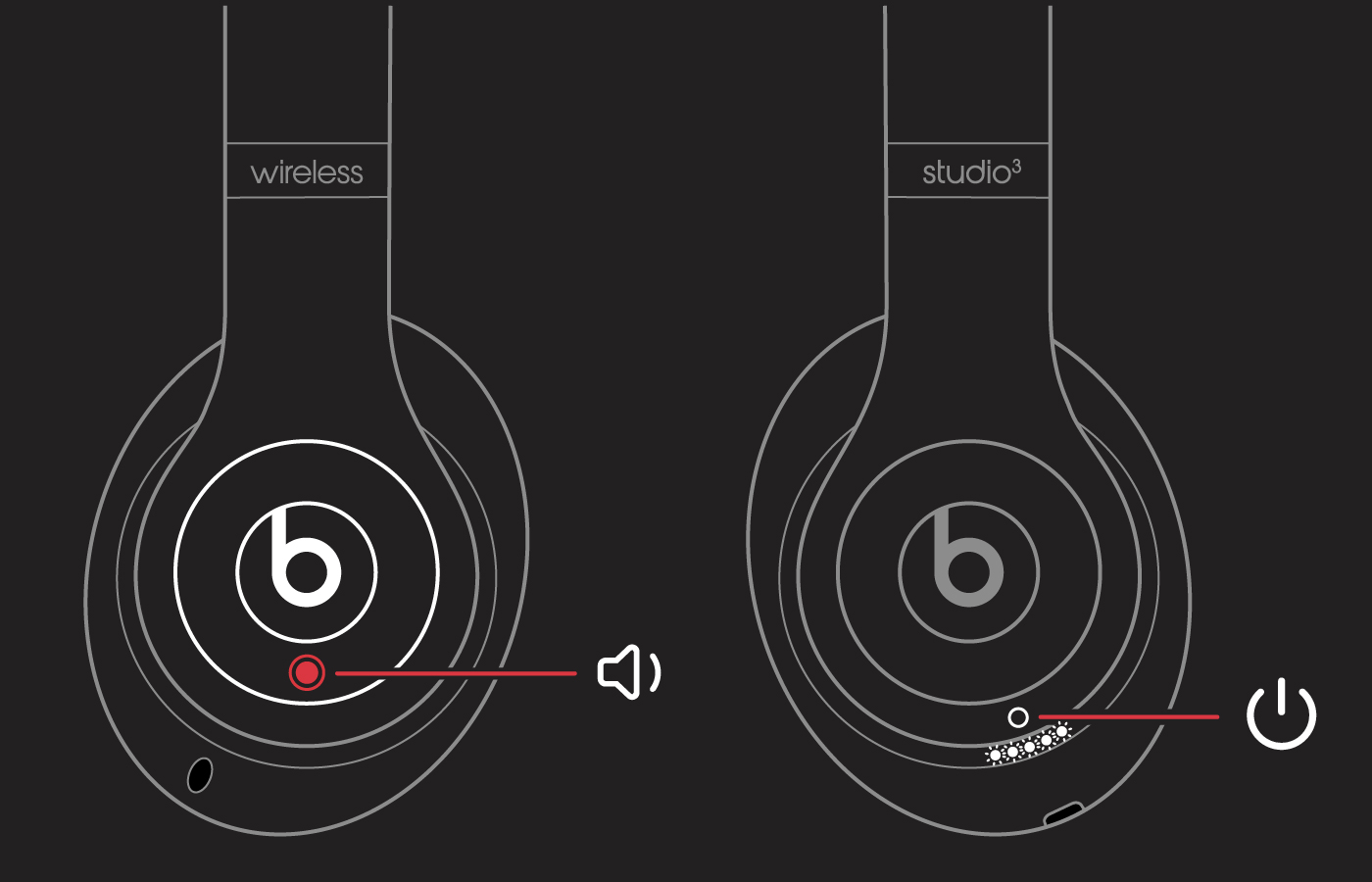
2. When the Fuel Gauge flashes, release the buttons.
Your headphones are now reset and ready to be set up with your devices again.
If the issue persists, you may be able to reach out to Amazon for information on returning or exchanging your Beats. If needed, this link will help you get in contact with them: Customer Service.
This link has information on getting your Beats serviced through Apple: Beats Repair & Service.
If needed, click the country in the bottom right of the article, then select your country or region to get information for your specific location.
If you'd prefer, you can reach out to Apple Support directly so they can look into this with you further. They can be contacted here: Contact Apple Support or by calling the most applicable phone number from this list: Contact Apple for support and service.
Regards.



