Hi coxorange,
Thanks for contacting Apple Support Communities!
We understand that your Mac is indexing when you turn it on, and you'd like to disable it.
Have you rebuilt the Spotlight index on your Mac? If not, you may consider doing so as outlined here: Rebuild the Spotlight index on your Mac - Apple Support
"Earlier versions of macOS
- Choose Apple menu > System Preferences, then click Spotlight.
- Click the Privacy tab.
- Drag the disk or folder that you want to index again to the list of locations that Spotlight is prevented from searching. Or click the add button (+) and select the disk or folder to add.*
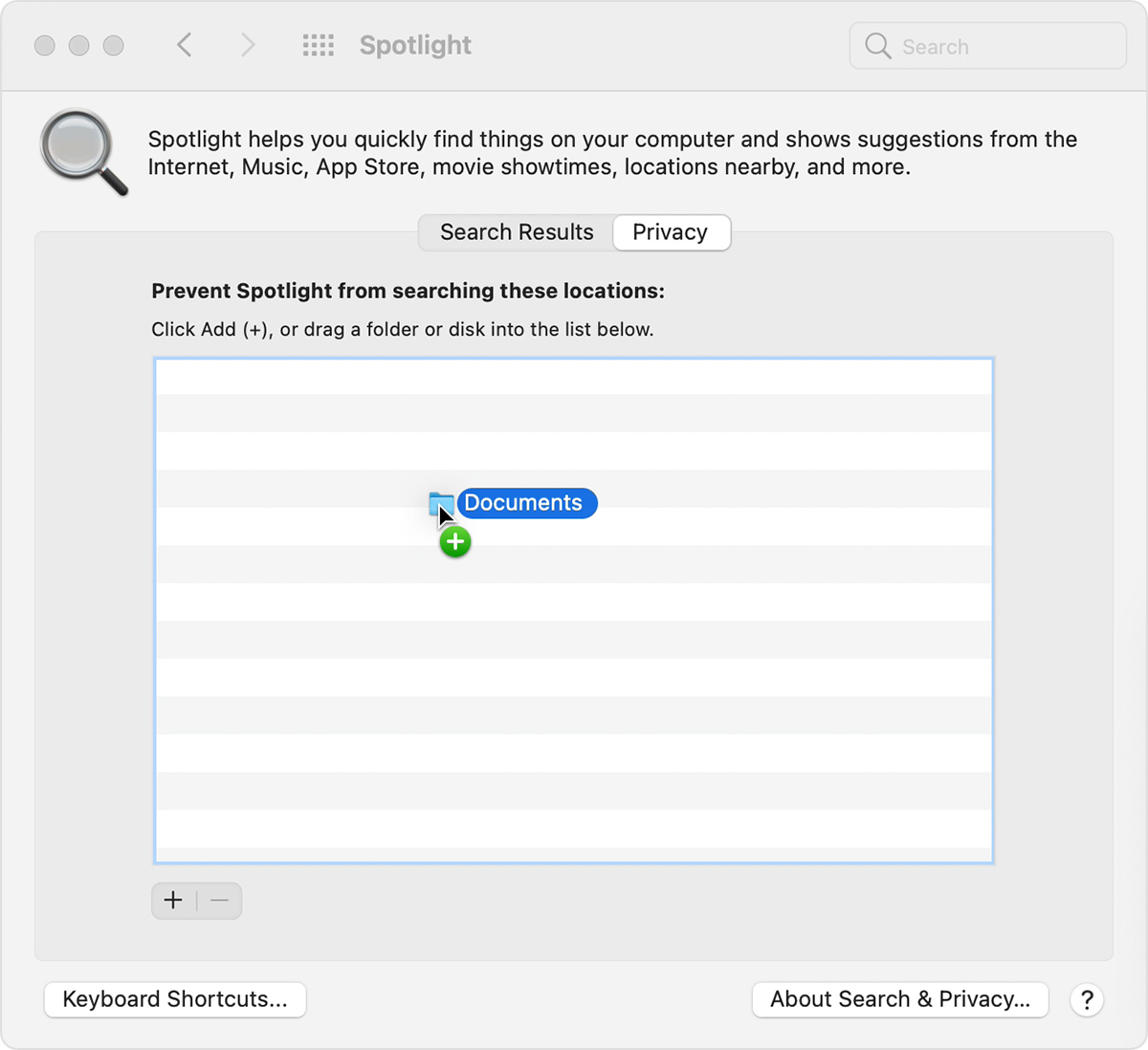
4. From the same list of locations, select the disk or folder that you just added. Then click the remove button (–) to remove it from the list.
5. Quit System Preferences. Spotlight will reindex the contents of the disk or folder. This can take some time, depending on the amount of information being indexed."
Keep in mind that it will take some time to rebuild the Spotlight index, depending on the amount of data stored on your Mac, so you may consider starting this process after you're done using your Mac for the evening.
We hope this helps.
Cheers!


