
iPhone update
I'm trying to update my work iPhone. I provided the password and passcode but it wants me to provide the previous passcode which I never had. How do I get around this please?
iPhone 12, iOS 16
I'm trying to update my work iPhone. I provided the password and passcode but it wants me to provide the previous passcode which I never had. How do I get around this please?
iPhone 12, iOS 16
Hi VLBar,
Thanks for contacting Apple Support Communities!
We understand that you're attempting to update the iOS and your iPhone is requesting a previous passcode which you don't have.
You can put your iPhone in recovery mode then install the update via a computer as outlined here: If you can't update or restore your iPhone or iPod touch - Apple Support
"Put your device in recovery mode and set it up again
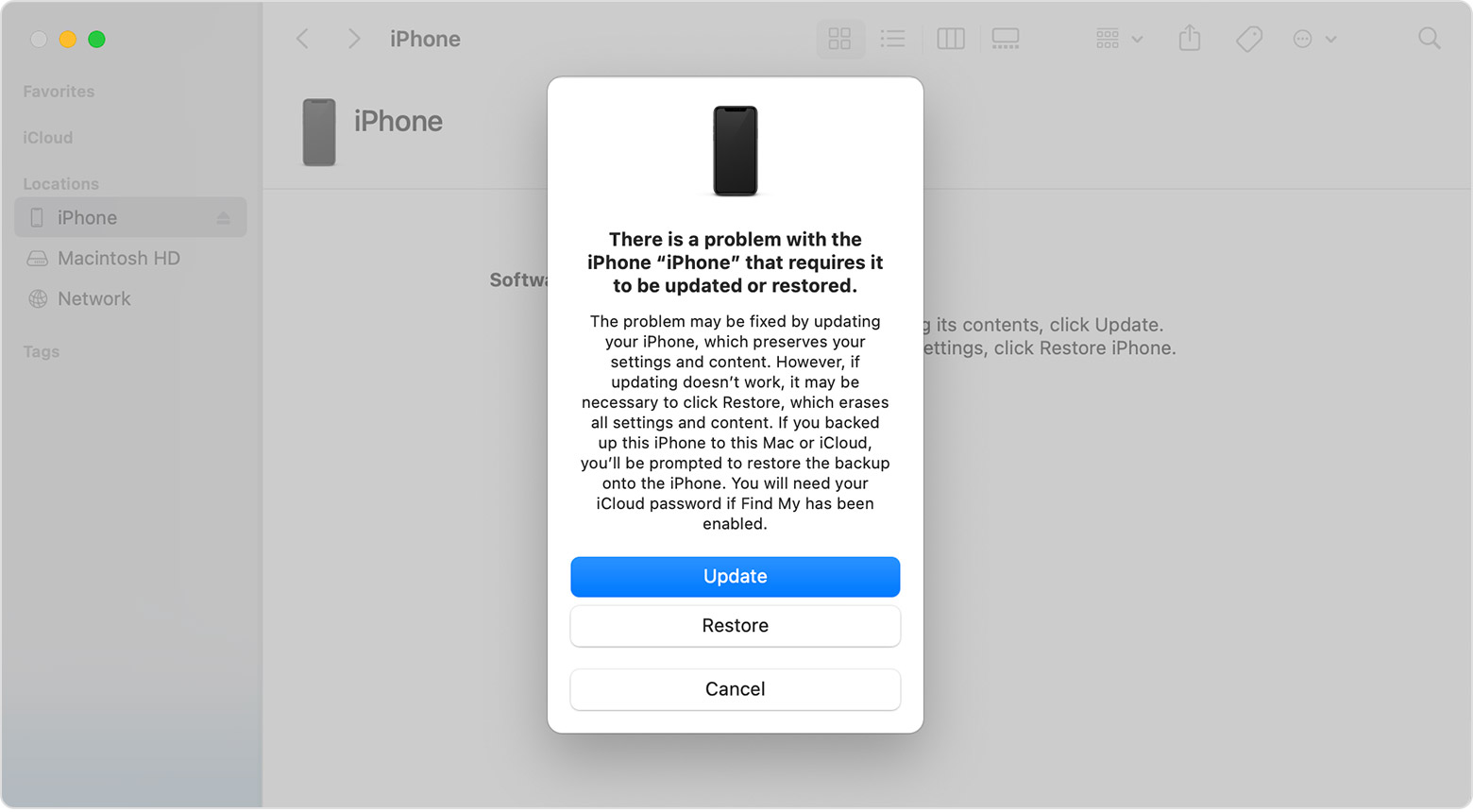
4. Locate your device on your computer. When you see the option to Restore or Update, choose Update. Your computer will try to reinstall the software without erasing your data. Wait while your computer downloads the software for your device. If the download takes more than 15 minutes and your device exits the recovery mode screen, let the download finish, then repeat step 3.
5. After the Update or Restore completes, set up your device."
We hope this helps you.
Take care!
Hi VLBar,
Thanks for contacting Apple Support Communities!
We understand that you're attempting to update the iOS and your iPhone is requesting a previous passcode which you don't have.
You can put your iPhone in recovery mode then install the update via a computer as outlined here: If you can't update or restore your iPhone or iPod touch - Apple Support
"Put your device in recovery mode and set it up again
4. Locate your device on your computer. When you see the option to Restore or Update, choose Update. Your computer will try to reinstall the software without erasing your data. Wait while your computer downloads the software for your device. If the download takes more than 15 minutes and your device exits the recovery mode screen, let the download finish, then repeat step 3.
5. After the Update or Restore completes, set up your device."
We hope this helps you.
Take care!
iPhone update

