OneDrive

I have been having issues with OneDrive and would like to stop having it start up on booting up. I have "removed" it from Login Items but when I restart my mac it still seems to boot up and it reappears in my LogIn items.

iMac 27″, macOS 12.6

Posted on Mar 15, 2023 11:36 AM

Reply
3 replies

Mar 17, 2023 10:28 AM in response to David Ehrenkranz

March 17, 2023, 

bryanr14 thank you for your suggustions. 

I made sure I had removed OneDrive as a Login Item on my startup drive and “Reopen windows when logging back in” was NOT checked when restarting computer. However, upon restarting I checked with “Activity Monitor” and found the following all showing 0 %CPU usage

OneDrive Updater (not responding) [In red]

One Drive Finder Integration

One Drive Finder Integration

One Drive Finder Integration [yes this appears three times]

OneDrive

And OneDrive is again listed as a Login Items on my startup drive. 


I did notice the “Hide” option was selected and I have deselected it. After restarting OneDrive is no longer listed as a login Item and in Activity monitor OneDrive Finder Integration is listed twice again with 0 (zero) % CPU


Definitely an improvement but not sure why OneDrive Finder Integration is showing up at all.

Mar 16, 2023 3:14 PM in response to David Ehrenkranz

Hello David Ehrenkranz,


Thank you for reaching out in Apple Support Communities. You've done an excellent job by removing OneDrive from the Login Items on your Mac. There are additional steps that can help. We recommend for you to follow these next steps and see if that helps:


Prevent windows from reopening when you log in
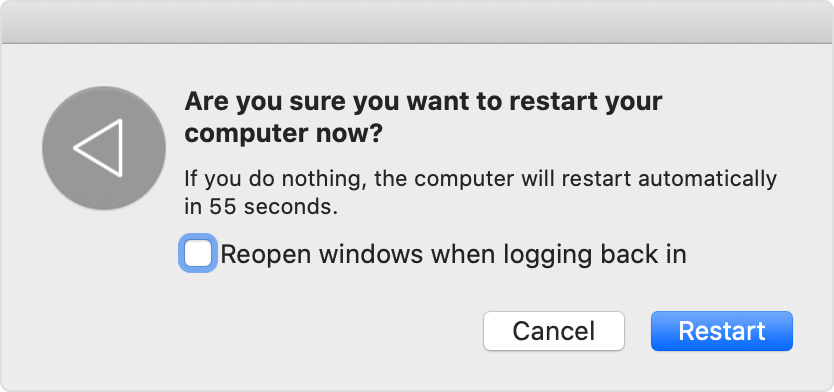
Deselect ”Reopen windows when logging back in” in the confirmation dialog that appears when you log out of your Mac or restart.
Dialog: Are you sure you want to restart your computer now?


Prevent windows from reopening when you open an app
You can prevent apps from restoring the windows they had open when you last quit the app.

macOS Ventura or later
1. Choose Apple menu  > System Settings.
2. Click Desktop & Dock in the sidebar.
3. Scroll down on the right and turn on “Close windows when quitting an app.”
  
Earlier versions of macOS
1. Choose Apple menu  > System Preferences.
2. Click General.
3. Select ”Close windows when quitting an app.”  

Other solutions
* Press and hold the Shift key while opening the app. This doesn't change any settings, but the app forgets any windows that were open the last time you quit the app.

* Start up in safe mode, then restart normally. This doesn't change any settings, but your Mac forgets any apps and windows that were open the last time you logged out or restarted.

* Check the app's settings. Some apps offer a setting to make them reopen each time you log in or start up your Mac, or a setting to make them reopen windows. For example, Safari has a setting to control which windows it opens with.

* Make sure that the app isn't a login item. Login items open every time you log in or start up your Mac. You can add or remove login items.

Following these steps may help and is outlined here: Prevent apps and windows from reopening on Mac - Apple Support


Kind regards.


Mar 17, 2023 11:07 AM in response to David Ehrenkranz

Hi David Ehrenkranz,


Were you also able to test when booted to and restarting from safe mode? How to use safe mode on your Mac - Apple Support


If so, it's good to hear the CPU usage still shows as zero. You can also see if other related processes are used by changing the view "View > All Processes, Hierarchically." The guide here can also assist: Quit an app or process in Activity Monitor on Mac, and if it's listed as idle: View CPU activity in Activity Monitor on Mac


There's also a previous post from the Microsoft Support forums for an older version of macOS that may also apply here: Multiple insances of OneDrive Finder Integration in Mac OsX Mojave 10.14.6


Cheers.

This thread has been closed by the system or the community team. You may vote for any posts you find helpful, or search the Community for additional answers.

OneDrive

Welcome to Apple Support Community
A forum where Apple customers help each other with their products. Get started with your Apple Account.