Keyboard stuck in capslock

Hi,

The keyboard on my MacBook is permanently in caps lock without it showing on the keyboard itself or with a symbol on screen. I’m now locked out of my laptop since I can not type my password without capslock. How do I fix this? Please help

MacBook Pro 13″

Posted on Mar 15, 2023 1:59 PM

Reply
Question marked as Top-ranking reply

Posted on Mar 17, 2023 9:30 AM

Hi Lily_2426,


For help with correctly entering in your login password, are you able to connect an external keyboard temporarily? If not, test the steps for cleaning your keyboard found below and in the article here: How to clean the keyboard of your MacBook or MacBook Pro


"As you follow these steps, remember to use the straw included with the compressed air to control airflow, and keep the end of the straw about a half-inch away from the keyboard as you spray. Also remember to not invert the air can while you're spraying.


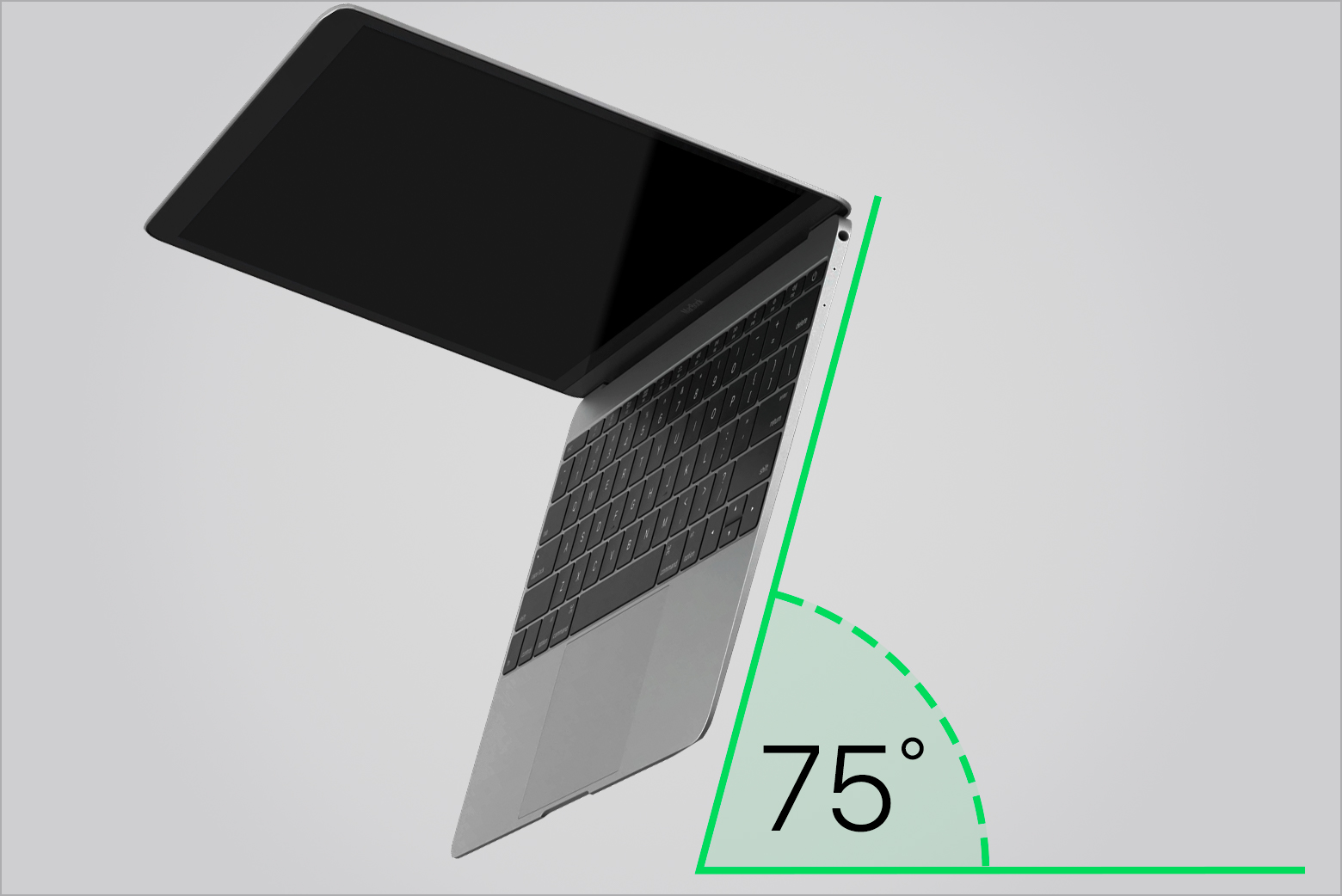
  1. Hold your Mac notebook at a 75-degree angle, so it's not quite vertical.

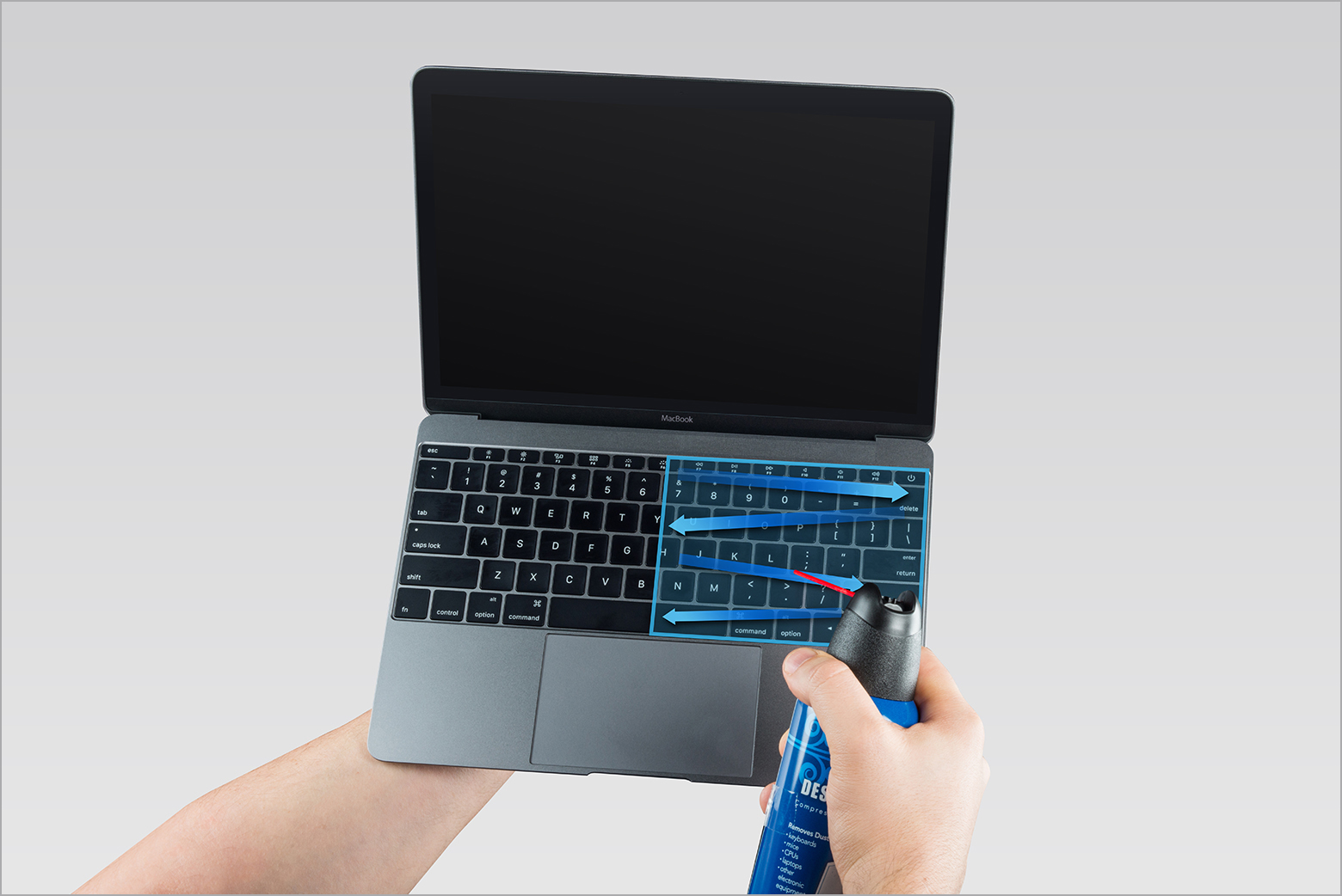
 2. Use compressed air to spray the keyboard, or just the affected keys, in a left-to-right motion.
 

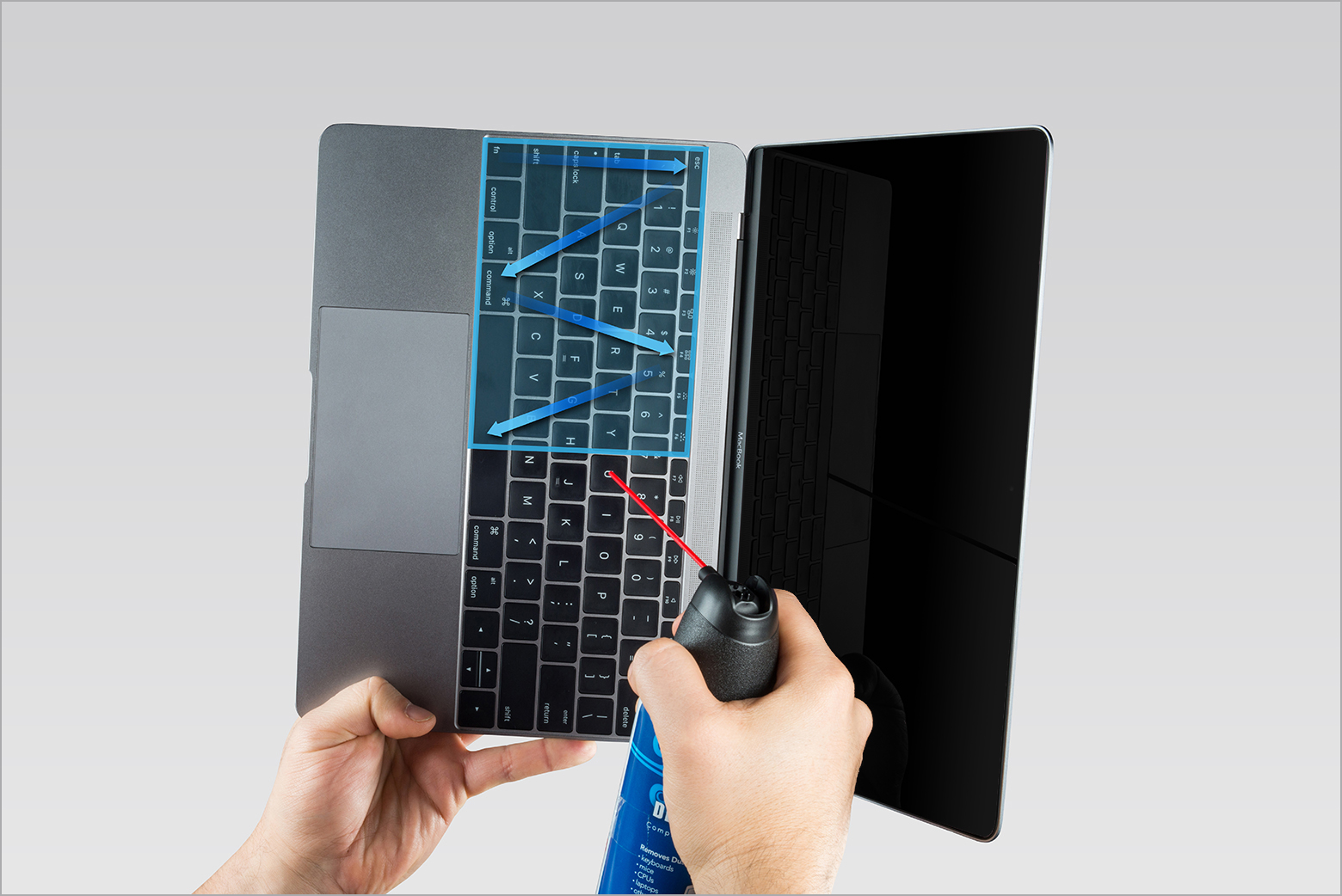
3. Rotate your Mac notebook to its right side and spray the keyboard again, from left to right.
 

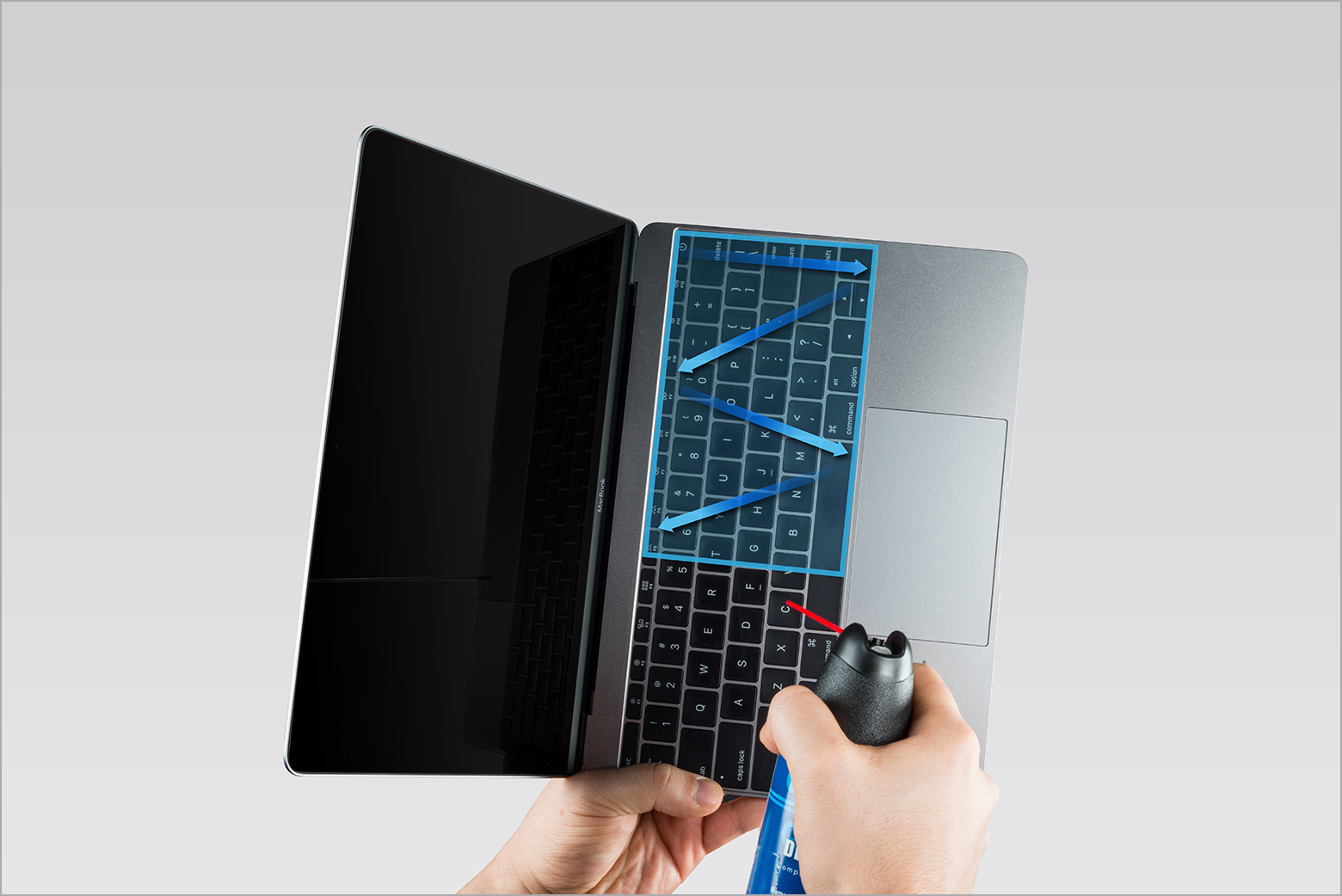
4. Repeat the action, this time with your Mac notebook rotated to its left side.
 

"


If the issue remains, test booting to safe mode: How to use safe mode on your Mac - Apple Support


Cheers.

1 reply
Question marked as Top-ranking reply

Mar 17, 2023 9:30 AM in response to Lily_2426

Hi Lily_2426,


For help with correctly entering in your login password, are you able to connect an external keyboard temporarily? If not, test the steps for cleaning your keyboard found below and in the article here: How to clean the keyboard of your MacBook or MacBook Pro


"As you follow these steps, remember to use the straw included with the compressed air to control airflow, and keep the end of the straw about a half-inch away from the keyboard as you spray. Also remember to not invert the air can while you're spraying.


  1. Hold your Mac notebook at a 75-degree angle, so it's not quite vertical.


 2. Use compressed air to spray the keyboard, or just the affected keys, in a left-to-right motion.


3. Rotate your Mac notebook to its right side and spray the keyboard again, from left to right.


4. Repeat the action, this time with your Mac notebook rotated to its left side.


"


If the issue remains, test booting to safe mode: How to use safe mode on your Mac - Apple Support


Cheers.

This thread has been closed by the system or the community team. You may vote for any posts you find helpful, or search the Community for additional answers.

Keyboard stuck in capslock

Welcome to Apple Support Community
A forum where Apple customers help each other with their products. Get started with your Apple Account.