duplicate text when dictating.
I have an iPhone 13 I have an iPhone, 13 and duplicates and duplicates text when I dictate which is all the time.I have an iPhone 13 and it duplicates text when I dictate which is all the time.
iPhone 13 Pro
I have an iPhone 13 I have an iPhone, 13 and duplicates and duplicates text when I dictate which is all the time.I have an iPhone 13 and it duplicates text when I dictate which is all the time.
iPhone 13 Pro
Hello Tersanctus,
Thank you for reaching out in Apple Support Communities. If you haven't tried yet, we recommend to restart your iPhone and see if Dictation continues to duplicate the text. This is a step that can help resolve unexpected behavior which may help in this situation. Here's how to properly restart your iPhone:
How to restart your iPhone X, 11, 12, 13, or later
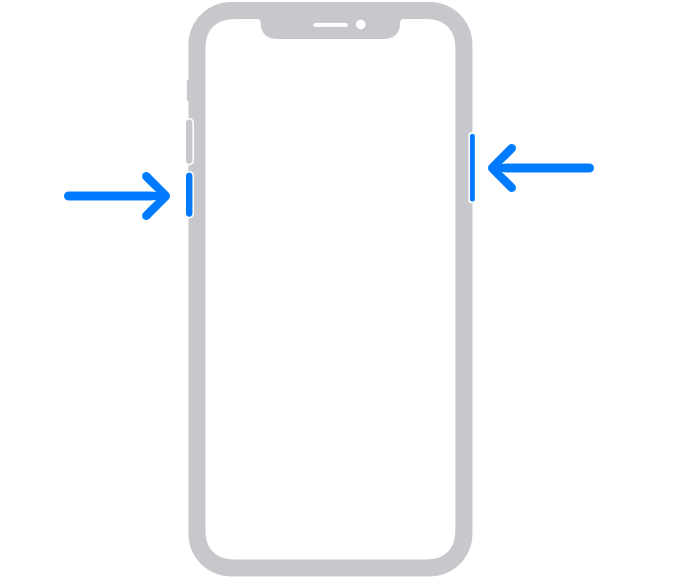
1. Press and hold either volume button and the side button until the power-off slider appears.
2. Drag the slider, then wait 30 seconds for your device to turn off. If your device is frozen or unresponsive, force restart your device.
3. To turn your device back on, press and hold the side button (on the right side of your iPhone) until you see the Apple logo.
These steps are outlined here and can help: Restart your iPhone - Apple Support
In addition, you'll want to make sure that your iPhone is updated to the latest version of iOS 16.3.1. Having the latest update helps provide software improvements that can help. Here are the steps on how to update the software:
Update your iPhone or iPad wirelessly
1. Back up your device using iCloud or your computer.
2. Plug your device into power and connect to the internet with Wi-Fi.
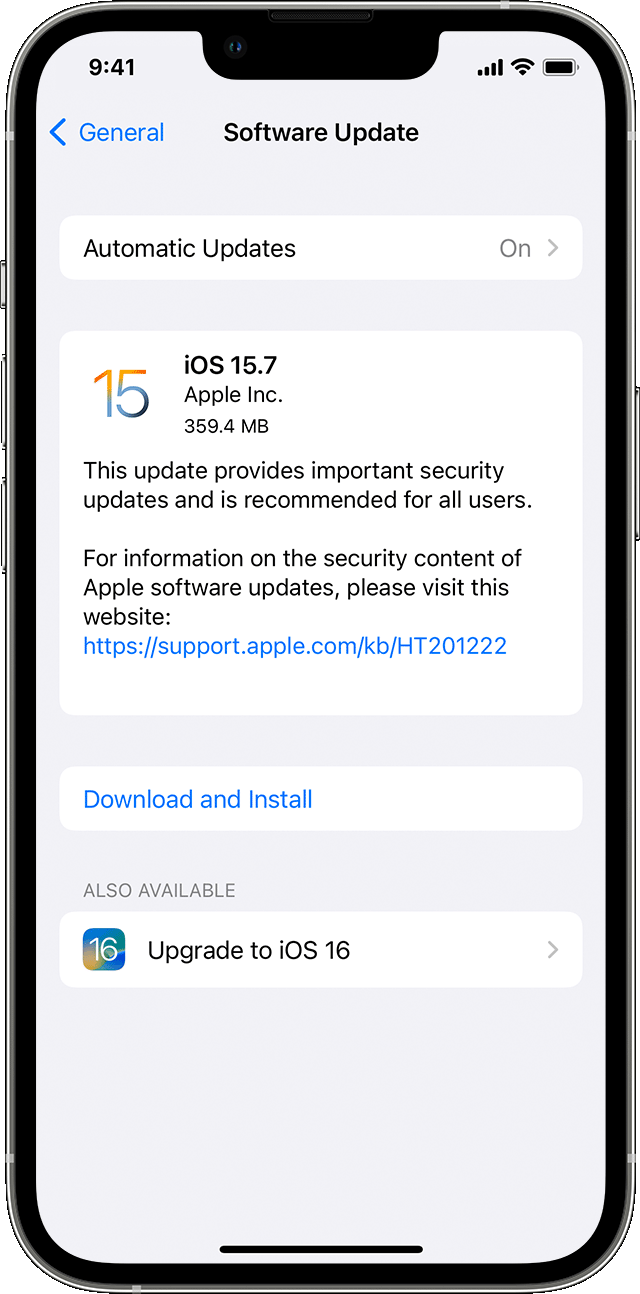
3. Go to Settings > General, then tap Software Update.
4. If you see more than one software update option available, choose the one that you want to install.
5. Tap Install Now. If you see Download and Install instead, tap it to download the update, enter your passcode, then tap Install Now. If you don't know your passcode, learn what to do.
These steps are outlined in this article: Update your iPhone or iPad - Apple Support
We look forward to hearing back from you with an update.
Kind regards.
Hello Tersanctus,
Thank you for reaching out in Apple Support Communities. If you haven't tried yet, we recommend to restart your iPhone and see if Dictation continues to duplicate the text. This is a step that can help resolve unexpected behavior which may help in this situation. Here's how to properly restart your iPhone:
How to restart your iPhone X, 11, 12, 13, or later
1. Press and hold either volume button and the side button until the power-off slider appears.
2. Drag the slider, then wait 30 seconds for your device to turn off. If your device is frozen or unresponsive, force restart your device.
3. To turn your device back on, press and hold the side button (on the right side of your iPhone) until you see the Apple logo.
These steps are outlined here and can help: Restart your iPhone - Apple Support
In addition, you'll want to make sure that your iPhone is updated to the latest version of iOS 16.3.1. Having the latest update helps provide software improvements that can help. Here are the steps on how to update the software:
Update your iPhone or iPad wirelessly
1. Back up your device using iCloud or your computer.
2. Plug your device into power and connect to the internet with Wi-Fi.
3. Go to Settings > General, then tap Software Update.
4. If you see more than one software update option available, choose the one that you want to install.
5. Tap Install Now. If you see Download and Install instead, tap it to download the update, enter your passcode, then tap Install Now. If you don't know your passcode, learn what to do.
These steps are outlined in this article: Update your iPhone or iPad - Apple Support
We look forward to hearing back from you with an update.
Kind regards.
Hello Tersanctus,
Is your phone updated to the latest iOS which is 16.3.1?
If your phone is already up to date then we recommend contacting Apple Support directly.
Take care!
Restarting the phone is the first thing I always do.
duplicate text when dictating.