My watch turned bright red when I was asleep
I sleep with my watch on to monitor my sleep. As I was asleep my watch was glowing red. Does anyone have this experience before?
I sleep with my watch on to monitor my sleep. As I was asleep my watch was glowing red. Does anyone have this experience before?
I think the reason is that the Apple Watch blood oxygen app allows you to measure the oxygen level of your blood on-demand or in the background. The app uses a combination of red, green, and infrared lights on the back of the Apple Watch to help photodiodes measure blood oxygen by calculating the color of your blood . The red light is more visible than the other lights because it has a longer wavelength and can penetrate deeper into your skin. The red glow indicates that the app is active and measuring your blood oxygen. You can turn off or disable the red glow by disabling the blood oxygen measurements in the settings app on your Apple Watch. It periodically does this throughout the day when your arm is still or at rest.
I think the reason is that the Apple Watch blood oxygen app allows you to measure the oxygen level of your blood on-demand or in the background. The app uses a combination of red, green, and infrared lights on the back of the Apple Watch to help photodiodes measure blood oxygen by calculating the color of your blood . The red light is more visible than the other lights because it has a longer wavelength and can penetrate deeper into your skin. The red glow indicates that the app is active and measuring your blood oxygen. You can turn off or disable the red glow by disabling the blood oxygen measurements in the settings app on your Apple Watch. It periodically does this throughout the day when your arm is still or at rest.
Hello Poochofnyc,
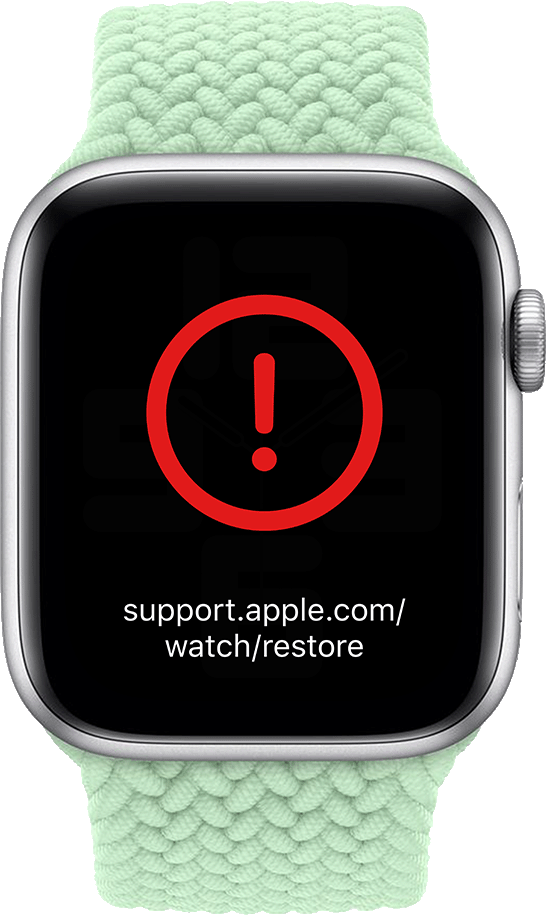
Did you see a red exclamation point on the Apple Watch screen? If so, then you'd need to take these related steps, since they would solve this issue: If your Apple Watch shows an iPhone and a watch or a red “!” - Apple Support
If your Apple Watch shows an iPhone and a watch or a red “!”
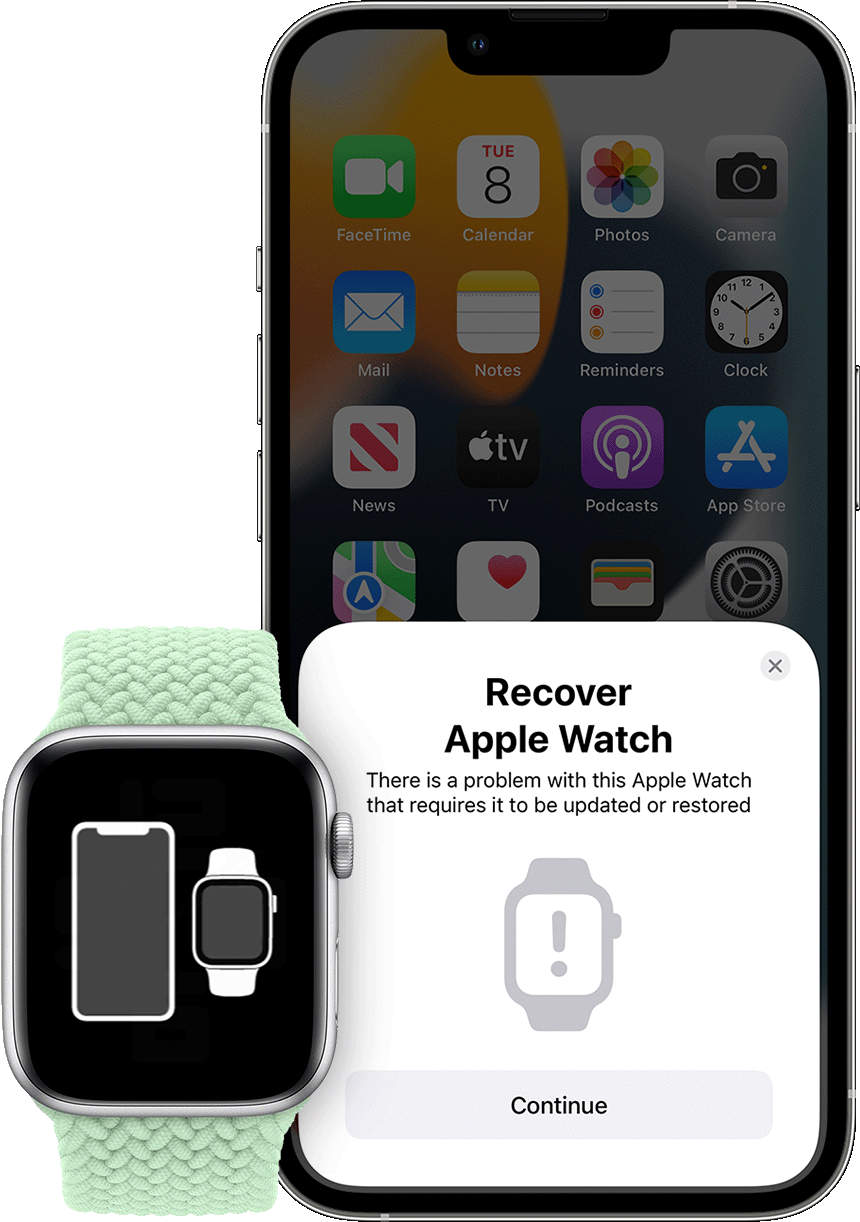
Your Apple Watch might show an animation asking you to bring it close to an iPhone if your watch experiences a problem that requires it to be updated or restored. You might also see a red exclamation point on your watch.
If your Apple Watch with watchOS 8.5 or later displays an animation showing a watch and iPhone being brought close together, follow these steps:
1. Make sure that an iPhone is nearby. The iPhone needs to have iOS 15.4 or later, it needs to be connected to Wi-Fi* with Bluetooth turned on, and it needs to be unlocked.
2. Put your Apple Watch on its charger.
3. Double-click the side button (the button below the circular Digital Crown) on your Apple Watch.
4. Follow the steps that appear on the iPhone.
* If these steps don't work for you, check your Wi-Fi. Try using a 2.4GHz network instead of 5GHz, and make sure that you're not on a captive or 802.1X network.
If your Apple Watch shows a red “!”
In some instances, your Apple Watch might show a red exclamation point. If this happens, double-click the side button, then follow the steps above.
Still need help?
Contact Apple Support to set up a mail-in repair if your Apple Watch continues to show a red exclamation point.
In case that wasn't your issue, please reply back with more information about what you saw on the screen. The more we can understand, the better we can help out. For example, do you set the Focus to Sleep when you go to sleep to avoid pressing on buttons or the screen? As that may solve the issue by enabling the Sleep Focus, when needed.
Take care.
My watch turned bright red when I was asleep