Update my iPhone 📲 please update to 15.7.3
I want to update my iPhone to 15.7.3
I want to update my iPhone to 15.7.3
Hi praise168,
Thank you for using the Apple Support Communities! Depending on your iPhone model, you would be able to update to the current version iOS 16.3.1 or the most compatible for your model by following the steps below:
Update your iPhone or iPad wirelessly
1. Back up your device using iCloud or your computer.
2. Plug your device into power and connect to the internet with Wi-Fi.
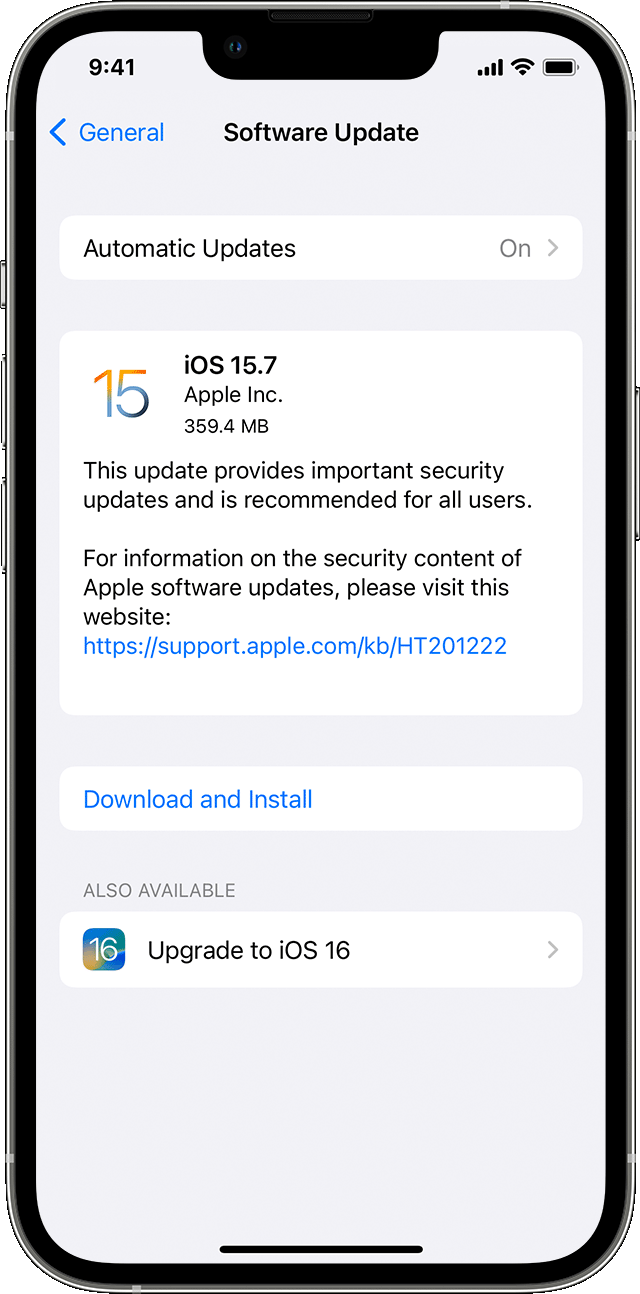
3. Go to Settings > General, then tap Software Update.
4. If you see more than one software update option available, choose the one that you want to install.
5.
6. Tap Install Now. If you see Download and Install instead, tap it to download the update, enter your passcode, then tap Install Now. If you don't know your passcode, learn what to do.
Hope this helps!
Have a great day.
Hi praise168,
Thank you for using the Apple Support Communities! Depending on your iPhone model, you would be able to update to the current version iOS 16.3.1 or the most compatible for your model by following the steps below:
Update your iPhone or iPad wirelessly
1. Back up your device using iCloud or your computer.
2. Plug your device into power and connect to the internet with Wi-Fi.
3. Go to Settings > General, then tap Software Update.
4. If you see more than one software update option available, choose the one that you want to install.
5.
6. Tap Install Now. If you see Download and Install instead, tap it to download the update, enter your passcode, then tap Install Now. If you don't know your passcode, learn what to do.
Hope this helps!
Have a great day.
Update my iPhone 📲 please update to 15.7.3