iPhone 5s can't connect to my Wifi Router
Hello i have a iPhone 5s and it a WLAN device and its only connect to hotspot i cant connect it to my Wifi Router its cant find my Router. Any Ideas?
[Re-Titled by Moderator]
iPhone 5s, iOS 12
Hello i have a iPhone 5s and it a WLAN device and its only connect to hotspot i cant connect it to my Wifi Router its cant find my Router. Any Ideas?
[Re-Titled by Moderator]
iPhone 5s, iOS 12
Hi Salihthecollector,
Welcome to Apple Support Communities. We understand that you're having an issue with your iPhone connecting to your home network. We'd like to help.
Just to confirm, are you only having issues connecting to this one network or is it all Wi-Fi networks? Knowing the answer to this can help isolate if this issue is caused by something on your device or through the connection between your device and network.
In the meantime, let's have you start these steps to see if you can get connected at home:
If your iPhone or iPad won't connect to a Wi-Fi network
Get help connecting to Wi-Fi on your iPhone or iPad.
1. Make sure that your router is on and that you're within range
If you're too far from your Wi-Fi router, you can't get a signal, so make sure that you're within range.
2. Make sure that Wi-Fi is on and that you can see your network
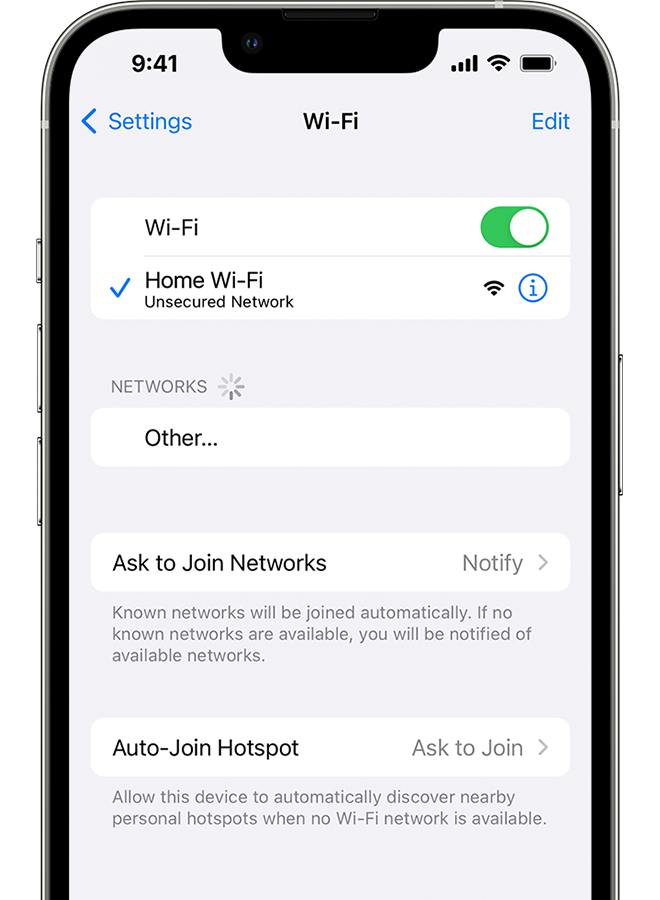
Go to Settings > Wi-Fi and make sure that Wi-Fi is on. Tap the name of your Wi-Fi network to join. A blue checkmark beside a network name means that you're connected.
If you see Auto Join disabled under Settings > Wi-Fi > [Your Network], tap the More Info button and then tap Auto-Join.
3. If asked, enter your Wi-Fi password
If asked, enter the password for your Wi-Fi network. Get help if you don't know your password.
Even if you enter the correct password, you might see an "unable to join the network" message or an "incorrect password" message. Restart all of your devices, then try to enter your password again.
4. Check for issues with your Wi-Fi network
If iOS or iPadOS detects an issue with your Wi-Fi connection, you might see a Wi-Fi recommendation under the name of the Wi-Fi network that you're connected to. For example, you might see the alert "No Internet Connection." To get more information, tap the Wi-Fi network.
5. Check your cables and connections
If you still can't connect to your network or get online, make sure that your router is connected to the modem and turned on.
6. Restart
Restart your iOS or iPadOS device.
Restart your router and cable or DSL modem by unplugging the device and then plugging it back in.
After you restart each device, see if you fixed the issue.
7. Reset your network settings
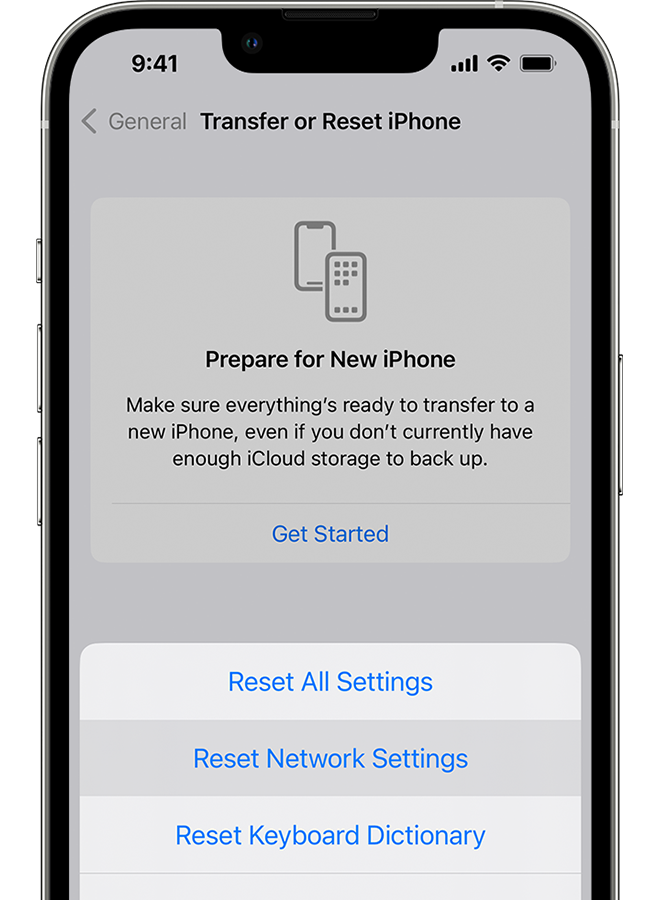
If you're using iOS or iPadOS 15 or later, tap Settings > General > Transfer or Reset [Device] > Reset > Reset Network Settings.
If you're using iOS or iPadOS 14 or earlier, tap Settings > General > Reset > Reset Network Settings.
This also resets Wi-Fi networks and passwords, cellular settings, and VPN and APN settings that you've used before.
Let us know if that helps.
Take care!
Do you have a newer Wifi router? If so, do you have it configured to support Wifi 4? Some wifi routers come configured to support wifi 5 and/or 6 only. You may need to enable wifi 4. You should reach out to the company that produces your device for further assistance.
iPhone 5s can't connect to my Wifi Router