
Password
Hello,
I made the dumbest mistake and signed out of my iCloud without backing up my passwords, when I signed back on they were all gone. Is there anyway I could get them back?
iPhone 12
Hello,
I made the dumbest mistake and signed out of my iCloud without backing up my passwords, when I signed back on they were all gone. Is there anyway I could get them back?
iPhone 12
Hi Kvyrivhy,
Thanks for using Apple Support Communities. We understand you have some questions about recovering your passwords. If using the steps below to view your saved your password do not work, there would not be a way to recover the deleted / removed passwords.
1. Tap Settings, then select Passwords. In iOS 13 or earlier, select Passwords & Accounts, then tap Website & App Passwords.
2. Use Face ID or Touch ID when prompted, or enter your passcode.
3.
4. To see a password or passkey, select a website or app.
5.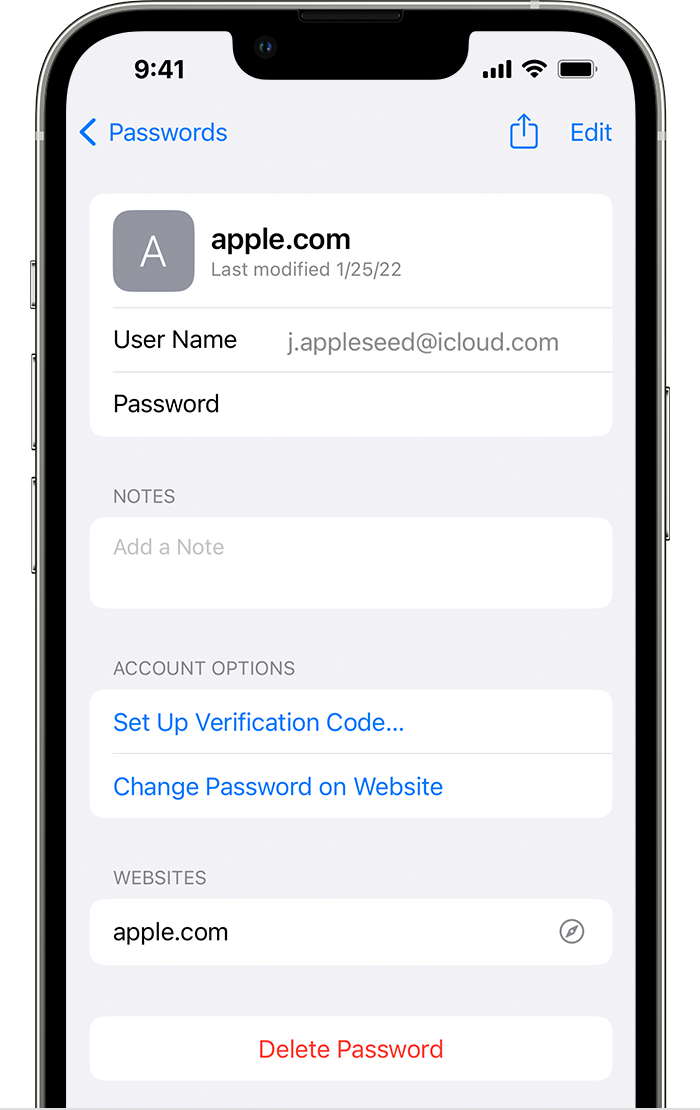
* To delete a saved password or passkey, tap Delete Password or Delete Passkey.
* To update a password or passkey, tap Edit.
See more about that here: How to find saved passwords and passkeys on your iPhone - Apple Support
Thanks.
Hi Kvyrivhy,
Thanks for using Apple Support Communities. We understand you have some questions about recovering your passwords. If using the steps below to view your saved your password do not work, there would not be a way to recover the deleted / removed passwords.
1. Tap Settings, then select Passwords. In iOS 13 or earlier, select Passwords & Accounts, then tap Website & App Passwords.
2. Use Face ID or Touch ID when prompted, or enter your passcode.
3.
4. To see a password or passkey, select a website or app.
5.
* To delete a saved password or passkey, tap Delete Password or Delete Passkey.
* To update a password or passkey, tap Edit.
See more about that here: How to find saved passwords and passkeys on your iPhone - Apple Support
Thanks.
Password


