Hey there and welcome to Apple Support Communities AnastasiaKu,
We can certainly understand your concern and can help provide some insight.
We recommend you checking ut these steps on how to cancel your subscription.
" If you want to cancel a subscription from Apple
Learn how to cancel a subscription from Apple or a subscription that you purchased with an app from the App Store.
Cancel a subscription from Apple
Cancel a subscription
If you can't find the subscription that you want to cancel
How to cancel a subscription on your iPhone or iPad
- Open the Settings app.
- Tap your name.
- Tap Subscriptions.
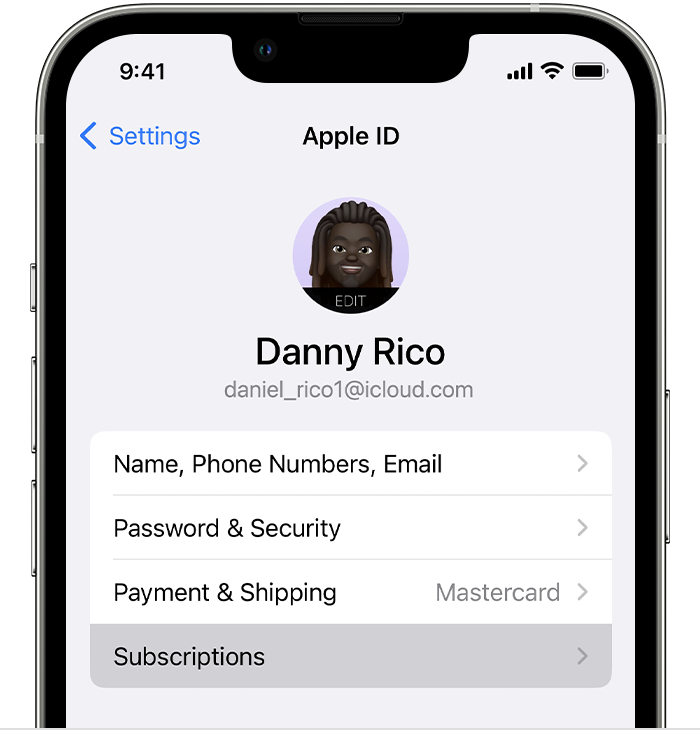
4. Tap the subscription.
5. Tap Cancel Subscription. You might need to scroll down to find the Cancel Subscription button. If there is no Cancel button or you see an expiration message in red text, the subscription is already canceled.
If you can't find the subscription that you want to cancel "
For additional information, check out this link: If you want to cancel a subscription from Apple - Apple Support
These steps will help ensure your device is working with ease and can fix common issues like the ones you’re experiencing.
Kindest regards!


