Problems while scanning WhatsApp QR code on my iPhone
My phone doesn't scanning whatsapp qr code
[Re-titled by Moderator]
My phone doesn't scanning whatsapp qr code
[Re-titled by Moderator]
Hi fatima0409,
Thanks for reaching out to Apple Support Communities.
It sounds like you're having an issue with scanning QR codes.
We're happy to assist.
We recommend checking out the steps in the section titled "How to scan a QR code with the Camera app" from the article here: Scan a QR code with your iPhone, iPad, or iPod touch - Apple Support
1. Open the Camera app from the Home Screen, Control Center, or Lock Screen.
2. Select the rear facing camera. Hold your device so that the QR code appears in the viewfinder in the Camera app. Your device recognizes the QR code and shows a notification.
3. Tap the notification to open the link associated with the QR code.
We're recommending the steps above because they directly address the issue you initially posted about: you're having difficulty scanning QR codes.
If the issue that you're experiencing only happens when you're attempting to scan QR codes associated with WhatsApp, then we recommend that you contact the app developer via the link below.
How to contact an app developer - Apple Support
1. Open the App Store on your iPhone or iPad.
2. Search for the app, then tap it. If you can't find it, tap the account buttonor your photo at the top of the screen, tap Purchased, tap "Not on this [device]," then tap the app.
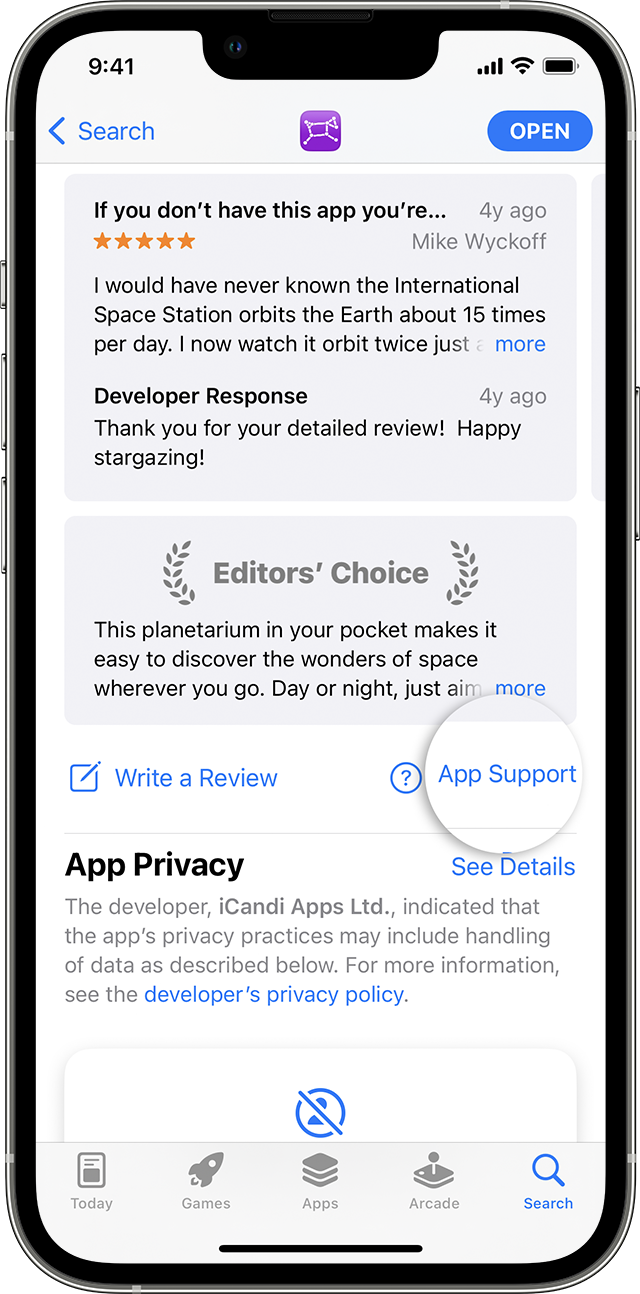
3. The app's product page appears. Scroll to the Ratings & Reviews section, then tap App Support. If you don't see App Support, make sure that you're signed in with the correct Apple ID.
Please do not hesitate to contact us if you have other questions.
Cheers!
Hi fatima0409,
Thanks for reaching out to Apple Support Communities.
It sounds like you're having an issue with scanning QR codes.
We're happy to assist.
We recommend checking out the steps in the section titled "How to scan a QR code with the Camera app" from the article here: Scan a QR code with your iPhone, iPad, or iPod touch - Apple Support
1. Open the Camera app from the Home Screen, Control Center, or Lock Screen.
2. Select the rear facing camera. Hold your device so that the QR code appears in the viewfinder in the Camera app. Your device recognizes the QR code and shows a notification.
3. Tap the notification to open the link associated with the QR code.
We're recommending the steps above because they directly address the issue you initially posted about: you're having difficulty scanning QR codes.
If the issue that you're experiencing only happens when you're attempting to scan QR codes associated with WhatsApp, then we recommend that you contact the app developer via the link below.
How to contact an app developer - Apple Support
1. Open the App Store on your iPhone or iPad.
2. Search for the app, then tap it. If you can't find it, tap the account button
3. The app's product page appears. Scroll to the Ratings & Reviews section, then tap App Support. If you don't see App Support, make sure that you're signed in with the correct Apple ID.
Please do not hesitate to contact us if you have other questions.
Cheers!
Problems while scanning WhatsApp QR code on my iPhone