
Help
How can I get back into my iPhone e 8 if I have no access to the pho e number associated with it or can't remember the email I used when I got it and forgot my Passmore...now says iPhone unavailable...
iPhone 8
How can I get back into my iPhone e 8 if I have no access to the pho e number associated with it or can't remember the email I used when I got it and forgot my Passmore...now says iPhone unavailable...
iPhone 8
Hi Tysonluvz,
Thanks for contacting Apple Support Communities!
We understand that you're unable to use your iPhone as it appears you've forgotten the passcode, correct?
If so, this resource will guide you through the process of resetting your iPhone: If you see an iPhone or iPad unavailable message or Security Lockout screen - Apple Support
"How to reset your device
If you're using an eSIM, contact your carrier before trying these steps and ask for a QR code to set up your eSIM again.
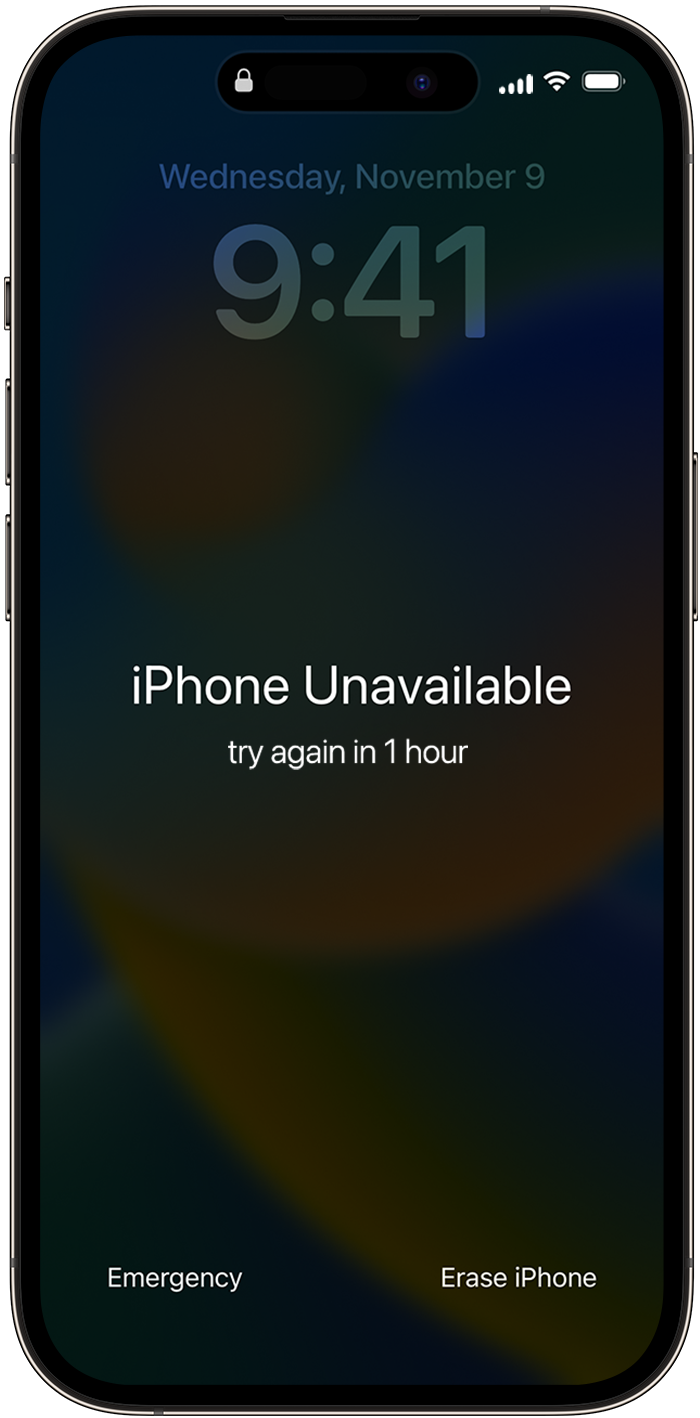
3. Tap Erase [Device], then tap Erase [Device] again to confirm.
4. Enter your Apple ID password to sign out of your Apple ID on your device.
5. Tap Erase [Device] to permanently delete all of your data and settings.
6. When your device restarts, follow the onscreen instructions to set up your device again, restore your data and settings from a backup, and set a new passcode.
If you can't follow these steps, you can use a computer to reset your device.
You can only reach the "Security Lockout" screen if you have an active cellular or Wi-Fi connection and previously enabled Find My on your device. After you try to enter your password ten times, your device will either erase itself or show Security Lockout and the option to Erase [Device] without a timer, depending on how you previously set up your device."
We hope this helps.
Take care!
Help

