Alarm sound too loud on 14 Pro Max! 📢
Setting other than sleep mode, will be appreciated.
iPhone 14 Pro Max, iOS 16
Setting other than sleep mode, will be appreciated.
iPhone 14 Pro Max, iOS 16
Hi Bankai19,
Thanks for posting in Apple Support Communities.
You can adjust the volume on iPhone. This can be done in Settings or Control Center.
Adjust the volume on iPhone
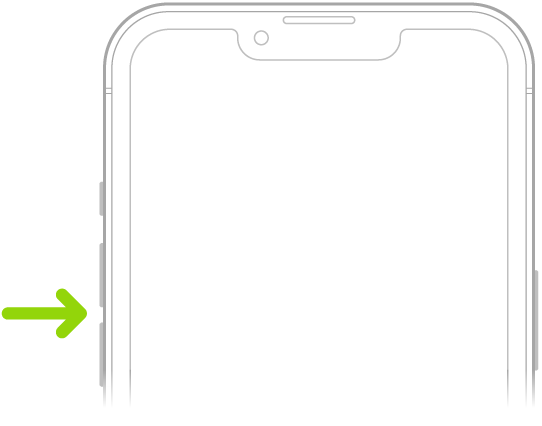
When you’re on the phone or listening to songs, movies, or other media on iPhone, you can use the buttons on the side of your device to adjust the audio volume. Otherwise, the buttons control the volume for the ringer, alerts, and other sound effects. You can also use Siri to turn the volume up or down.
Siri: Say something like: “Turn up the volume” or “Turn down the volume.” Learn how to use Siri.
WARNING: For information about avoiding hearing loss, see Important safety information for iPhone.
Lock the ringer and alert volumes in Settings
1. Go to Settings.
2. Tap Sounds & Haptics (on supported models) or Sounds (on other iPhone models).
3. Turn off Change with Buttons.
Adjust the volume in Control Center
When iPhone is locked or when you’re using an app, you can adjust the volume in Control Center.
Open Control Center, then drag.
These steps can be found in Adjust the volume on iPhone - Apple Support.
Regards.
Alarm sound too loud on 14 Pro Max! 📢