Shortcuts for dismiss preview, next preview and previous preview not working iPad files app.

In the files app in iPad, the shortcut for dismissing preview is pressing space bar key, shortcut for next preview is right arrow key and shortcut for previous preview is left arrow key as shown in the attached screenshot. But these shortcuts do not seem to work. I am using 12.9 inch M1 iPad Pro with magic keyboard. However I have tried this with other keyboards as well. But these shortcuts do not seem to work in files app with any keyboard. Has anyone gotten these shortcuts to work?

iPad Pro (5th generation)

Posted on Mar 23, 2023 3:28 AM

Reply

Similar questions

1 reply

Mar 24, 2023 11:50 AM in response to abisheks

Hi abisheks,


Welcome to Apple Support Communities. We understand that you're having an issue with a keyboard shortcut you created to be used on your iPad Pro. We'd like to help.


Just to confirm, do any keyboard shortcuts work or is it just Preview where you see this?


If it is just Preview, restart the iPad which can clear issues with the connection and interface of the keyboard with Preview: Restart your iPad - Apple Support

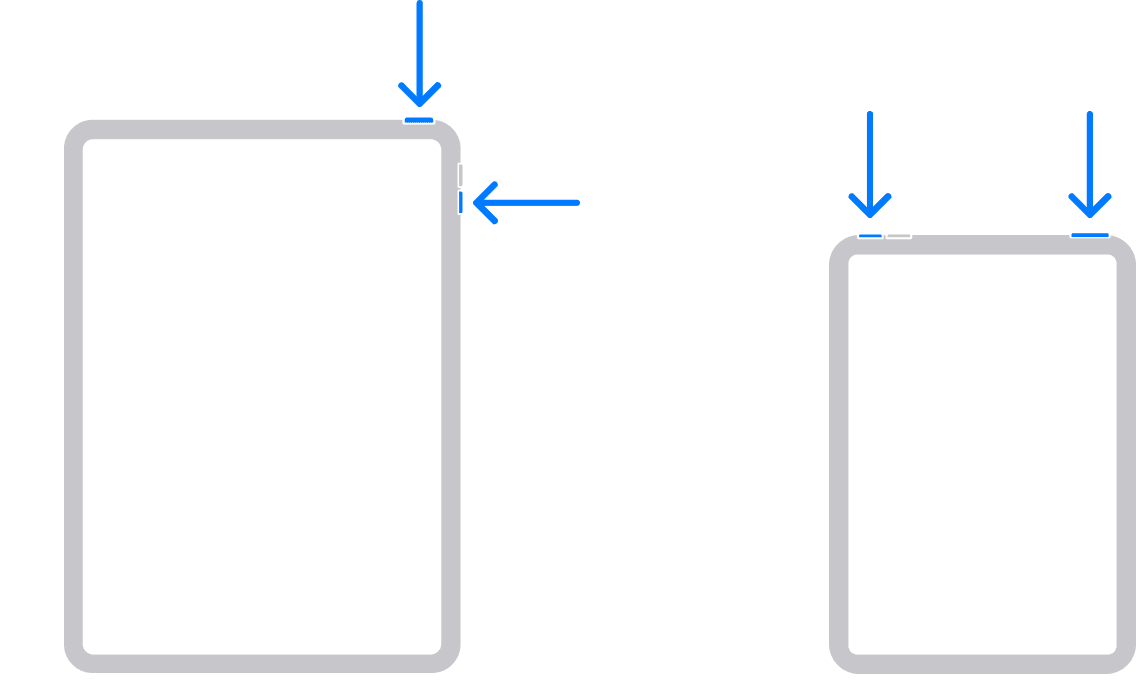
How to restart an iPad without a Home button
1. Press and hold either volume button and the top button until the power off slider appears.
2. Drag the slider, then wait 30 seconds for your device to turn off. If your device is frozen or unresponsive, force restart your device.
3. To turn your device back on, press and hold the top button until you see the Apple logo.


Let us know if that helps get this issue sorted.

Take care!


This thread has been closed by the system or the community team. You may vote for any posts you find helpful, or search the Community for additional answers.

Shortcuts for dismiss preview, next preview and previous preview not working iPad files app.

Welcome to Apple Support Community
A forum where Apple customers help each other with their products. Get started with your Apple Account.