Hi _Mash_,
We don't believe there is a limit to how many pages you can open. However, if you cannot add an app to your home screen, try restarting your device followed by retesting.
Restart your iPhone - Apple Support
While a restart can seem unimportant, it can actually resolve many minor issues with the device.
If you’re still experiencing the same issue, then check out the article here: Organize the Home Screen and App Library on your iPhone - Apple Support
Find, hide, and remove pages on your Home Screen
With iOS 14 and later, you can hide pages to streamline how your Home Screen looks and add them back whenever you want. Here's how to hide a page:
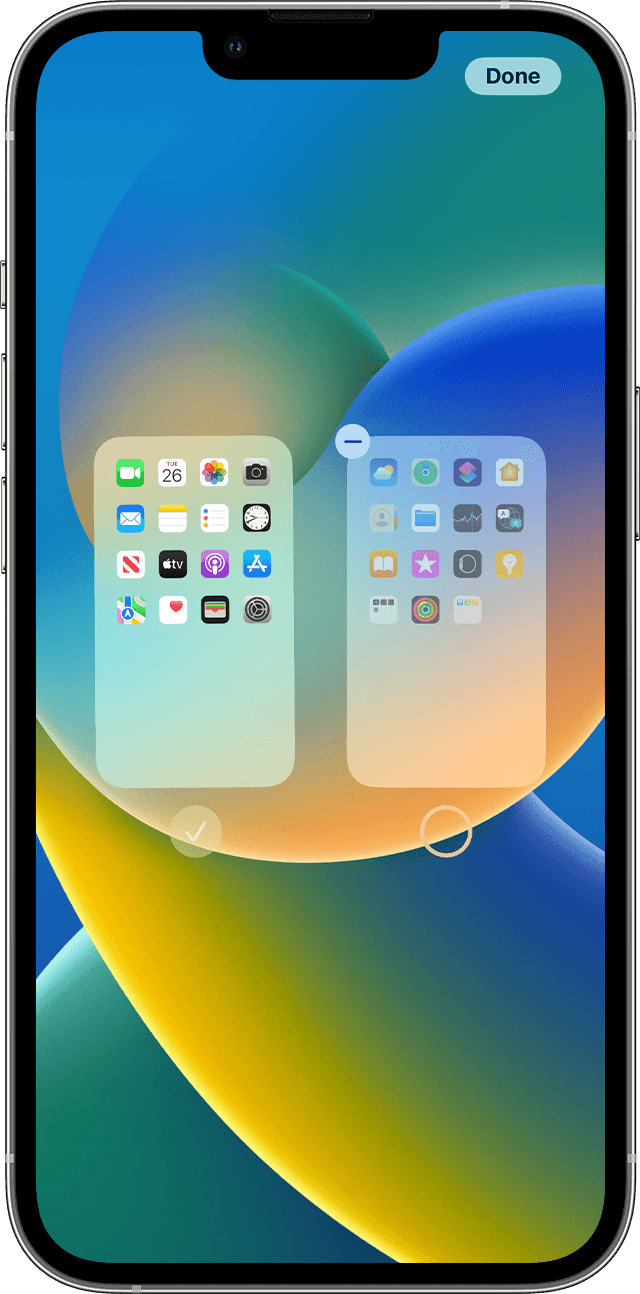
1. Touch and hold an empty area on your Home Screen.
2. Tap the dots near the bottom of your screen.
3. Tap the circle under the page that you want to hide.
4. Tap Done.
To unhide a page, repeat the steps above. Then use the App Library to quickly find apps hidden on different pages.
To remove pages from your Home Screen:
1. Touch and hold an empty area on your Home Screen.
2. Tap the dots near the bottom of your screen.
3. Tap the circle under the page that you want to hide.
4. Tap the Remove button  , then tap Remove.
When you remove a page from your Home Screen, the apps will still appear in the App Library.
Reorder pages on your Home Screen
With iOS 15 and iPadOS 15 and later, you can move pages on your Home Screen. Here's how:
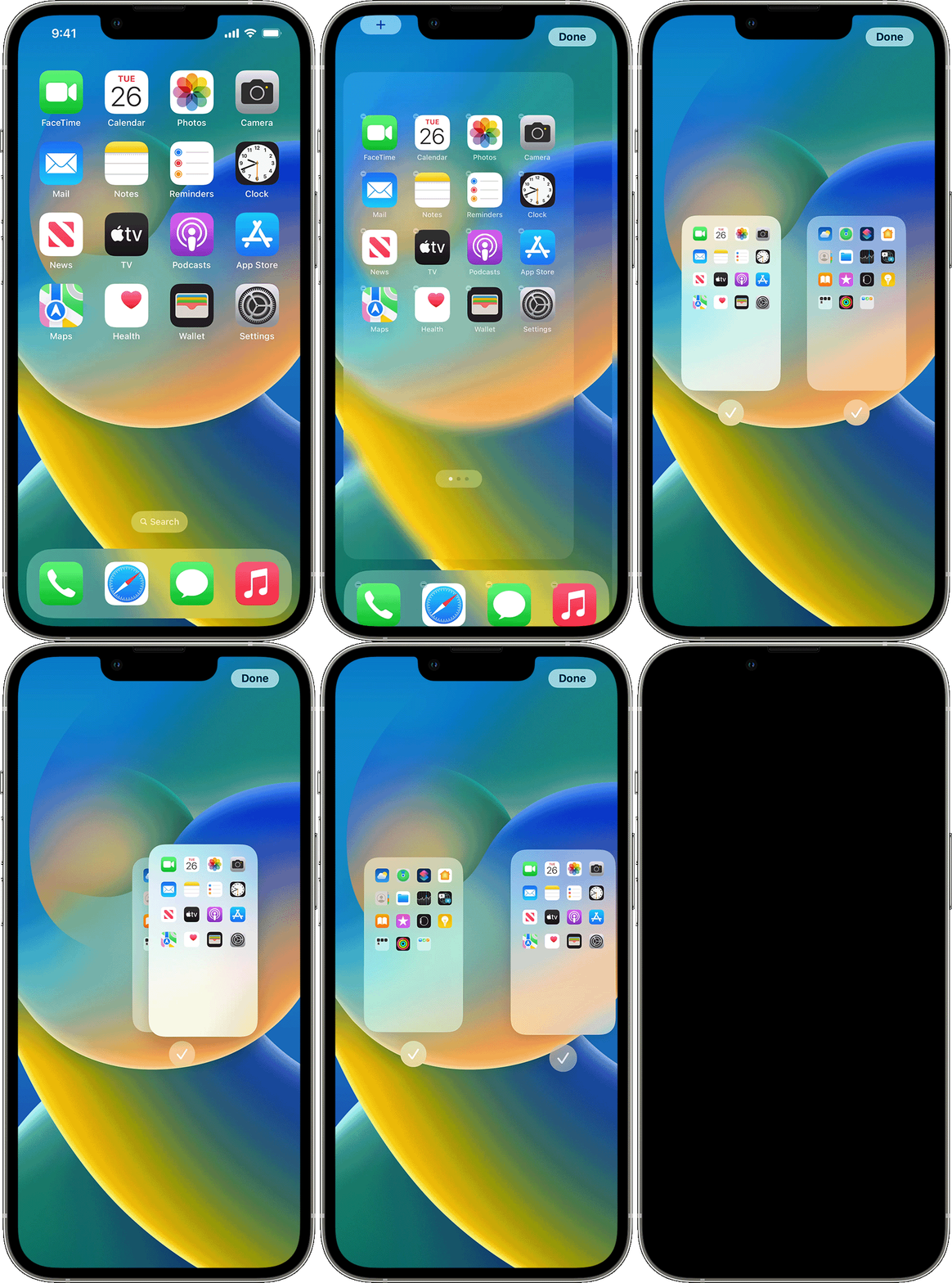
Please let us know the outcome after giving the above steps a try.
Thanks for using the Apple Support Communities.
Cheers!


