Hi MrsPeel47,
Have you tried forcing it to restart? If not, give it a try. On your iPad mini 4, press the volume up button + volume down button + press and hold the top button. You may need to hold the top button for 30 seconds or longer before you see the Apple logo.
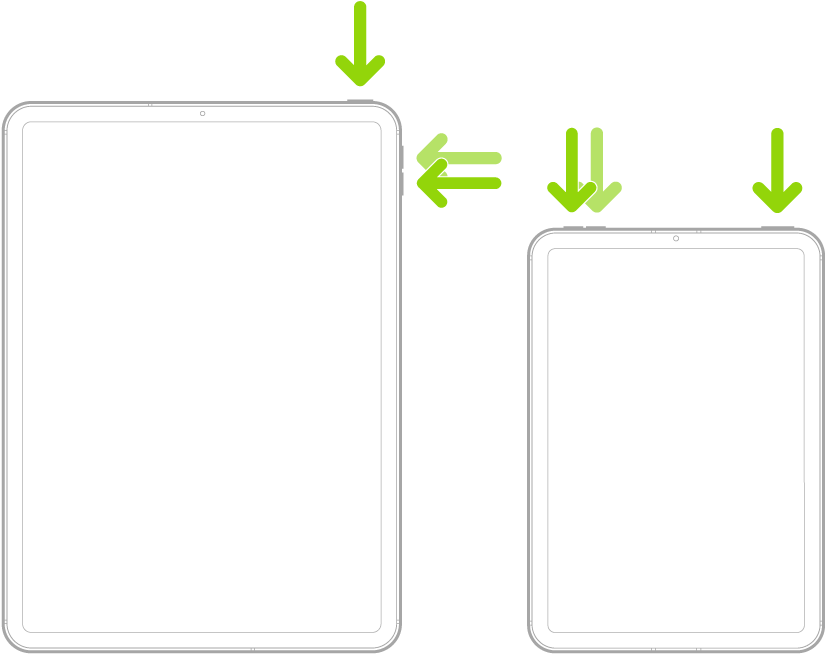
Force restart iPad has a great visual to help with the button sequence:
Force restart iPad (models with Face ID or with Touch ID in the top button)
If your iPad doesn’t have the Home button, do the following:
1. Press and quickly release the volume button nearest to the top button.
2. Press and quickly release the volume button farthest from the top button.
3. Press and hold the top button.
4. When the Apple logo appears, release the top button.
Thank you for being part of the Apple Support Communities.
Kindest Regards.


