Hey Rii1981,
We can help out. We understand some purchased movies aren't showing up in your list of purchases. We'd suggest getting started by making sure the purchase isn't hidden. For help with doing so, work through the steps here:
How to unhide music, movies, and TV shows on your Mac
1. Open the Apple Music app or the Apple TV app.
2. In the menu bar at the top of your computer, choose Account > Account Settings.
3. If prompted, sign in with your Apple ID.
4. On the page that appears, scroll to the Downloads and Purchases section. Next to Hidden Purchases, click Manage.
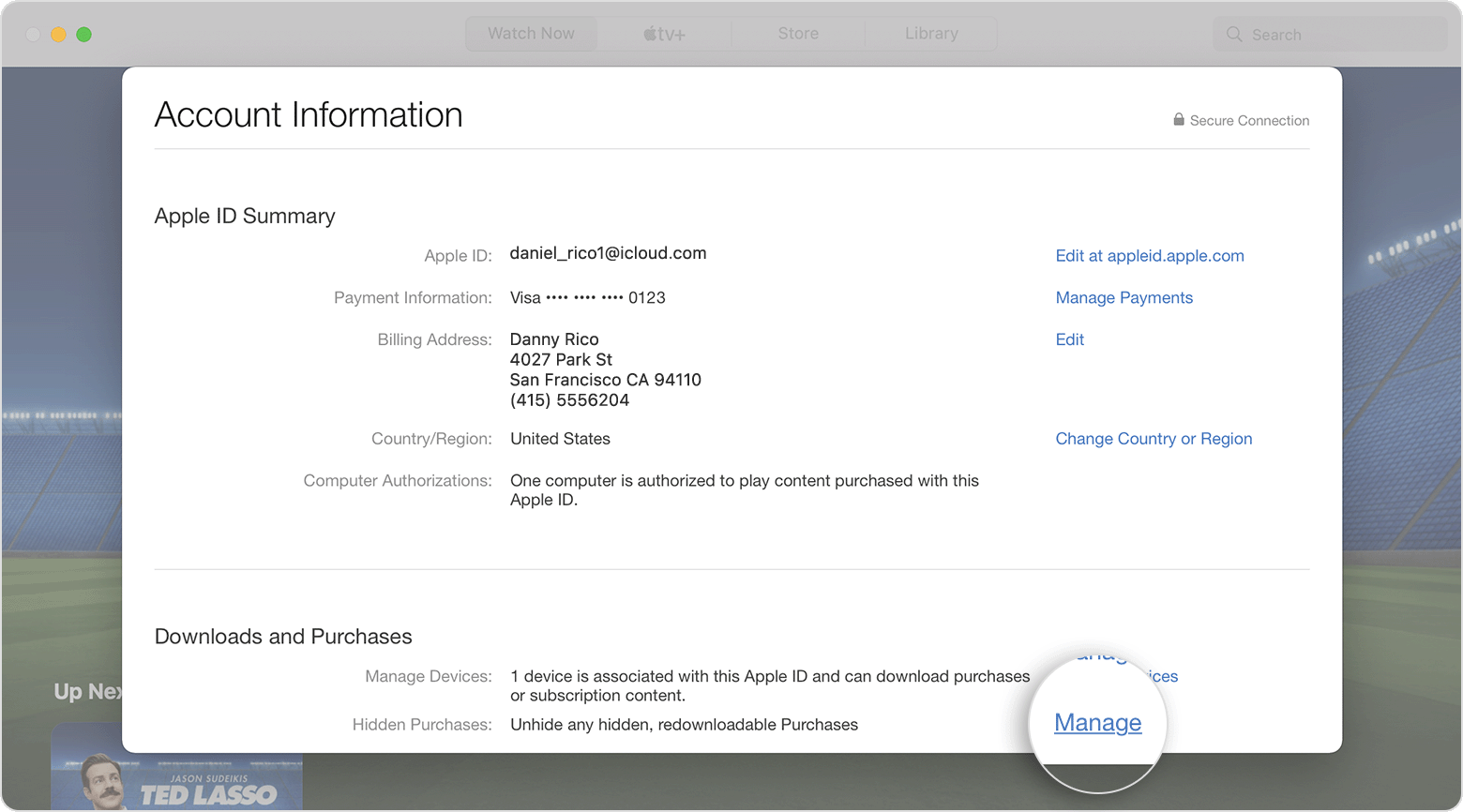
5. Under the item, click Unhide.
How to unhide music, movies, and TV shows on your PC
1. Open iTunes.
2. From the menu bar at the top of the iTunes window, choose Account > View My Account.
3. On the page that appears, scroll to the Downloads and Purchases section. Next to Hidden Purchases, click Manage.
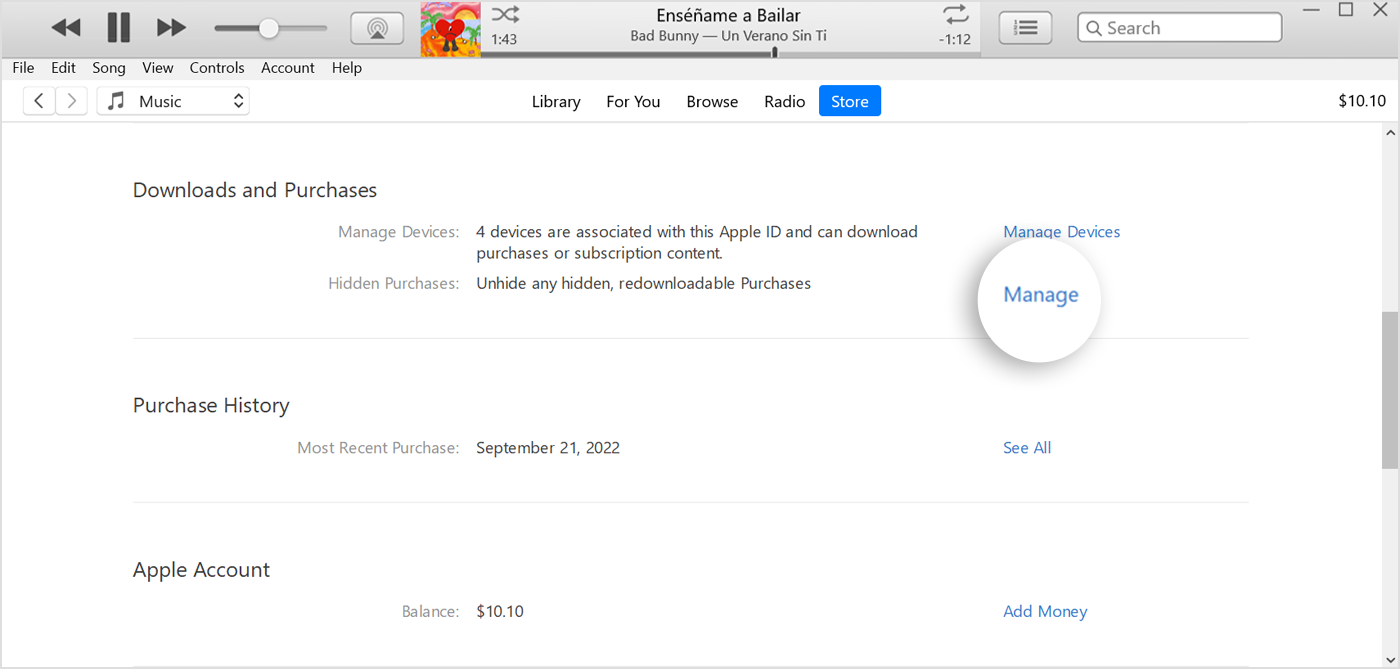
4. Depending on what you want to unhide, click Music, Movies, or TV Shows at the top of the window.
5. Under the item, click Unhide.
This is outlined further here: Hide and unhide music, movies, TV shows, audiobooks, and books - Apple Support
Also, have you changed the country/region for your Apple ID at any point? If you search for the missing movie in the TV app, does it appear available? If not, it may no longer be available in your country/region.
Lastly, are you certain the movie was purchased under the Apple ID logged in? If not, try logging into any other Apple ID it might be associated with to check the purchases there. If you find it on another Apple ID that you no longer use, you could share the purchase using Family Sharing: How to share purchases with your family - Apple Support
We hope this helps out.
Take care!

