I purchased ring tones on iTunes and it won’t let me download them

Why won’t my tones download on iTunes

iPhone XR, iOS 16

Posted on Mar 28, 2023 1:54 PM

Reply
1 reply

Mar 28, 2023 2:13 PM in response to Pain3322


See -> Use tones and ringtones with your iPhone, iPad, or iPod touch

Use tones and ringtones with your iPhone or iPad - Apple Support

⤵️

Buy ringtones from the iTunes Store

  1. Open the iTunes Store app.
  2. Tap  More.
  3. Tap Tones. 
  4. Find a ringtone that you want to buy, then tap the price.
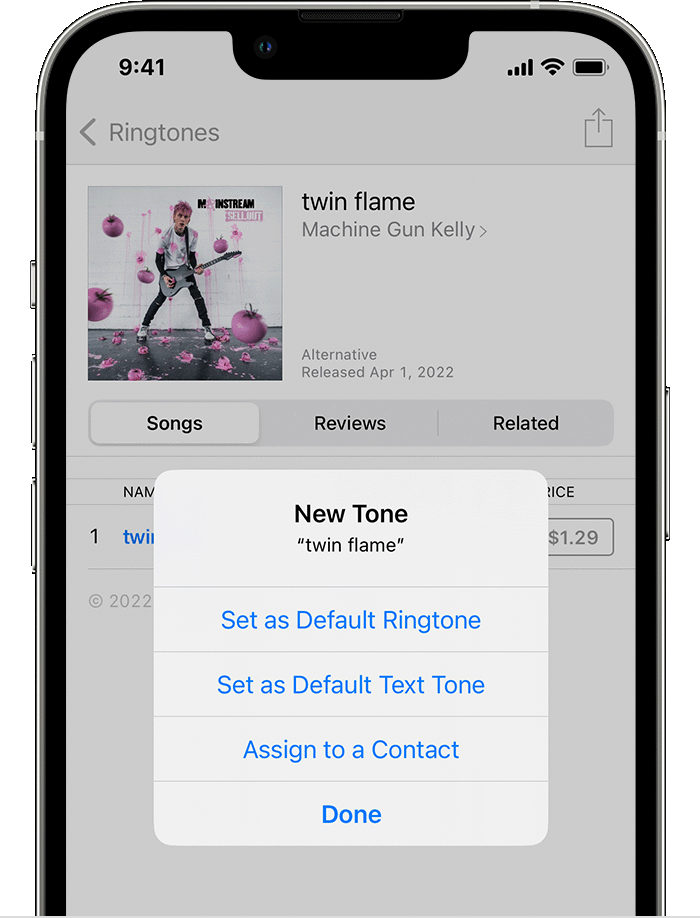
  5. Choose an option to automatically set the ringtone. Or tap Done to decide later.

  6. You might need to enter your Apple ID password to complete your purchase.


This thread has been closed by the system or the community team. You may vote for any posts you find helpful, or search the Community for additional answers.

I purchased ring tones on iTunes and it won’t let me download them

Welcome to Apple Support Community
A forum where Apple customers help each other with their products. Get started with your Apple Account.