My iPhone has froze since upgrading to 16:4
My iPhone froze up while upgrading to 16.4. Is it fixable?
iPhone 13, iOS 16
My iPhone froze up while upgrading to 16.4. Is it fixable?
iPhone 13, iOS 16
Hello Butters4test,
For issues with the iPhone being unresponsive you may try using the steps here to help resolve that: If your iPhone won't turn on or is frozen - Apple Support
On your iPhone 8 or later, including iPhone SE (2nd and 3rd generation)
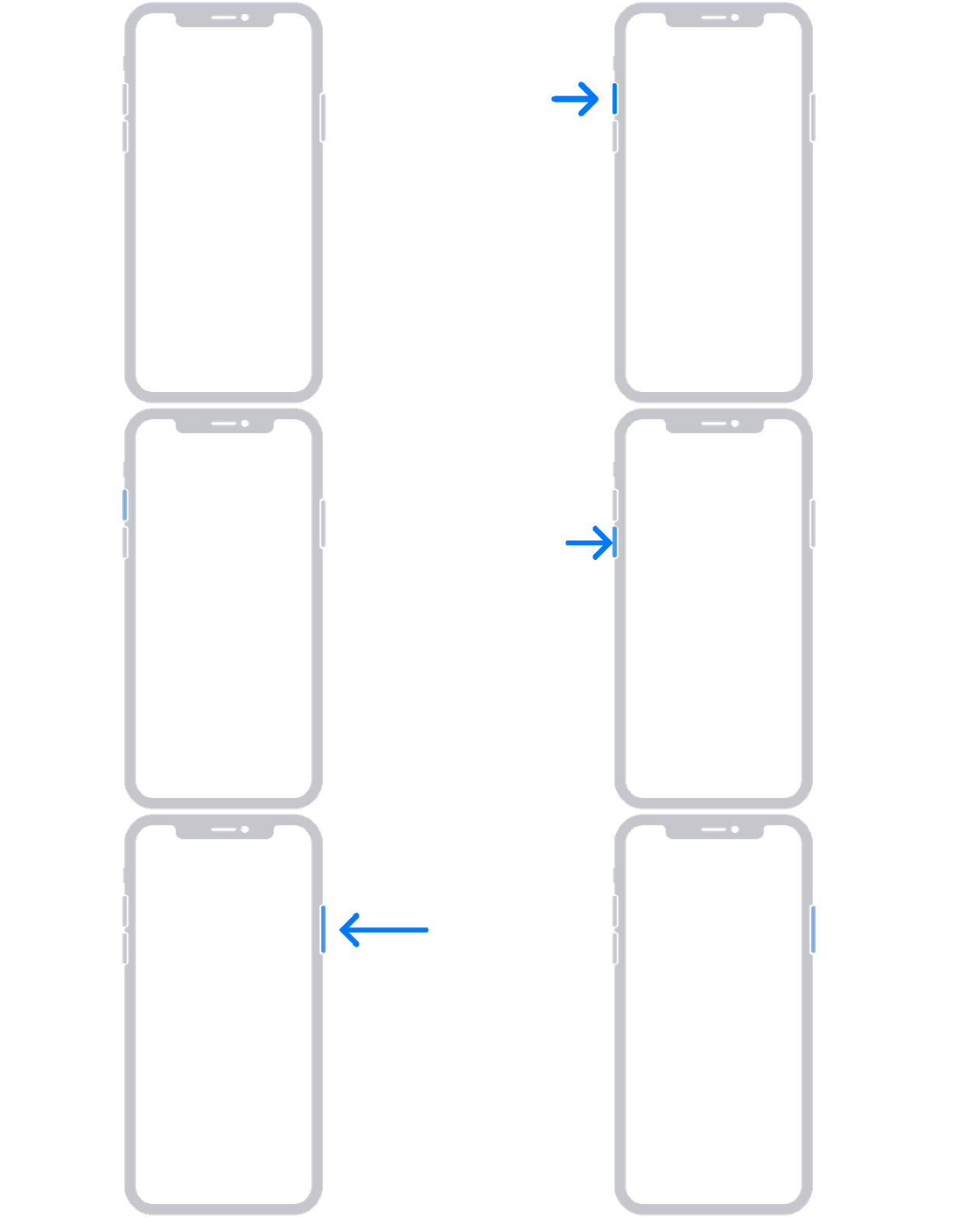
1. Press and quickly release the volume up button.
2. Press and quickly release the volume down button.
3. Press and hold the side button until you see the Apple logo.
4. If your phone doesn't turn on, follow these steps to check your hardware and charge your phone. You might need to charge for up to an hour.
5. If your phone still doesn't turn on, contact Apple Support.
If the above steps haven't helped, and the device is getting stuck while starting up (Apple logo or loading bar) then the steps in the "If your iPhone turns on but gets stuck during start up" section of the above link may help.
Cheers.
Hello Butters4test,
For issues with the iPhone being unresponsive you may try using the steps here to help resolve that: If your iPhone won't turn on or is frozen - Apple Support
On your iPhone 8 or later, including iPhone SE (2nd and 3rd generation)
1. Press and quickly release the volume up button.
2. Press and quickly release the volume down button.
3. Press and hold the side button until you see the Apple logo.
4. If your phone doesn't turn on, follow these steps to check your hardware and charge your phone. You might need to charge for up to an hour.
5. If your phone still doesn't turn on, contact Apple Support.
If the above steps haven't helped, and the device is getting stuck while starting up (Apple logo or loading bar) then the steps in the "If your iPhone turns on but gets stuck during start up" section of the above link may help.
Cheers.
My iPhone has froze since upgrading to 16:4