How to get emails to transfer to new iPhone
Why doesn’t my Microsoft emails transfer to my new iphone13
iPhone 13, iOS 16
Why doesn’t my Microsoft emails transfer to my new iphone13
iPhone 13, iOS 16
Thanks for posting in the Apple Support Communities sharonfrompekin,
If you haven't yet, use the following steps to set up your account in the Mail app in your iPhone:
How to set up your email account automatically
If you use an email provider like iCloud, Google, or Yahoo, Mail can automatically set up your email account with just your email address and password. Here's how:
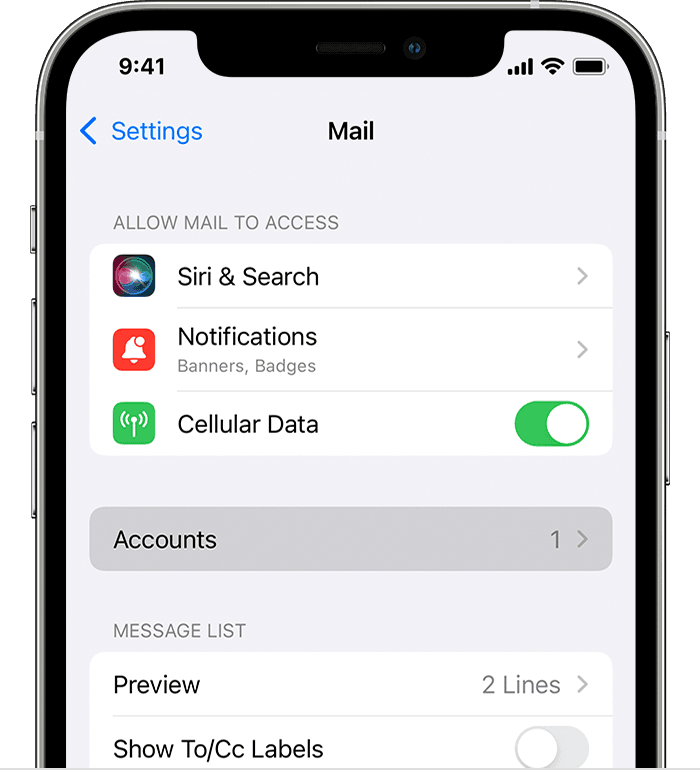
1: Go to Settings > Mail, then tap Accounts.
2: Tap Add Account, then select your email provider.
3: Enter your email address and password.
4: If you see Next, tap Next and wait for Mail to verify your account.
5: If you see Save, tap Save.
If you don't see your email provider, tap Other to add your account manually.
Add an email account to your iPhone, iPad, or iPod touch
We hope this helps!
Thanks for posting in the Apple Support Communities sharonfrompekin,
If you haven't yet, use the following steps to set up your account in the Mail app in your iPhone:
How to set up your email account automatically
If you use an email provider like iCloud, Google, or Yahoo, Mail can automatically set up your email account with just your email address and password. Here's how:
1: Go to Settings > Mail, then tap Accounts.
2: Tap Add Account, then select your email provider.
3: Enter your email address and password.
4: If you see Next, tap Next and wait for Mail to verify your account.
5: If you see Save, tap Save.
If you don't see your email provider, tap Other to add your account manually.
Add an email account to your iPhone, iPad, or iPod touch
We hope this helps!
How to get emails to transfer to new iPhone