16.4 changed the letters to my app widgets to dark grey
Help! I can’t read the apps or wifi signal or battery or time because it changed to a dark grey after updating to 16.4. How do I change em back to white?
Help! I can’t read the apps or wifi signal or battery or time because it changed to a dark grey after updating to 16.4. How do I change em back to white?
Hello Roninsensei,
We’d like you to customize the Wallpaper then: Change the wallpaper on your iPhone - Apple Support
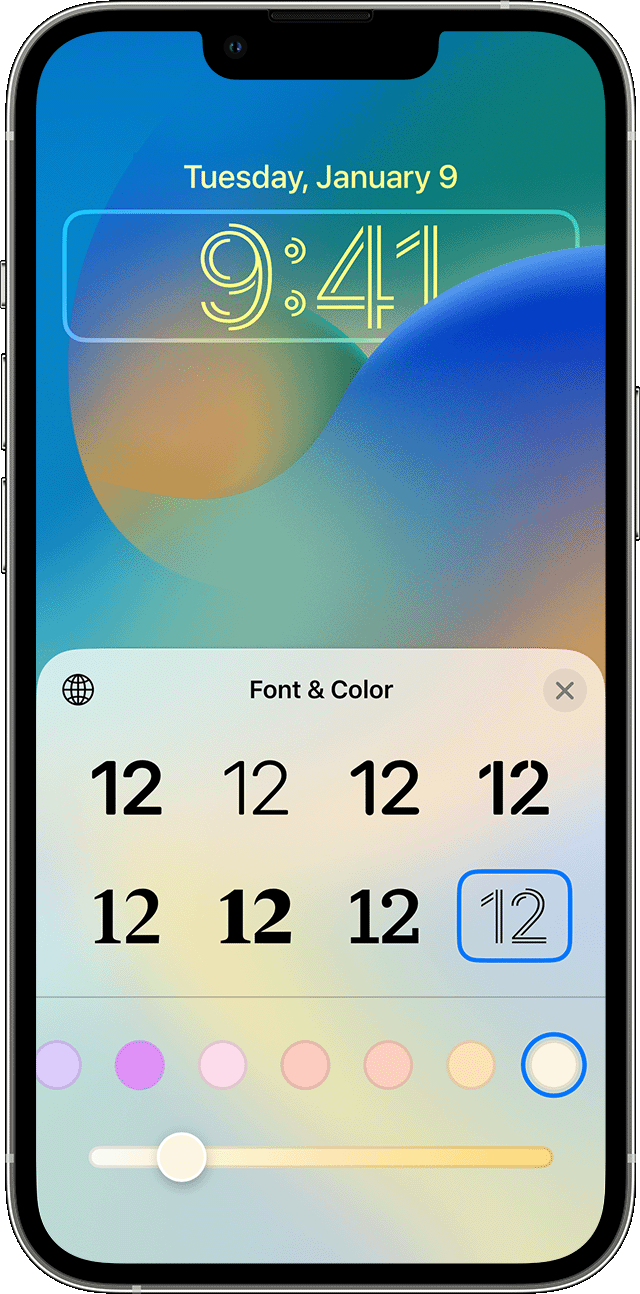
Customize a Lock Screen wallpaper with filters, widgets, and styles
1. In the Settings app, tap Wallpaper.
2. Under the preview of your Lock Screen, tap Customize.
3. Tap Customize Current Wallpaper or Add New Wallpaper and select a wallpaper.
4. Before you tap Done on the wallpaper, make your customizations.
* To choose a font and text color, tap on the time.
* To add or remove widgets — like Calendar, Clock, Weather, Fitness, or Reminders — tap on the boxes above or below the time.
* To apply photo styles — like Black & White, Duotone, or Color Wash — swipe left or right.
* To crop and move your photo, pinch and drag your photo.
* To select wallpaper options, tap the More button. Perspective Zoom moves the wallpaper as you tilt your screen. Depth Effect enables layering with the subject of your photo.*
* You can't use Depth Effect on wallpapers with widgets.
Please let us know the results when you're able.
All the best.
This is not a dark or light mode issue. In dark or light mode my apps on my home screens writing is all a dark grey in both modes. I can hardly see it when on Home Screen. I can hardly make out the wifi or battery in the top right corner because of the color change since 16.4. It used to be white. Now it’s dark grey and I want white back. How is this achieved? See following pic
the app writing is almost unseeable. I want it white instead of grey.
Hello Roninsensei,
This article shows you how to turn on/off dark mode: Use Dark Mode on your iPhone and iPad - Apple Support
Turn on Dark Mode in Settings or Control Center
1. Go to Settings, then tap Display & Brightness.
2. Select Dark to turn on Dark Mode.
To turn Dark Mode on and off in Control Center:
1. Go to Settings, then tap Control Center.
2. Tap the Add button next to Dark Mode to add it to Control Center.
Best Regards.
Here’s a pic in light mode
See it’s the same in both modes. The apps writing is grey and barely readable.
yes that fixed the issue. Thank you
16.4 changed the letters to my app widgets to dark grey