
How do I find a Summary of all recent notifications
Where on my iPhone 15 can I find a Summary List of All my recent Notifications?
Where on my iPhone 15 can I find a Summary List of All my recent Notifications?
Hey there scswanberg,
You came from a great resource to help you view a notification summary. As discussed in the resource you came from Use notifications on your iPhone or iPad:
"Schedule a notification summary
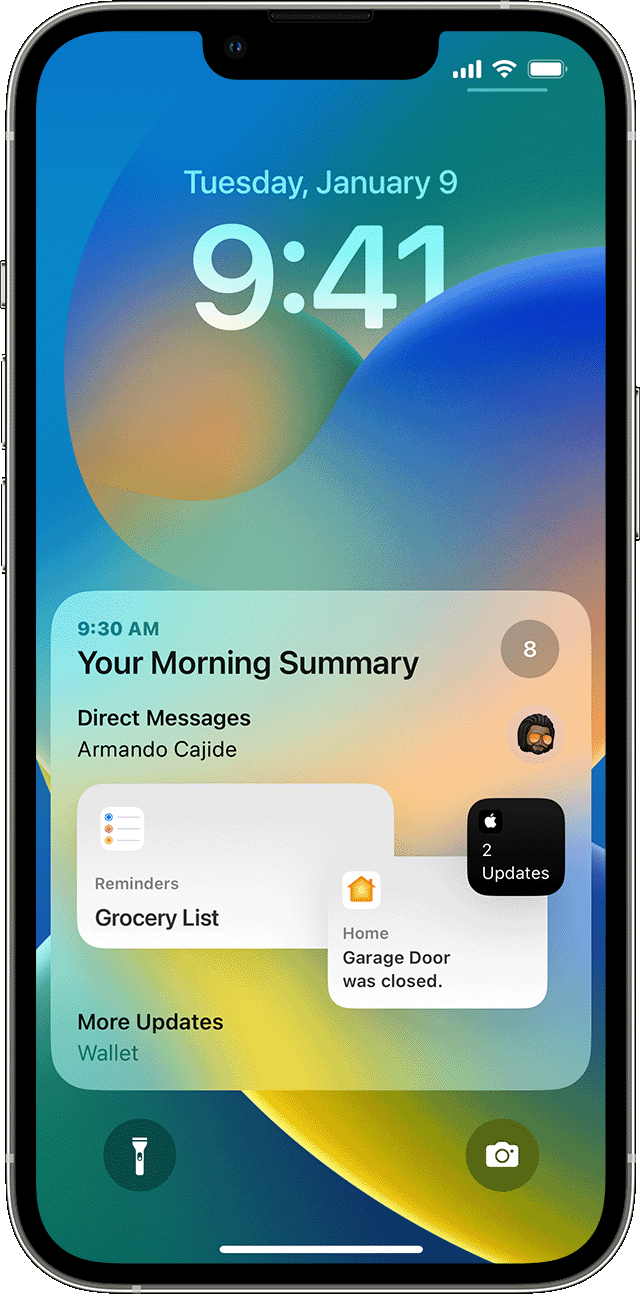
With iOS 15 and iPadOS 15 or later, you can schedule times to receive a summary of notifications each day so you can catch up when it's convenient for you. The summary is personalized to you and ordered by priority based on how you use your apps, with the most relevant notifications at the top.
To schedule a notification summary:
 to add a new schedule or the Remove button
  to remove a schedule. Then adjust the time for each scheduled summary you have set up.
To add new apps to the summary, go back to Settings > Notifications > Scheduled Summary and select the apps under Apps in Summary. Each app appears with a number showing the average number of notifications that you receive each day from that app."
Have a good one!
Hey there scswanberg,
You came from a great resource to help you view a notification summary. As discussed in the resource you came from Use notifications on your iPhone or iPad:
"Schedule a notification summary
With iOS 15 and iPadOS 15 or later, you can schedule times to receive a summary of notifications each day so you can catch up when it's convenient for you. The summary is personalized to you and ordered by priority based on how you use your apps, with the most relevant notifications at the top.
To schedule a notification summary:
to add a new schedule or the Remove button to remove a schedule. Then adjust the time for each scheduled summary you have set up.To add new apps to the summary, go back to Settings > Notifications > Scheduled Summary and select the apps under Apps in Summary. Each app appears with a number showing the average number of notifications that you receive each day from that app."
Have a good one!
How do I find a Summary of all recent notifications

