
change messages to go through as your number not your email from your computer
my friend is trying to make it so when she send a text to someone from her computer it comes through as her number not her email.
MacBook Pro (M2 Max, 2023)
my friend is trying to make it so when she send a text to someone from her computer it comes through as her number not her email.
MacBook Pro (M2 Max, 2023)
Hey there and welcome to Apple Support Communities brooklin273,
We can certainly understand your concern and can help provide some insight.
We recommend checking out these steps on how to forward you SMS and MMS messages to another device.
" Forward SMS/MMS text messages from your iPhone to your Mac or iPad
With Text Message Forwarding, the SMS/MMS messages that you send and receive on your iPhone can appear on your Mac or iPad as well. Then you can continue the conversation from the device you want.
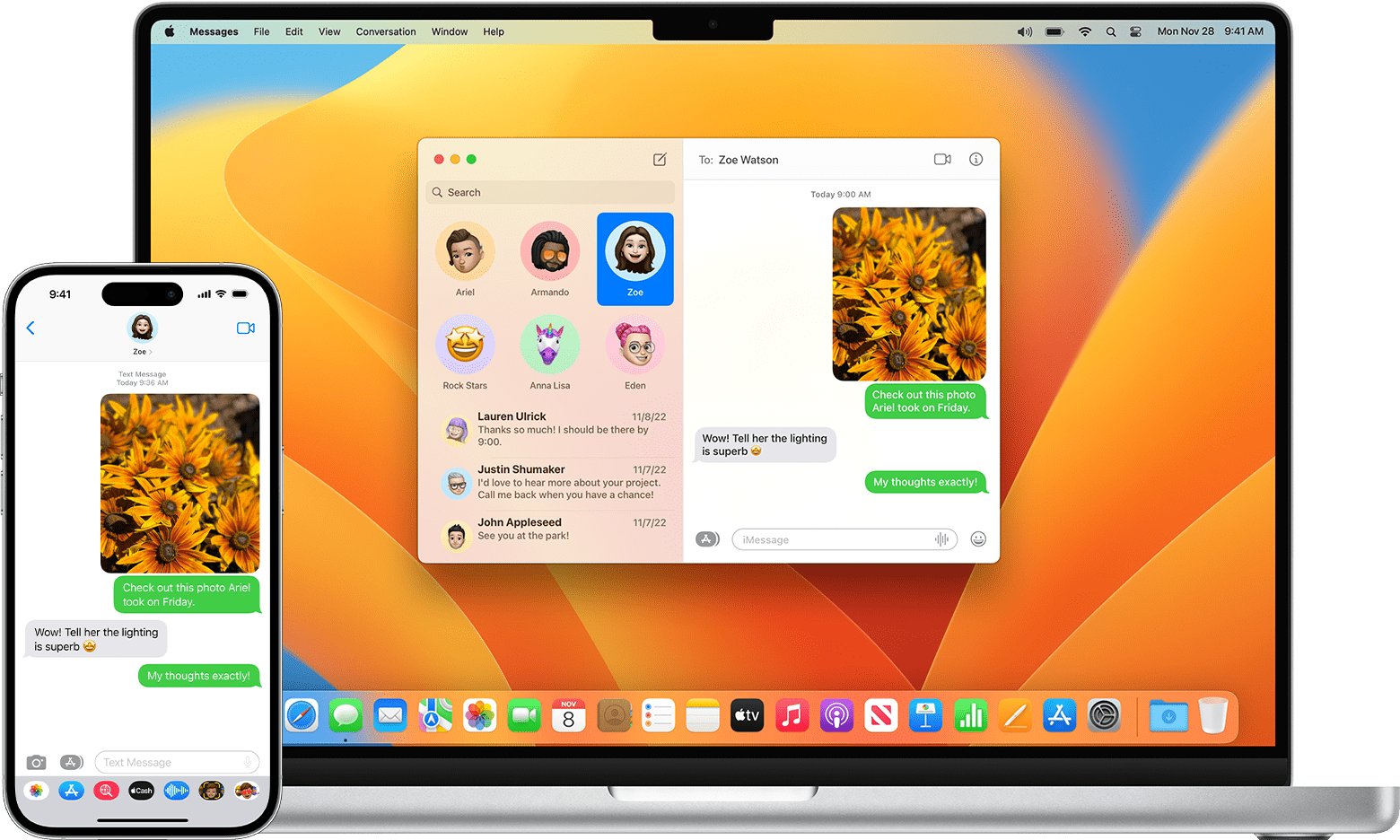
When someone sends you an SMS or MMS message on your iPhone, it appears as a green bubble, and iMessages appear as blue bubbles. When you set up Text Message Forwarding, you can send and receive the SMS and MMS messages from your iPhone on any device that meets the Continuity system requirements.
You can also use iCloud to keep your entire messages history updated and available on all your devices, even when you set up a new device. Learn how to keep all your messages in iCloud.
Automatically forward texts to your other devices
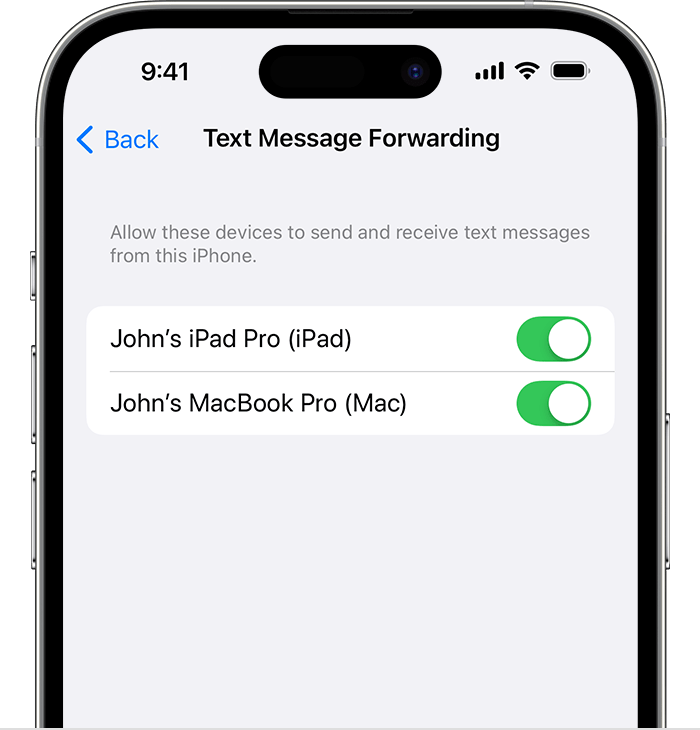
4. If you choose a device that isn't using two-factor authentication for your Apple ID, a verification code appears on each of your other devices: enter that code on your iPhone.
As long as your iPhone is turned on and connected to Wi-Fi or a cellular network, new SMS/MMS texts can be sent and received on the devices that you added. "
For additional information, check out this link: Forward SMS/MMS text messages from your iPhone to your Mac or iPad - Apple Support
These steps will help ensure your device is working with ease and can fix common issues like the ones you’re experiencing.
Kindest regards!
change messages to go through as your number not your email from your computer

