Hello, I am trying to login and using my account but it says I don

Hello, I am trying to login with my email account but it will not let me use my email address, said it is already in use. When I try to create a new id, it won't let me.


MacBook Pro 13″, macOS 12.6

Posted on Apr 1, 2023 3:50 PM

Reply
Question marked as Top-ranking reply

Posted on Apr 5, 2023 1:07 PM

Hi there 61Whiley55,


If you already have an Apple ID account set up for your email address, the steps outlined here walk you through how to reset the password: If you forgot your Apple ID password


If you would prefer to use another email address as an Apple ID, follow these steps from How to create a new Apple ID to do so:

Create your Apple ID on Mac
1. Choose Apple menu  > System Settings. In earlier versions of macOS, choose Apple menu  > System Preferences.
2. Click Sign In with your Apple ID from the sidebar. In earlier versions of macOS, click Sign In.
3. Click Create Apple ID, then follow the onscreen steps to provide an email address, create a strong password, and set your device region. The email address that you provide will be your new Apple ID.*
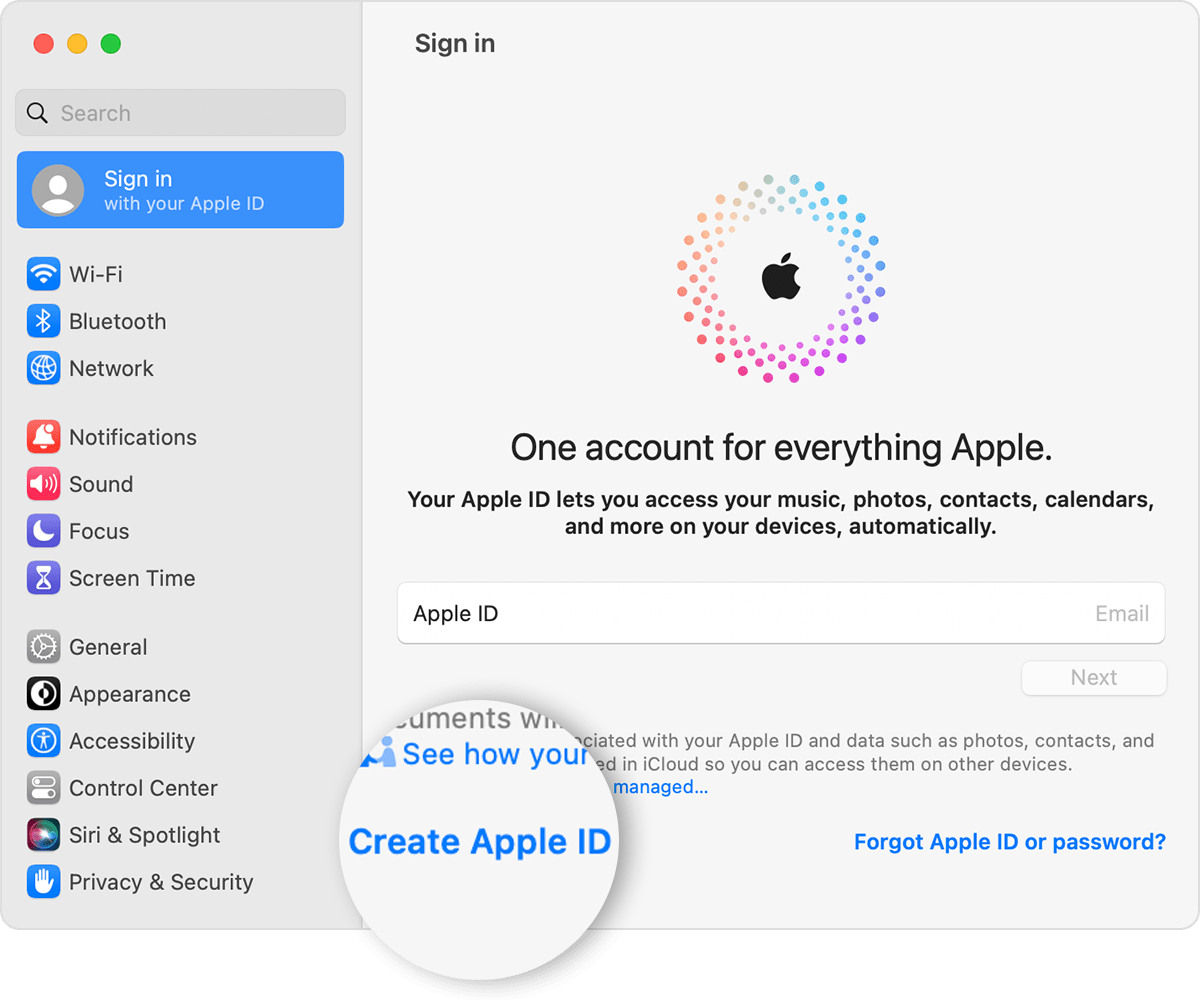
On a Mac, create an Apple ID in System Settings
4. Enter your credit card and billing information, then click Continue. You can also choose None. Learn what to do if None isn't showing or you can't select it. You won't be charged until you make a purchase.
5. Check your email for a verification email from Apple and verify your email address.

After you verify your email address, you can use your new Apple ID to sign in to the App Store and other Apple services such as iCloud. 


If something else is occurring when you try to create a new Apple ID or reset your password, please provide more details so that we can continue to assist.


Cheers!

1 reply
Question marked as Top-ranking reply

Apr 5, 2023 1:07 PM in response to 61Whiley55

Hi there 61Whiley55,


If you already have an Apple ID account set up for your email address, the steps outlined here walk you through how to reset the password: If you forgot your Apple ID password


If you would prefer to use another email address as an Apple ID, follow these steps from How to create a new Apple ID to do so:

Create your Apple ID on Mac
1. Choose Apple menu  > System Settings. In earlier versions of macOS, choose Apple menu  > System Preferences.
2. Click Sign In with your Apple ID from the sidebar. In earlier versions of macOS, click Sign In.
3. Click Create Apple ID, then follow the onscreen steps to provide an email address, create a strong password, and set your device region. The email address that you provide will be your new Apple ID.*
On a Mac, create an Apple ID in System Settings
4. Enter your credit card and billing information, then click Continue. You can also choose None. Learn what to do if None isn't showing or you can't select it. You won't be charged until you make a purchase.
5. Check your email for a verification email from Apple and verify your email address.

After you verify your email address, you can use your new Apple ID to sign in to the App Store and other Apple services such as iCloud. 


If something else is occurring when you try to create a new Apple ID or reset your password, please provide more details so that we can continue to assist.


Cheers!

This thread has been closed by the system or the community team. You may vote for any posts you find helpful, or search the Community for additional answers.

Hello, I am trying to login and using my account but it says I don

Welcome to Apple Support Community
A forum where Apple customers help each other with their products. Get started with your Apple Account.