Downgrade my subscription from iCloud storage space

Hello! I can’t downgrade my iCloud storage space subscription, when I press to downgrade it’s not completing!

Posted on Apr 2, 2023 10:23 AM

Reply
Question marked as Top-ranking reply

Posted on Apr 5, 2023 6:35 PM

Hey denisabnsc,


We'd recommend reviewing this article as it provide steps to downgrade your iCloud Storage plan: Downgrade or cancel your iCloud+ plan - Apple Support


"How to downgrade or cancel your iCloud+ plan on your iPhone, iPad, or iPod touch
  1. Open the Settings app.
  2. Tap your name.
  3. Tap iCloud.
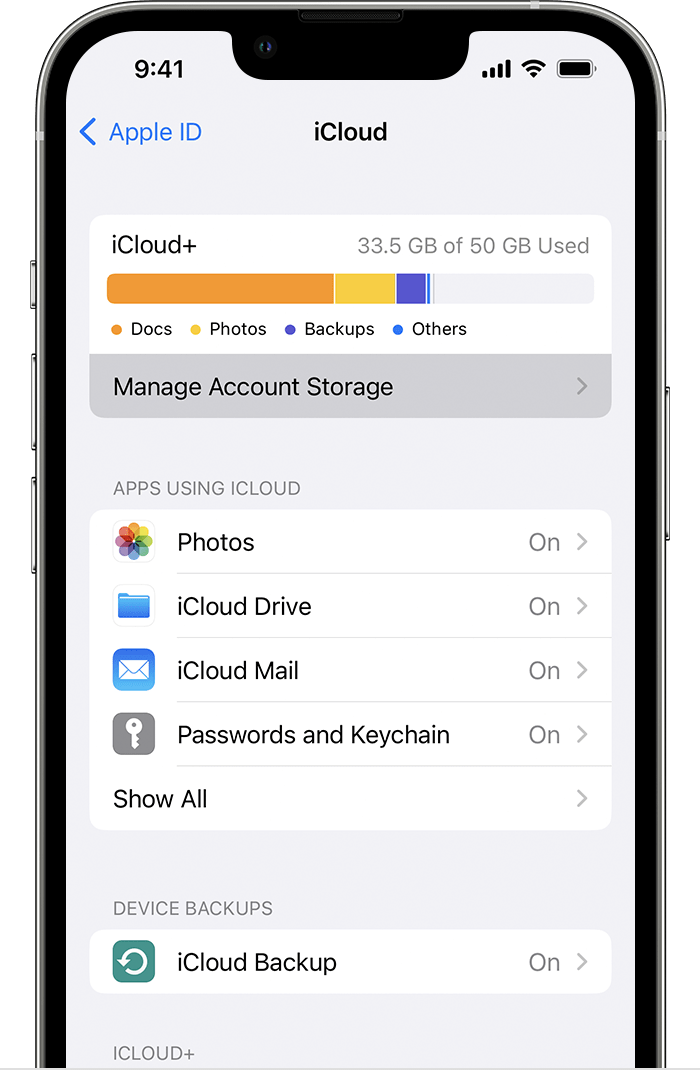
  4. Tap Manage Account Storage or Manage Storage.
  5. Manage Account Storage is towards the top of iCloud settings.
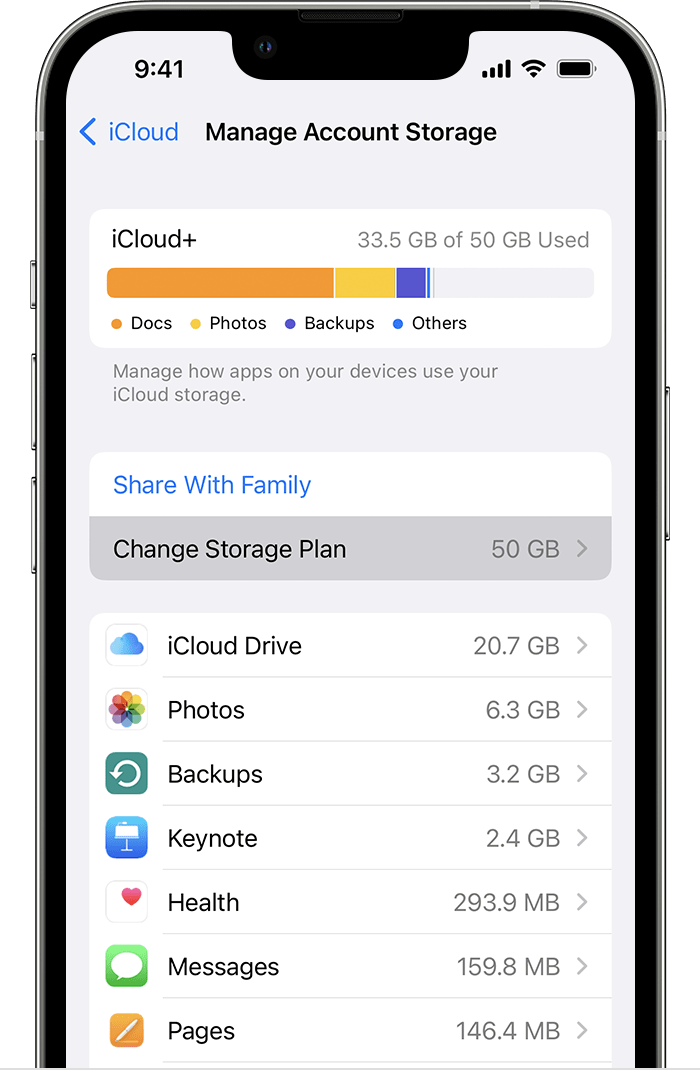
  6. Tap Change Storage Plan.
  7. Change Storage Plan is below the Share With Family button.
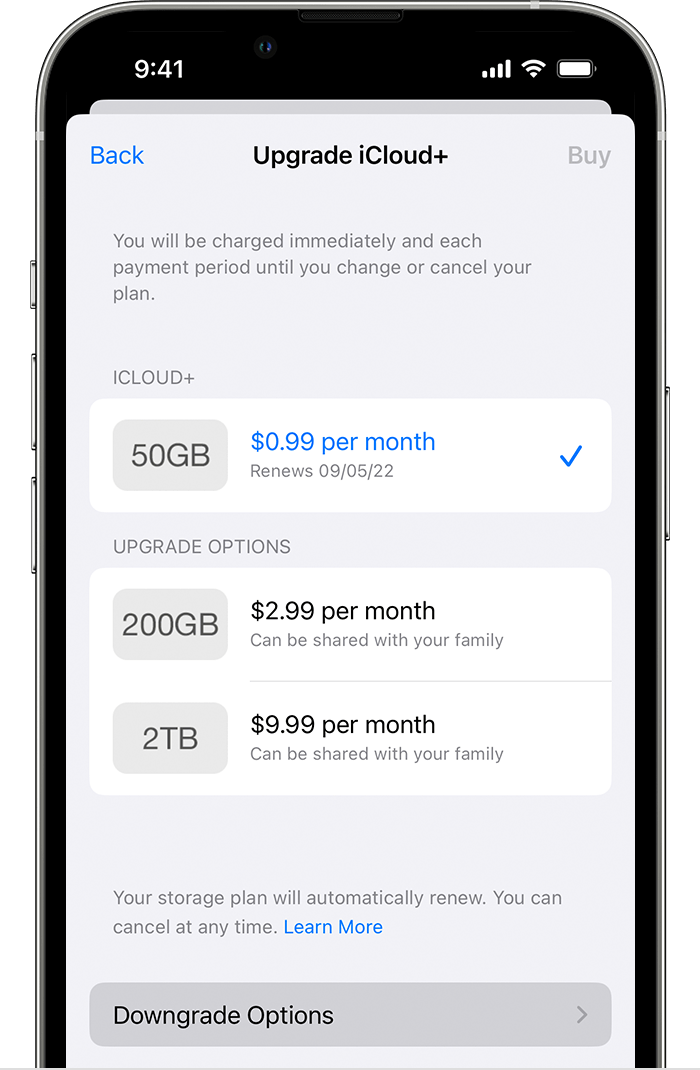
  8. Tap Downgrade Options and enter your Apple ID password.
  9. The Downgrade Options button is towards the bottom of the page, below Upgrade Options.
  10. Choose a different plan:
    • To downgrade your plan, choose a new storage amount.
    • To cancel iCloud+, choose the free 5GB plan or choose None.
  1. Tap Done. If you can't tap Done, make sure that you're signed in with the same Apple ID that you use for your iCloud+ plan. You can also try following these steps on a different device. If you still need help, contact Apple Support.

If you downgrade or cancel your iCloud+ plan, the change takes effect after your current subscription billing period ends.1"


Thanks!

1 reply
Question marked as Top-ranking reply

Apr 5, 2023 6:35 PM in response to denisabnsc

Hey denisabnsc,


We'd recommend reviewing this article as it provide steps to downgrade your iCloud Storage plan: Downgrade or cancel your iCloud+ plan - Apple Support


"How to downgrade or cancel your iCloud+ plan on your iPhone, iPad, or iPod touch
  1. Open the Settings app.
  2. Tap your name.
  3. Tap iCloud.
  4. Tap Manage Account Storage or Manage Storage.
  5. Manage Account Storage is towards the top of iCloud settings.
  6. Tap Change Storage Plan.
  7. Change Storage Plan is below the Share With Family button.
  8. Tap Downgrade Options and enter your Apple ID password.
  9. The Downgrade Options button is towards the bottom of the page, below Upgrade Options.
  10. Choose a different plan:
    • To downgrade your plan, choose a new storage amount.
    • To cancel iCloud+, choose the free 5GB plan or choose None.
  1. Tap Done. If you can't tap Done, make sure that you're signed in with the same Apple ID that you use for your iCloud+ plan. You can also try following these steps on a different device. If you still need help, contact Apple Support.

If you downgrade or cancel your iCloud+ plan, the change takes effect after your current subscription billing period ends.1"


Thanks!

This thread has been closed by the system or the community team. You may vote for any posts you find helpful, or search the Community for additional answers.

Downgrade my subscription from iCloud storage space

Welcome to Apple Support Community
A forum where Apple customers help each other with their products. Get started with your Apple Account.