There is no single-cell formula to sum values across sheets. I am not sure what your specific situation is so I'll give two different, but similar, examples. The first is kind of a general method. The second I think is more what you are looking for.
The first method gathers data from different sheets into one table. With it gathered into one table you can more easily use it in other formulas.
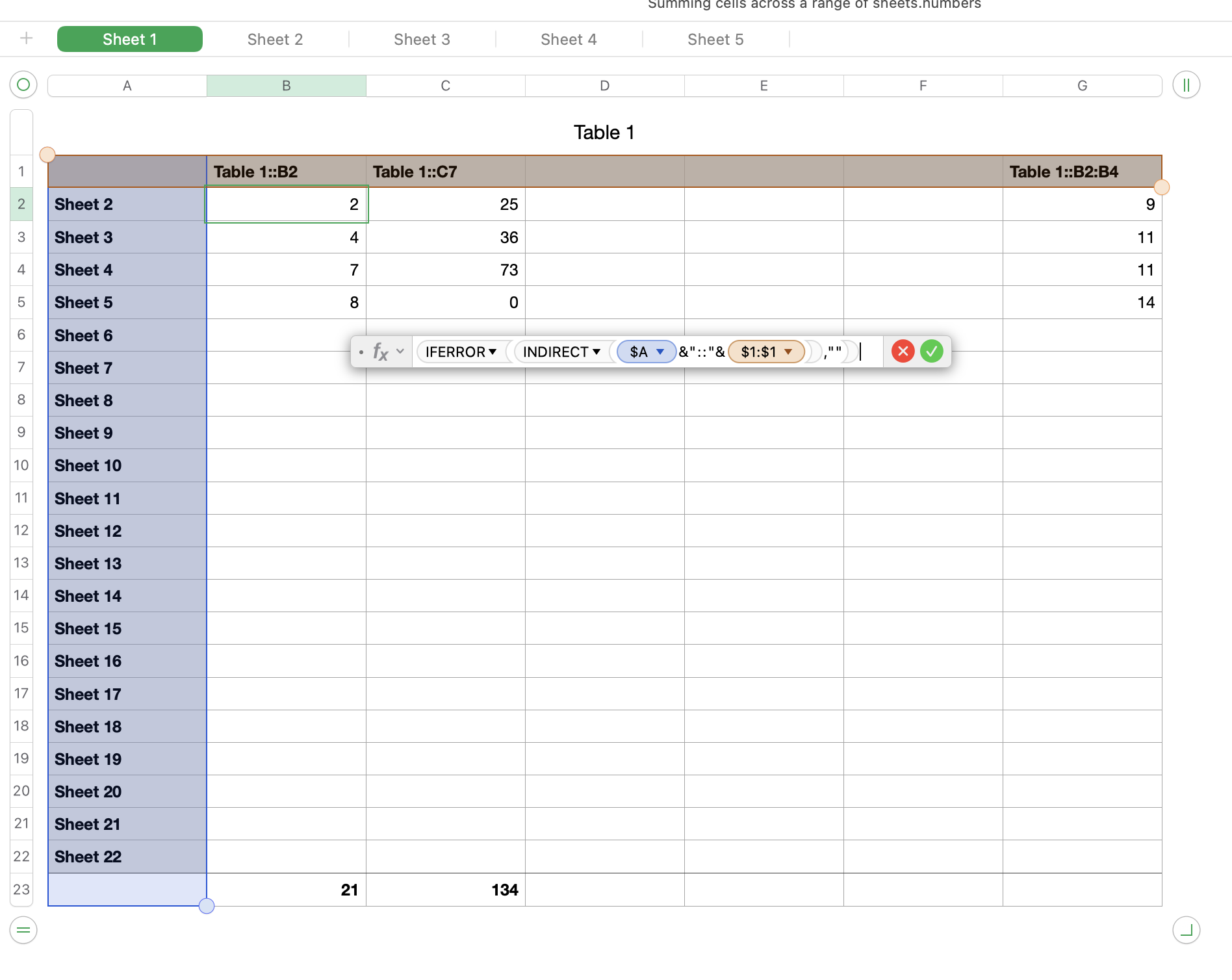
Column A is a list of sheet names. If you have a naming convention, you can pre-fill the names of sheets that do not yet exist. I only have 5 sheets total but column A goes to Sheet 22. As you add the new sheets to your document, they will get included in the table.
Row 1 gives the table name and cell address. This example allows you to pull data from more than one table on each sheet, though I only have one table on each sheet at this time. If you only have one table, you can incorporate the table name into the formula and then you'll only have to put the cell address in row 1.
The last row is a header row where I sum each column. You could use other functions, this was just an example.
Formula in cell B2 =IFERROR(INDIRECT($A2&"::"&B$1),"")
fill to the rest of the cells, other than the footer row.
Note that empty cells will come across as 0's. If that is a problem, the formula can be modified.
----
The second method is more tailored to your request, as I understand it:
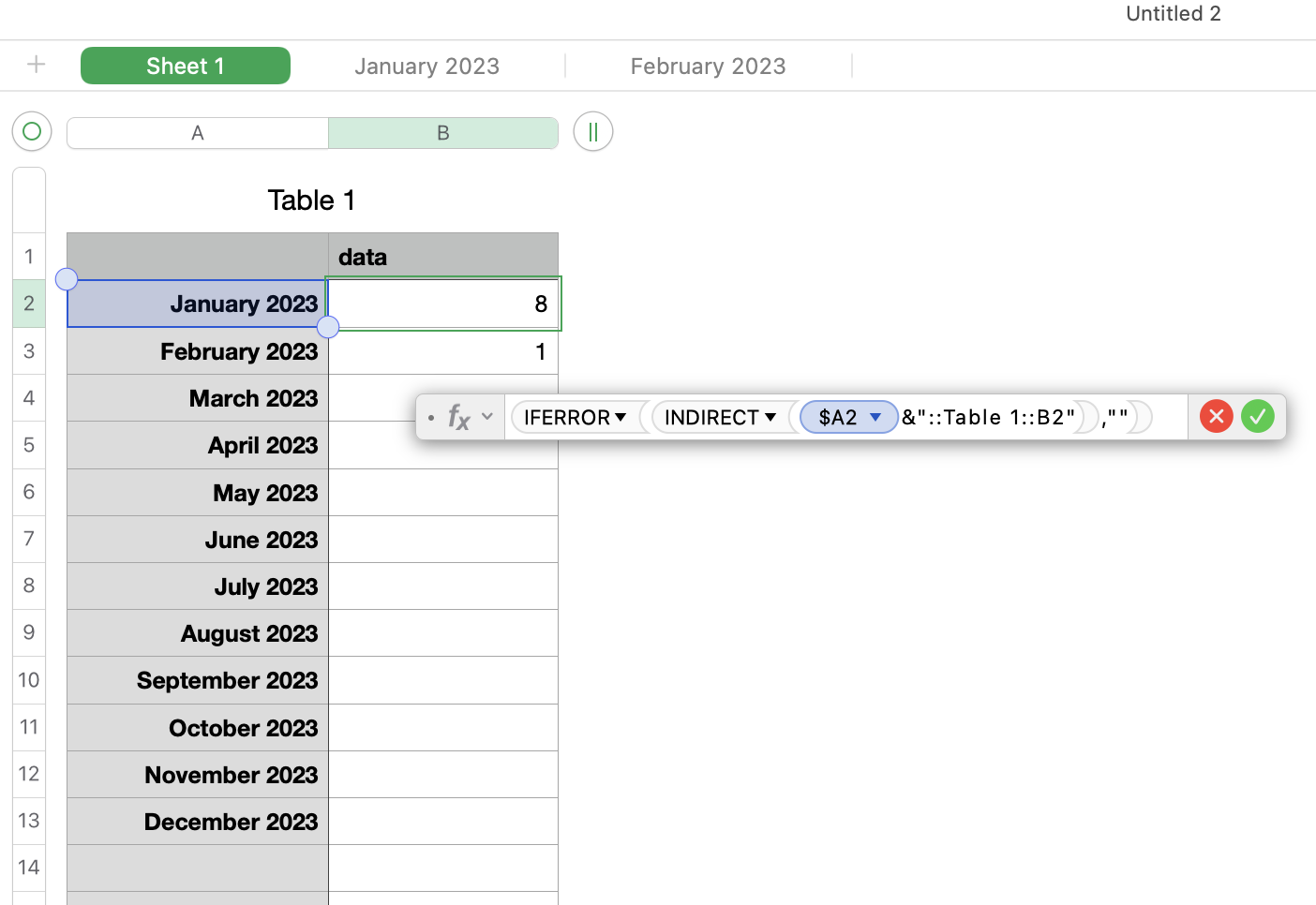
Column A is a list of months, which will be the same as the table names. You don't need to include the year (unless your sheet names have it like mine do). It would be best if this column was formatted as text.
B2 = IFERROR(INDIRECT($A2&"::Table 1::B2"),"")
fill down
(Table 1 is the table that is on the monthly sheets. If your table is named something different, use your table name instead)


