Hi blackcomb greens,
Thanks for contacting Apple Support Communities!
We understand that you're being charged for cellular data although you've disabled Cellular Data and Roaming in Settings > Cellular Data while traveling.
Since the charges are made though your carrier, you may consider contacting them to go over your account with you to help determine why you're being charged. You can also inform your carrier before you travel and ask them to provision your account to prevent any data usage while you're traveling.
This is also a great resource which will show you how much cellular data you use and how to disable cellular data features for your apps on your iPhone: Use cellular data on your iPhone or iPad - Apple Support
"Turn cellular data on or off
To turn cellular data on or off, go to Settings, then tap Cellular or Mobile Data. If you're using an iPad, you might see Settings > Cellular Data.
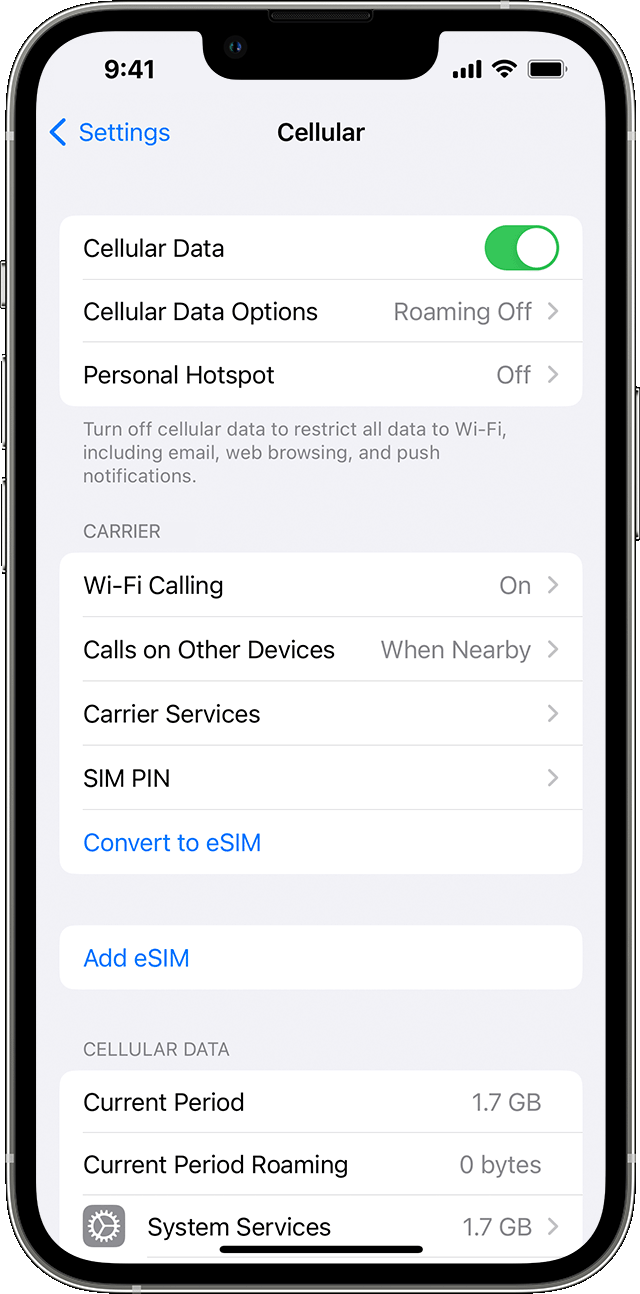
Depending on your carrier and device, you might have additional options listed under Cellular Data Options:
- Enable LTE, 4G, or 3G: You can select what type of network connection to use for voice and data. Learn more about these options. Learn about data options with 5G on your iPhone or iPad.
- Turn Voice Roaming on or off: With CDMA networks, you can turn off Voice Roaming to avoid charges from using other carriers' networks.
- Turn Data Roaming on or off: When you're traveling internationally, you can turn off data roaming to avoid roaming charges. If you have an international data plan, you may need to keep Data Roaming on. Learn more about traveling internationally with your iPhone or iPad.
Depending on your carrier, data roaming might be used if you travel domestically. Contact your carrier for more information about your data roaming policy or other cellular data settings. You can turn cellular data on or off to limit apps and services from using the cellular network to connect to the internet. When cellular data is on, apps and services use your cellular connection when Wi-Fi isn't available. As a result, you might be charged for using certain features and services with cellular data. Contact your carrier for more information about possible charges."
We hope this helps.
Take care!



