Hi there Jesparza023,
If your mother is not seeing photos as expected in the Messages app, let's first check that she has enough storage available on the device since a lack of available storage can be responsible for issues like this. This article shows how to check and free up storage on the iPhone: How to check the storage on your iPhone and iPad
If there is enough available storage on the device, then we would recommend ensuring the iPhone is fully updated. This installs feature improvements and bug fixes that can resolve unexpected behavior. These steps from Update your iPhone or iPad show how to back up and update:
1. Back up your device using iCloud or your computer.
2. Plug your device into power and connect to the internet with Wi-Fi.
3. Go to Settings > General, then tap Software Update.
4. If you see more than one software update option available, choose the one that you want to install.
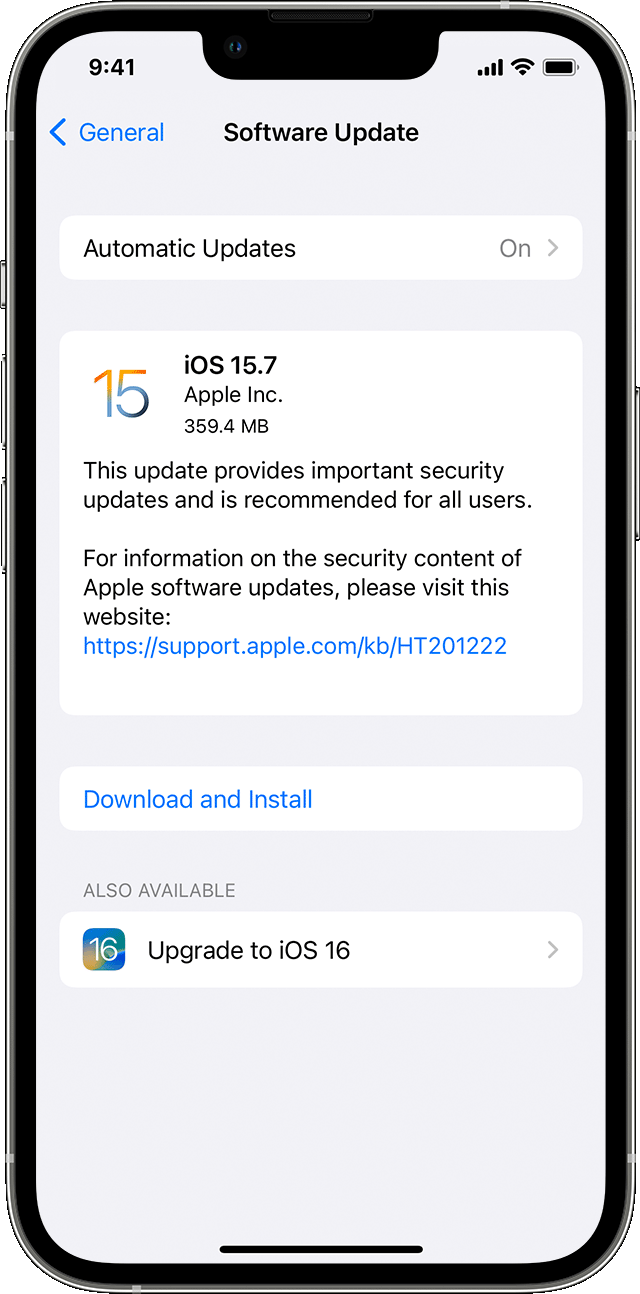
5. Tap Install Now. If you see Download and Install instead, tap it to download the update, enter your passcode, then tap Install Now. If you don't know your passcode, learn what to do.
We hope that helps!


